


Travelling with a laptop sounds simple until you actually have to do it.
There is the weight of the laptop itself, the charger, the bag, the accessories and everything else you somehow end up carrying. Then there is the question of battery life. Will the laptop last through a long flight? Can you work from a café without constantly looking for a power outlet? Is the screen comfortable enough for several hours of writing? And if you are travelling for work, can you trust the machine when you are away from your usual desk?

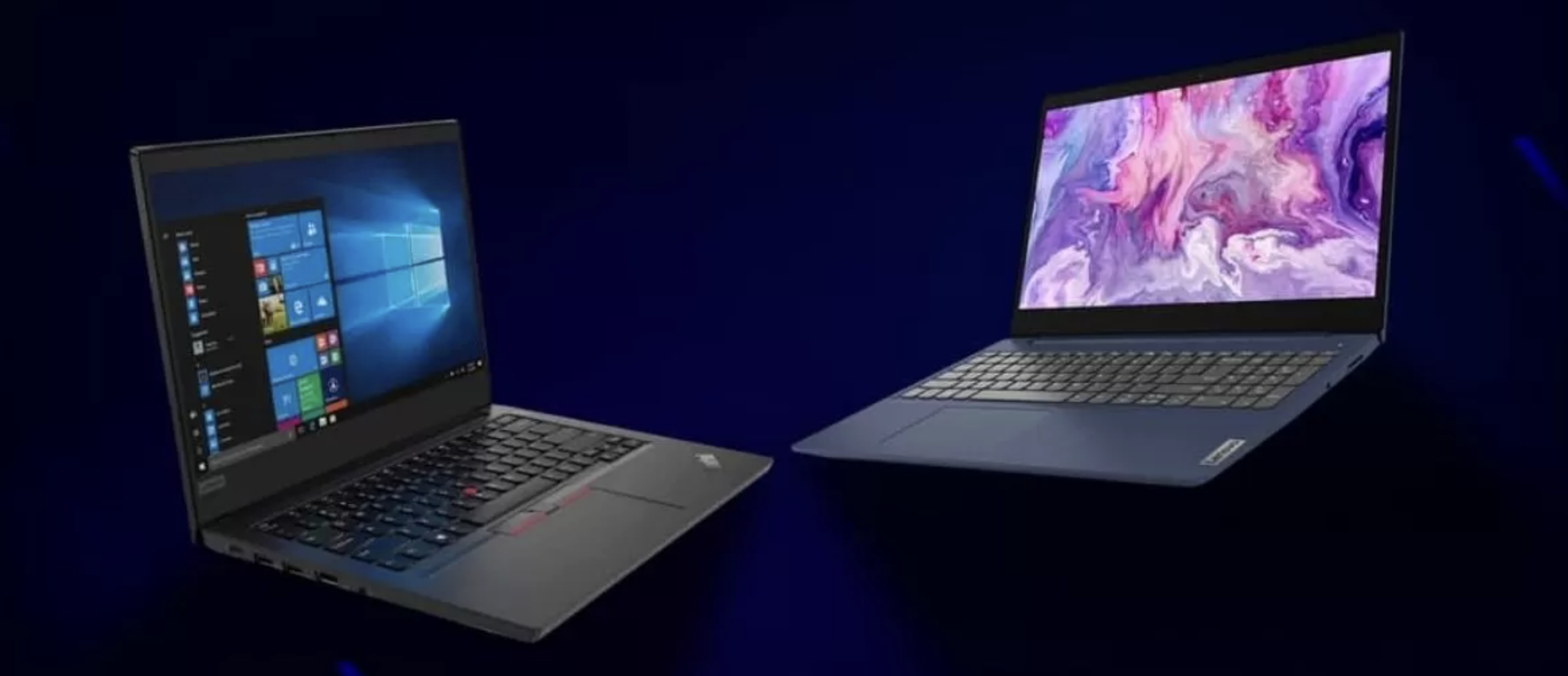
This is where the choice between Lenovo ThinkPad and IdeaPad becomes interesting.
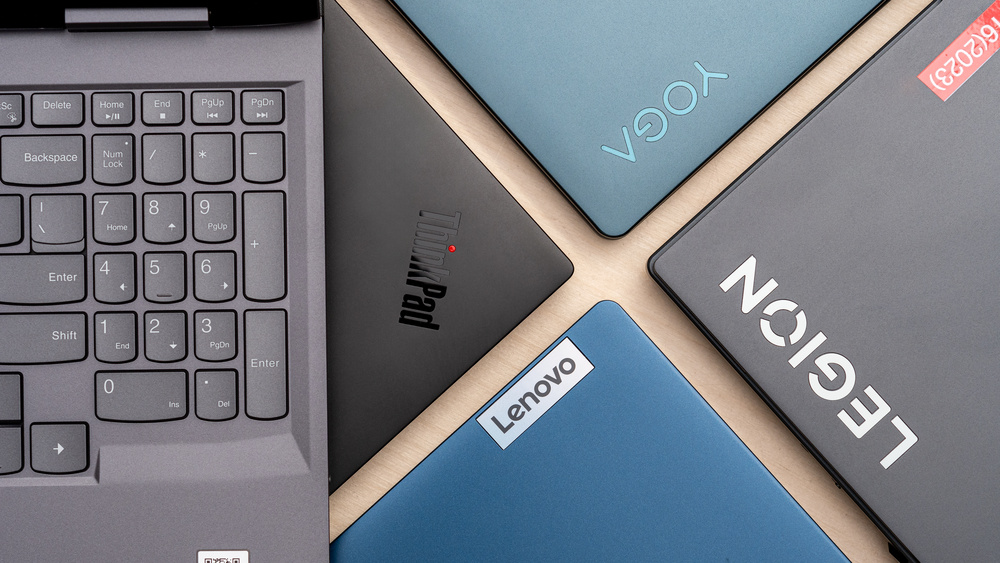
Both families offer laptops that can make sense for travellers, but they are designed with different priorities in mind. ThinkPad models generally put a stronger emphasis on business-oriented features, durability, connectivity and productivity, while IdeaPad models cover a broader range of everyday, creative and flexible-use scenarios.
For Australian travellers, the decision becomes even more interesting because Lenovo’s current range includes everything from an ultra-light ThinkPad X1 Carbon to large-screen IdeaPad models designed for people who want more display space without moving into a traditional desktop setup.
So, which is better for travel: Lenovo ThinkPad or IdeaPad?
The short answer is that ThinkPad is generally the better choice for frequent business travellers and people who prioritise portability, durability and professional productivity. However, an IdeaPad can be the smarter choice for students, casual travellers, content consumers and anyone who wants a larger screen or convertible design at a lower price.
Among the current Lenovo models considered here, the ThinkPad X1 Carbon Gen 14 Aura Edition is the standout option if your first priority is keeping your travel bag as light as possible. The ThinkPad X1 2-in-1 Gen 11 Aura Edition is particularly interesting for travellers who want tablet-style flexibility. On the IdeaPad side, the IdeaPad Slim 5i Gen 11 14-inch is the most natural fit for people who want a conventional portable laptop, while the IdeaPad 5 2-in-1 Gen 10 16-inch AMD is aimed at travellers who value a much larger convertible screen.
A travel laptop does not necessarily need the most powerful processor available. In fact, raw performance is often only one part of the equation.
For most travellers, the important factors are weight, battery life, screen size, build quality, keyboard comfort, charging convenience and connectivity.
Weight matters because even an extra 500 grams becomes noticeable when you are carrying a laptop around airports, hotels, train stations and city streets all day. A lightweight laptop also makes a smaller difference to your overall luggage weight when combined with a charger, mouse and other accessories.
Battery life is equally important. Travelling often means unpredictable schedules. You might leave your hotel at 7 a.m., spend several hours in transit, work from a café, attend a meeting and only return late at night. A laptop that can comfortably handle long stretches away from a wall socket is much more useful than one that needs charging every few hours.
Then there is durability. A laptop that spends most of its life on a desk has an easy existence. A travel laptop does not. It gets placed into bags, taken through airport security, used on trains, moved between hotel rooms and sometimes worked on in less-than-ideal conditions.
This is one area where ThinkPad has a strong argument.
ThinkPad has traditionally been positioned around professional productivity, and the current X1 and T-series models continue that approach.
The ThinkPad X1 Carbon Gen 14 Aura Edition is an especially strong example. Lenovo lists the model with a starting weight below 1 kg and MIL-STD 810H testing, while its specifications include up to Intel Core Ultra X7 Series 3 processors, up to 64GB LPDDR5x memory and up to 2TB PCIe Gen5 storage depending on configuration.
That combination is very attractive for someone who spends a lot of time travelling.
You are getting a 14-inch business laptop that can be extremely light without giving up the sort of features people expect from a premium professional machine. Lenovo also lists three Thunderbolt 4 ports, USB-A, HDMI 2.1 and Wi-Fi 7 on the X1 Carbon Gen 14 Aura Edition.
For a person who regularly connects to external displays, docks, projectors or accessories, that selection of ports can be more useful than a laptop that is simply thin and light.
The ThinkPad keyboard and TrackPoint also remain part of the appeal. If your travel involves writing reports, emails, articles or documents for hours at a time, the keyboard can be just as important as the processor.

Calling ThinkPad the automatic winner would be too simplistic.
IdeaPad covers a much wider variety of users and, in some cases, gives travellers features that are more useful than the traditional business-laptop formula.
Take the IdeaPad 5 2-in-1 Gen 10 16-inch AMD.
It has a 360-degree hinge, allowing it to operate as a conventional laptop, tent, stand or tablet. Lenovo also lists a 16-inch display, AMD Ryzen AI 300 Series processor options, integrated Radeon graphics and support for Lenovo Digital Pen 2.
That flexibility can be genuinely useful when travelling.
You could use it as a normal laptop on a hotel desk, switch to tent mode when watching a movie and use tablet mode when reading or taking notes. The larger 16-inch screen is also useful if you are working with spreadsheets, timelines or multiple windows.
The trade-off is obvious: a large convertible is not going to disappear into your luggage in the same way an ultra-light 14-inch ThinkPad does.
The 16-inch IdeaPad 5 2-in-1 starts at around 2 kg with an IPS panel, according to Lenovo, compared with the X1 Carbon’s sub-1 kg starting weight.
That is a significant difference for frequent flyers.
If portability is your number-one concern, ThinkPad has the advantage.
The ThinkPad X1 Carbon Gen 14 Aura Edition is in a different category from the larger IdeaPad models when it comes to carrying weight. Lenovo lists it at under 1 kg to start.
The ThinkPad X1 2-in-1 Gen 11 Aura Edition is also remarkably travel-friendly. Lenovo lists a starting weight below 1.2 kg, while the machine measures 313.5 x 219.25 mm and uses a 14-inch convertible design.
That makes the X1 2-in-1 particularly appealing if you want the flexibility of a convertible without carrying around a heavy 16-inch machine.
The IdeaPad Slim 5i Gen 11 14-inch is more conventional, but it is still designed around mobility. Lenovo itself describes the model as a choice for mobility, making its 14-inch format much more suitable for travel than a large desktop-replacement-style laptop.
The difference is that ThinkPad’s premium X1 models push portability much further.
Battery life is one of those specifications where it is important not to look at a single number and assume that is what you will experience.
Lenovo’s battery estimates are based on specific testing conditions, and actual runtime varies according to brightness, applications, wireless connectivity, power settings, configuration and other factors.
That said, the current Lenovo models have some impressive claims.
The ThinkPad T16 Gen 5 AMD, for example, can be configured with either a 60Wh or 75Wh battery. Lenovo lists up to 17.77 hours in MobileMark 30 for a specific 75Wh configuration, while its local video playback figure can reach 31.38 hours under Lenovo’s specified test conditions.
The T16 is therefore interesting for travellers who value endurance but do not mind carrying a larger 16-inch laptop.
The IdeaPad 5 2-in-1 Gen 10 16-inch has a 57Wh battery and Lenovo lists up to 11.5 hours of MobileMark 30 battery life for WUXGA IPS configurations, with up to 20.5 hours of local video playback under the company’s testing conditions.
The IdeaPad Pro 5a Gen 11 takes battery capacity much further. Lenovo lists configurations with batteries up to 99.9Wh, and the company’s stated MobileMark 30 figure reaches up to 21.3 hours on the 99.9Wh version.
The important point is that battery capacity and battery life are not the same thing. A larger battery can help, but display type, processor, workload and power settings also matter.
For travel, I would look at the entire package rather than choosing a laptop simply because it has the biggest battery.
Travel creates more opportunities for accidents.
A laptop might be squeezed into an overhead compartment, placed on a train table, carried in a backpack or moved between rooms several times a day.
ThinkPad has an advantage here because certain models are explicitly tested against MIL-STD 810H requirements.
The ThinkPad X1 Carbon Gen 14 Aura Edition and ThinkPad X1 2-in-1 Gen 11 Aura Edition both list MIL-STD 810H testing in Lenovo’s specifications.
That does not mean either laptop is indestructible. It simply means durability has been treated as part of the product design and testing process.
For someone who travels occasionally, this may not be enough to justify spending substantially more.
For someone who is travelling every month, however, durability becomes much more valuable.

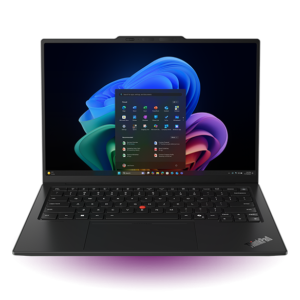
If I had to pick one model from this comparison specifically for frequent travellers, the ThinkPad X1 Carbon Gen 14 Aura Edition would be near the top of the list.
The reason is straightforward: portability.
Lenovo lists a starting weight below 1 kg, while the machine still provides a 14-inch display, premium ThinkPad keyboard, TrackPoint, Thunderbolt 4 connectivity, HDMI 2.1 and Wi-Fi 7.
It is also not a low-powered travel machine. Depending on configuration, Lenovo lists processors up to Intel Core Ultra X7 Series 3, up to 64GB LPDDR5x memory and storage options reaching 2TB.
That makes it a particularly good fit for business travellers, consultants, executives, writers, developers and anyone who spends a lot of time working away from home.
The Australian price is premium. A currently listed Lenovo Australia configuration is around A$4,349, with other configurations priced higher.
That is a lot of money for a laptop.
But this is also one of those situations where paying more is tied to a specific advantage: extremely low weight combined with professional features.
If you spend 100 days a year travelling with a laptop, the difference between a sub-1 kg machine and a substantially heavier one can become meaningful.
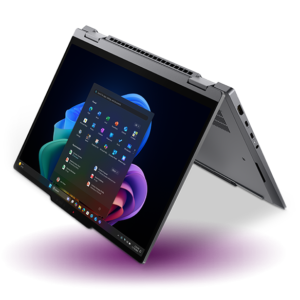
The X1 Carbon is the better choice if you want maximum portability in a traditional laptop format.
The X1 2-in-1 is the more interesting option if you want flexibility.
Lenovo’s X1 2-in-1 Gen 11 Aura Edition supports notebook, stand, tent and tablet modes, with a starting weight below 1.2 kg. It also supports up to 64GB LPDDR5x memory, up to 2TB storage on selected configurations, Wi-Fi 7 and three Thunderbolt 4 ports.
For travel, that flexibility is easy to appreciate.
Imagine sitting in an airport lounge with little desk space. A traditional laptop may be fine, but a convertible can be repositioned depending on what you are doing.
In a hotel room, tablet mode can be convenient for reading. Tent mode can work well for entertainment. Notebook mode remains the natural choice for typing.
The 14-inch format also keeps the machine manageable in a travel bag.
An Australian retailer currently lists a specific X1 2-in-1 Gen 11 Aura Edition configuration with Intel Core Ultra 7 355, 32GB RAM and 512GB SSD at A$4,375.64, while another configuration with Core Ultra 5, 32GB RAM and 512GB SSD is listed at A$4,002.50, both including GST.
As configurations vary, travellers should check the exact specification and price before buying.
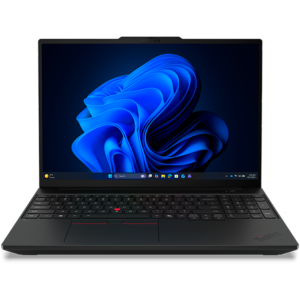
The ThinkPad T16 is a completely different proposition.
It is large, but that is precisely why some travellers may prefer it.
The 16-inch display gives you more working space, and Lenovo lists configurations with AMD Ryzen PRO and Ryzen AI PRO processors, up to 96GB of DDR5 memory on certain platforms and up to 2TB SSD storage on selected configurations.
It also has a strong collection of physical connections, including USB-A, Thunderbolt 4, HDMI and Ethernet. Selected models can also support WWAN.
For someone travelling between offices, this can be more practical than a tiny laptop.
The T16 starts at about 1.74 kg for certain WLAN configurations with the 60Wh battery, with heavier configurations depending on battery and connectivity options.
That is obviously heavier than an X1 Carbon.
But 1.74 kg is still manageable for many people, especially if the bigger screen means you do not need to carry a portable monitor.
Australian Lenovo listings currently show ThinkPad T16 Gen 5 AMD configurations from roughly A$2,099 to A$2,329, depending on configuration.
For a traveller who spends a lot of time working with spreadsheets, documents, business applications and multiple windows, the T16 could actually be the more comfortable choice.
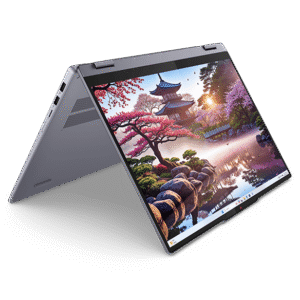
This is one of the most interesting IdeaPad choices for travellers who want flexibility without paying X1-level prices.
The 16-inch IdeaPad 5 2-in-1 Gen 10 supports laptop, tent, stand and tablet modes through its 360-degree hinge. Lenovo lists AMD Ryzen AI 300 Series processors and support for Lenovo Digital Pen 2.
The 16-inch display is a major selling point.
If you are working on a long document or spreadsheet in a hotel room, the extra screen area can be useful. If you are watching a movie during a trip, the larger display is also appealing.
The downside is portability.
At a starting weight of around 2 kg for IPS configurations and 1.9 kg for OLED configurations, it is substantially heavier than the X1 models.
For someone who travels primarily by car, train or with checked luggage, that may not matter much.
For someone who flies frequently with only a small backpack, it matters a lot.
Lenovo Australia’s current listing has been showing this model from approximately A$1,529, making it dramatically cheaper than the premium ThinkPad X1 models.
That makes the IdeaPad 5 2-in-1 an attractive option for travellers who want versatility and a big display while keeping the purchase price under control.
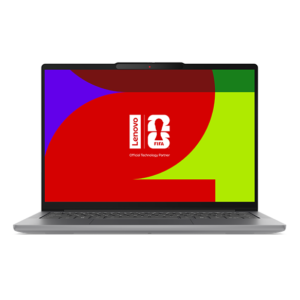
If you do not need a 360-degree hinge, the IdeaPad Slim 5i Gen 11 14-inch is arguably one of the more sensible IdeaPad choices for travel.
Its 14-inch size strikes a useful balance.
It is large enough to work comfortably but small enough to fit naturally into a backpack or laptop sleeve.
Lenovo describes this generation as a mobility-focused model, and the Australian range includes different configurations. Current Lenovo Australia listings show the 14-inch Gen 11 configurations at around A$2,149 and above, depending on specification.
This is the kind of laptop that makes sense for students, remote workers, casual business travellers and people who want one computer for travel and everyday use.
It does not have the same premium positioning as the ThinkPad X1 Carbon, but that is also part of its appeal.
You are not necessarily paying for features that you may never use.
If your typical travel workload is Chrome, Microsoft Office, video calls, email, streaming, document editing and general productivity, an IdeaPad Slim can be a perfectly reasonable choice.
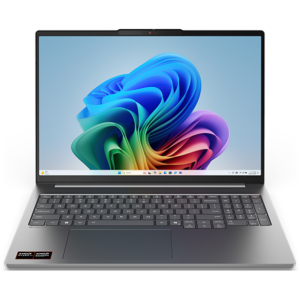
The IdeaPad Pro 5a Gen 11 is the IdeaPad option I would look at for travellers who need more performance and a better display.
It features a 16-inch 2.8K OLED display with 100% DCI-P3 coverage, a 120Hz refresh rate and DisplayHDR True Black 1000 according to Lenovo’s Australian specifications.
That makes it particularly interesting for photographers, designers, video editors, content creators and travellers who simply want a high-quality screen.
The machine also supports AMD Ryzen AI processors, with configurations reaching Ryzen AI 9, while Lenovo lists up to 32GB of soldered LPDDR5x memory and a 1TB SSD in the Australian specification.
Battery capacity is another standout feature. Depending on configuration, Lenovo lists 84Wh and 99.9Wh batteries, with the latter offering a claimed MobileMark 30 result of up to 21.3 hours under Lenovo’s test conditions.
The weight starts around 1.66 kg with the 84Wh battery and 1.73 kg with the 99.9Wh battery.
That is not ultra-light, but it is reasonable considering the 16-inch OLED display and large battery.
Australian Lenovo listings currently show the IdeaPad Pro 5a Gen 11 16-inch AMD from approximately A$2,279, with higher configurations reaching around A$2,529.
For frequent business travel, I would choose ThinkPad.
The reason is not simply branding.
The current ThinkPad range offers combinations of low weight, business-oriented security, extensive connectivity, professional keyboards and durability-focused design that make sense when the laptop is part of your daily working life.
The X1 Carbon is the obvious premium choice if you want the lightest possible package.
The X1 2-in-1 makes more sense if you want a convertible.
The T16 is the better option if you want a large screen and a more traditional office-style workstation.
In other words, ThinkPad gives travellers several ways to prioritise productivity.

For students, the answer is less straightforward.
If the laptop is going to be carried between university buildings every day, a lighter machine is valuable. That makes models such as the IdeaPad Slim 5i 14-inch and ThinkPad X1 Carbon attractive.
However, the X1 Carbon’s premium price can be difficult to justify for a student whose main activities are lectures, research, web browsing, Office applications and video calls.
That is where IdeaPad becomes more compelling.
An IdeaPad can provide a more affordable route into a modern Lenovo laptop, while the 2-in-1 models offer additional flexibility for note-taking, entertainment and presentations.
If the budget is around A$1,500 to A$2,000, I would look closely at the IdeaPad range before automatically choosing ThinkPad.
Digital nomads have a slightly different set of requirements.
They need portability, battery life, reliability and enough performance for a mixture of work and personal use.
For a digital nomad who moves between cities and countries regularly, the ThinkPad X1 Carbon Gen 14 Aura Edition is arguably the strongest overall travel option in this comparison.
Its sub-1 kg starting weight is hard to ignore.
The ThinkPad X1 2-in-1 Gen 11 Aura Edition would be my alternative for someone who likes the idea of working in different modes and occasionally using the machine as a tablet. Its sub-1.2 kg starting weight keeps it impressively portable.
For digital nomads who do heavier creative work, the IdeaPad Pro 5a becomes more interesting because of its 16-inch OLED screen, high-capacity battery options and AMD Ryzen AI processors.
Long flights change the priorities.
You generally want something small enough to use comfortably on a tray table, light enough to hold without fatigue and capable of lasting through a significant part of the journey.
This is where the 14-inch models make the most sense.
The ThinkPad X1 Carbon is the obvious premium choice.
The ThinkPad X1 2-in-1 also makes sense because its 14-inch format and low starting weight make it easier to handle in a cramped environment.
The IdeaPad Slim 5i 14-inch is the more budget-conscious alternative.
I would be more cautious about buying a 16-inch laptop specifically for air travel unless you already know that the larger display is important to you.
Sixteen inches can be wonderful at a hotel desk.
It can be considerably less convenient when the passenger in front of you reclines their seat.

Road trips are different because weight is often less restrictive.
If you are travelling by car, you can easily keep a larger laptop in a dedicated bag or case.
That makes the IdeaPad 5 2-in-1 16-inch more appealing.
Its 360-degree hinge gives you different modes, while the 16-inch screen is useful for entertainment and work. Lenovo also lists up to 20.5 hours of local video playback for its WUXGA IPS configuration under its specified test conditions.
The ThinkPad T16 is another excellent road-trip option.
Its 16-inch screen, business-focused design and wide selection of ports can make it a better mobile office than an ultra-portable laptop.
The choice here is really about how you travel rather than which brand family is objectively better.
Creators should look beyond the ThinkPad-versus-IdeaPad label and consider the display.
The IdeaPad Pro 5a Gen 11 is particularly compelling because Lenovo lists a 16-inch 2.8K OLED panel with 100% DCI-P3 coverage, 120Hz VRR and DisplayHDR True Black 1000.
That is a very different proposition from buying a laptop simply because it is light.
If your travel involves editing photographs, creating social media content, working on graphics or reviewing video footage, the larger OLED display can be a major advantage.
The full-size SD card reader is also useful for photographers and creators moving files from cameras. Lenovo lists an SD card reader alongside two USB-A ports, two USB4 Type-C ports and HDMI 2.1.
In that situation, the IdeaPad Pro 5a may actually be the more practical travel companion than an ultra-light ThinkPad.
Price is probably the biggest difference between the two families in this comparison.
The current Australian pricing I could verify puts the six selected models roughly in this range:
IdeaPad 5 2-in-1 Gen 10 16-inch AMD: around A$1,529
ThinkPad T16 Gen 5 AMD: around A$2,099 and above
IdeaPad Slim 5i Gen 11 14-inch: around A$2,149 and above
IdeaPad Pro 5a Gen 11 16-inch AMD: around A$2,279 and above
ThinkPad X1 Carbon Gen 14 Aura Edition: around A$4,349 and above
ThinkPad X1 2-in-1 Gen 11 Aura Edition: roughly A$4,002.50 for a verified Australian 32GB/512GB configuration
The prices are not perfectly like-for-like because laptop configurations differ, and Lenovo frequently changes promotions and configuration pricing.
Still, the overall picture is clear.
IdeaPad gives you more room to control the budget.
ThinkPad X1 asks you to pay considerably more for a premium combination of portability and business-oriented features.

If you want one straightforward answer, ThinkPad is better for frequent and serious travel.
But that does not mean every traveller should buy a ThinkPad.
ThinkPad wins when the priorities are portability, professional productivity, durability-focused design, connectivity and business use.
IdeaPad wins when the priorities are flexibility, value, larger screens and a broader range of everyday use cases.
For most travellers, I would narrow the choice down like this.
Best premium travel laptop: ThinkPad X1 Carbon Gen 14 Aura Edition.
Its biggest advantage is the extremely low starting weight of under 1 kg, combined with premium business features and a 14-inch format.
Best premium convertible for travel: ThinkPad X1 2-in-1 Gen 11 Aura Edition.
It keeps the weight below 1.2 kg while adding notebook, stand, tent and tablet modes.
Best large-screen ThinkPad for travel: ThinkPad T16 Gen 5 AMD.
It is heavier, but its 16-inch screen, extensive connectivity and strong battery options make it attractive for professionals who want a mobile office.
Best value convertible: IdeaPad 5 2-in-1 Gen 10 16-inch AMD.
Its 360-degree hinge, 16-inch screen and AMD Ryzen AI platform give travellers plenty of flexibility at a much lower price than the X1 range.
Best straightforward IdeaPad for travel: IdeaPad Slim 5i Gen 11 14-inch.
Its 14-inch format makes it a more natural choice for backpacks and everyday travel than the larger IdeaPad models, while current Australian pricing sits considerably below the premium ThinkPad X1 range.
Best IdeaPad for creative travellers: IdeaPad Pro 5a Gen 11 16-inch AMD.
The 2.8K OLED display, DCI-P3 coverage, Ryzen AI processors, large battery options and SD card reader make it particularly appealing for creative work away from home.
There is no single Lenovo laptop that is perfect for every traveller.
If your laptop spends more time in airports, trains, hotels and client offices than it does on your home desk, I would lean toward ThinkPad. The X1 Carbon Gen 14 Aura Edition is especially difficult to ignore because its starting weight is below 1 kg while still offering the connectivity and productivity features expected from a premium professional laptop.
If you want something more flexible, the X1 2-in-1 Gen 11 Aura Edition brings the same travel-friendly philosophy into a convertible design.
However, travellers who do not need business-class features or an ultra-light chassis should not overlook IdeaPad.
The IdeaPad 5 2-in-1 Gen 10 offers a large 16-inch convertible experience at a much lower price, while the IdeaPad Slim 5i Gen 11 gives everyday travellers a more traditional 14-inch option.
And if your travels involve photography, design, content creation or other visually demanding work, the IdeaPad Pro 5a Gen 11 deserves serious attention because of its 16-inch 2.8K OLED display and large battery options.
Ultimately, the best choice comes down to how you actually travel.
Frequent flyer with a small backpack? Choose ThinkPad X1 Carbon.
Want a premium convertible? Choose ThinkPad X1 2-in-1.
Need a large professional workstation? Choose ThinkPad T16.
Want a more affordable convertible? Choose IdeaPad 5 2-in-1.
Want a compact everyday laptop? Choose IdeaPad Slim 5i 14-inch.
Need a large, high-quality display for creative work? Choose IdeaPad Pro 5a.
Lenovo’s current Australian range makes the ThinkPad-versus-IdeaPad decision less about choosing the “better” brand family and more about choosing the laptop that matches your particular style of travel. That is ultimately the most important thing: the best travel laptop is the one whose weight, battery, screen and performance fit the way you actually spend your time on the road.