

A laptop can have a beautiful display, a powerful processor and a premium design, but none of that feels particularly useful when you are constantly looking for a power outlet. For students, professionals, frequent travellers and anyone who works away from a desk, battery life can make a major difference to the everyday laptop experience.
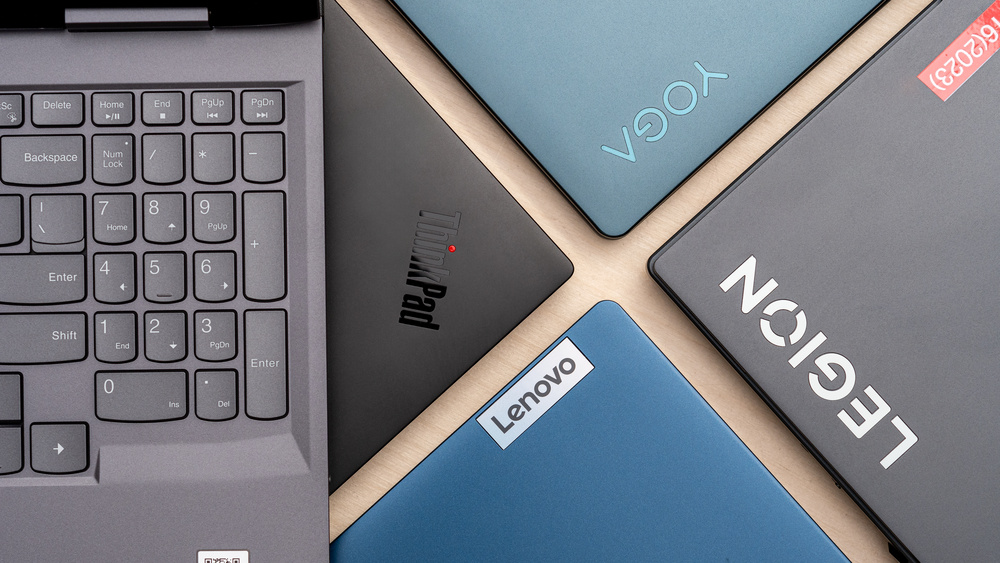
This is one reason Lenovo remains an interesting brand to consider when shopping for a laptop in Australia. Its range covers everything from practical IdeaPad models to versatile Yoga 2-in-1 laptops and premium business-focused ThinkPad machines. Rather than making every laptop look or perform the same, Lenovo gives buyers different options depending on how they intend to use their computer.
For this guide, the focus is specifically on five Lenovo laptops available or listed in the market: the Lenovo Yoga 7i 2-in-1 Gen 10 14-inch, ThinkPad X1 Carbon Gen 13 Aura Edition, ThinkPad T14 Gen 6, IdeaPad Slim 3i Gen 11 15-inch, and Yoga 7i 2-in-1 Gen 11 Aura Edition 14-inch.
Battery life is not simply about putting the largest possible battery inside a laptop. Processor efficiency, screen technology, display brightness, software settings, workload and connectivity can all affect how long a laptop lasts between charges. Lenovo itself points out that battery life and charging times vary depending on system settings and usage.
That is why it is better to look at the complete package rather than choosing a laptop solely because it has a particular battery capacity or an advertised battery-life figure.

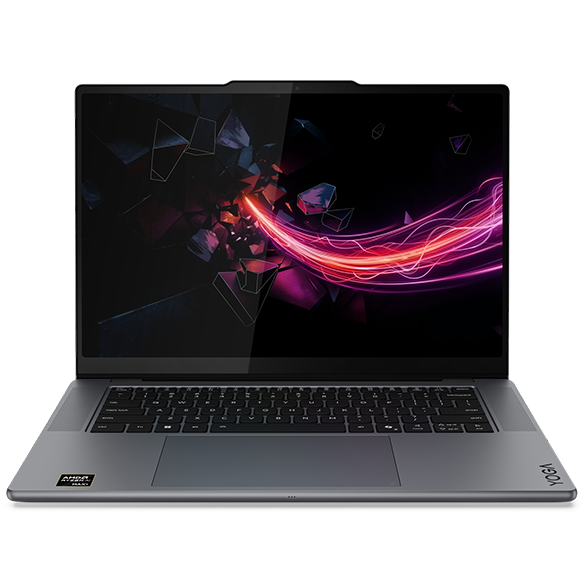
The Lenovo Yoga 7i 2-in-1 Gen 10 14-inch is one of the most appealing choices in this group for people who want flexibility as well as long-lasting everyday performance.
The 2-in-1 design is the main attraction. Instead of being restricted to a traditional laptop position, a Yoga 7i can be used in different modes depending on what you are doing. That makes the machine particularly interesting for people who move between conventional laptop work, entertainment and more interactive use.
For example, someone working at a café can use the standard laptop configuration for writing and browsing. Later, the display can be positioned differently when watching videos or using the touchscreen. For people who travel regularly, that versatility can be more valuable than simply having a conventional clamshell laptop.
Lenovo current listing for the specified 83JQ00HJAU configuration shows a price of A$3,199.
That is the regular listed price currently shown for this particular configuration, although Lenovo also runs promotional pricing from time to time. For example, Lenovo’s pages have previously displayed substantially reduced promotional prices for selected Yoga 7i Gen 10 configurations.
The Yoga 7i Gen 10 sits in an interesting middle ground. It is more versatile than a standard laptop while still being designed as an everyday portable computer.
The 14-inch format is also useful for mobility. A larger 15- or 16-inch laptop can be excellent for working with multiple windows, but a 14-inch machine can be easier to carry around Australia, particularly if you commute, travel between offices or take your laptop to university.
Another advantage is that this is not simply a laptop designed around battery life at the expense of usability. The Yoga family has traditionally focused on combining portability with flexible designs, making the 7i range attractive to people who want a laptop that can adapt to different situations.
For travellers, that can be a particularly useful combination. You may use it for planning an itinerary at the airport, working during a flight, watching entertainment at a hotel and then using it normally the next morning without wanting to carry a bulky machine.
Lenovo also lists the Yoga 7i Gen 10 among its touchscreen and Intel Evo-related laptop offerings, although configurations can differ, so buyers should check the exact specification shown on the product page before ordering.
This Lenovo is a strong option for:
Students who want one laptop for study and entertainment
Remote workers who regularly change locations
Travellers who value flexibility
People who want a 2-in-1 rather than a conventional laptop
Users who prefer a compact 14-inch format
Buyers looking for a more premium everyday Lenovo laptop
If your priority is flexibility rather than pure business functionality, the Yoga 7i Gen 10 is one of the most interesting laptops in this list.
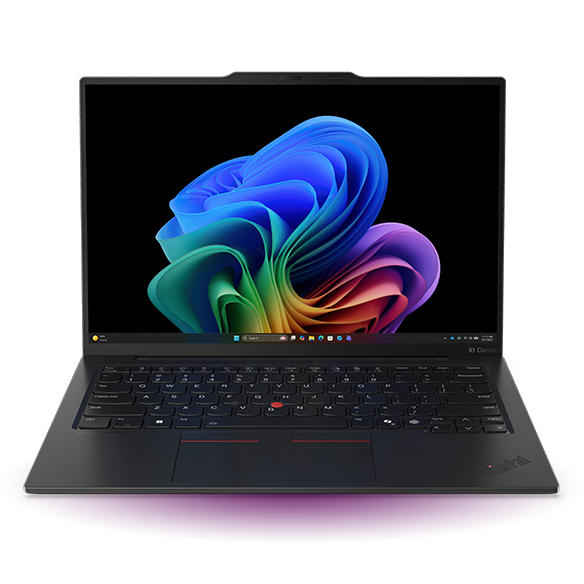
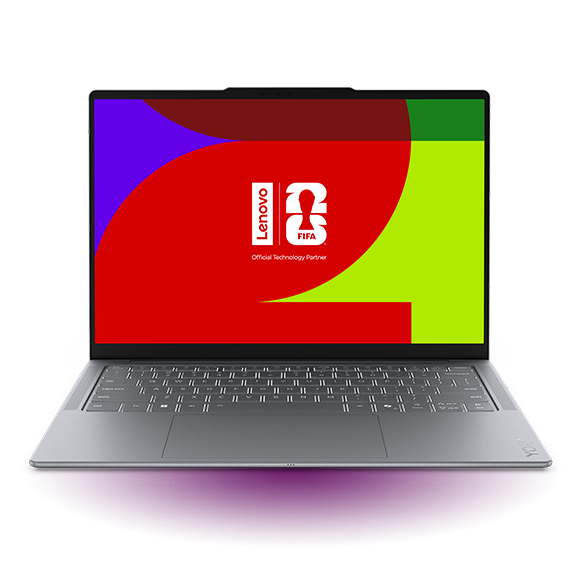
If portability and battery endurance are at the top of your list, the Lenovo ThinkPad X1 Carbon Gen 13 Aura Edition deserves serious attention.
This is a very different type of laptop from the Yoga 7i. Instead of focusing primarily on a convertible design, Lenovo positions the X1 Carbon as a premium business AI PC. Lenovo describes it as its thinnest and lightest 14-inch ThinkPad X1 yet, weighing less than 1kg. The Lenovo page also highlights its long battery life and customer-replaceable battery.
That combination is especially attractive to people who spend a lot of time away from their desk.
A laptop that weighs less than 1kg can be considerably easier to carry throughout a working day. Add long battery life to that portability and the X1 Carbon becomes a particularly compelling option for consultants, business travellers, executives and professionals who frequently work from different locations.
Lenovo also describes the X1 Carbon Gen 13 Aura Edition as a Copilot+ PC with Intel Core Ultra technology and an NPU capable of more than 40 TOPS on relevant configurations.
The X1 Carbon is arguably the easiest recommendation in this group for someone whose laptop spends as much time in a backpack as it does on a desk.
Its sub-1kg weight is a major advantage. Long battery life becomes even more useful when combined with that kind of portability because the laptop is designed around the realities of mobile work.
Imagine spending a day travelling between meetings in Sydney or Melbourne. You may work on a presentation at the airport, respond to emails on a train, make notes during a meeting and then work from a hotel room. Carrying a very lightweight ThinkPad can make that routine much less tiring.
Lenovo also highlights the machine’s 65W GaN charger, stating that it can charge up to four times faster than a conventional AC adapter under the relevant comparison.
For someone who travels frequently, fast charging can be almost as important as battery capacity. Even when you cannot stay plugged in for hours, being able to top up the battery during a short break can help keep the laptop useful throughout the day.
Another reason to consider the X1 Carbon is its business-oriented design.
ThinkPad is one of Lenovo’s most recognisable laptop families, and the X1 Carbon represents the premium end of that range. The Gen 13 Aura Edition combines the traditional ThinkPad focus on productivity with newer AI-oriented hardware.
Lenovo says the model includes a redesigned keyboard, TrackPoint and TrackPad or haptic TouchPad depending on configuration. It also has a hinge that allows the display to open 180 degrees and lie flat.
For people who spend hours writing, editing documents, managing spreadsheets or communicating with clients, these details can matter more than flashy specifications.
The X1 Carbon is therefore not simply a laptop with a large battery. It is designed to make mobile professional computing practical.
This is the Lenovo laptop to consider if you:
Travel frequently for work
Want an exceptionally lightweight 14-inch laptop
Need a premium business machine
Want long battery life without carrying a heavy laptop
Prefer the ThinkPad design and keyboard experience
Need modern AI PC hardware
Regularly work in airports, hotels, cafés or client offices
If money is less important than portability and professional features, the X1 Carbon is one of the strongest choices in this selection.
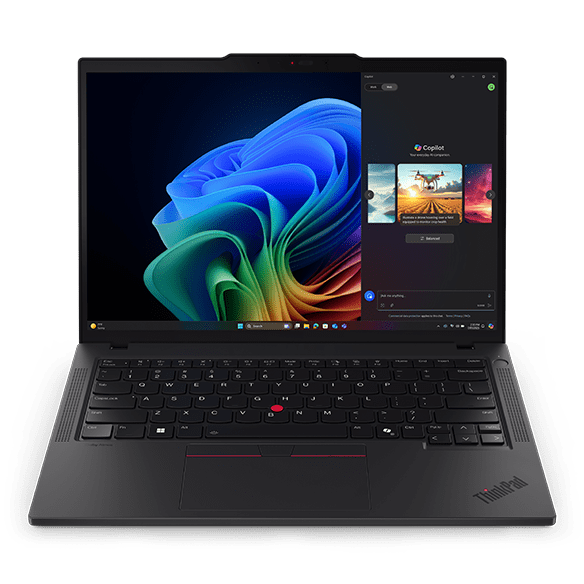
The Lenovo ThinkPad T14 Gen 6 takes a different approach from the lightweight X1 Carbon.
Where the X1 Carbon is built around extreme portability, the T14 is a more traditional business laptop designed to balance performance, connectivity, durability and mobility. That makes it particularly suitable for professionals who want a dependable work machine rather than a convertible entertainment-focused laptop.
Lenovo’s listings currently show the supplied 21QGCTO1WWAU5 ThinkPad T14 Gen 6 configuration at around A$2,599, although promotional pricing and different configurations can result in different prices. Lenovo’s listings have also shown this particular part number at discounted prices during promotions.
Lenovo regularly changes its promotional offers, and the same model family can appear with different processors, displays, storage and other specifications.
The T14 Gen 6 makes sense for someone who wants a laptop that can handle a serious working day without constantly being connected to a charger.
ThinkPad laptops are particularly well suited to office productivity. If most of your day consists of web applications, documents, spreadsheets, video calls, presentations and communication, an efficient modern business laptop can provide a much better balance between performance and battery consumption than a high-performance gaming machine.
The T14 is also a practical size. A 14-inch screen provides a useful working area while keeping the overall laptop more portable than many larger business notebooks.
This makes it suitable for professionals who split their time between an office and home, or between multiple workplaces.
The T14 Gen 6 and X1 Carbon Gen 13 are both ThinkPad models, but they are aimed at slightly different buyers.
The X1 Carbon places greater emphasis on being exceptionally lightweight. Lenovo specifically describes the Gen 13 X1 Carbon as less than 1kg.
The T14, meanwhile, is the more conventional choice for people who want a business laptop with a broader practical focus.
If you travel every week and carry your laptop for hours at a time, the X1 Carbon’s lighter design may be worth paying more for.
If your laptop normally travels between your home, office and occasional meetings, the T14 can be a more sensible option.
The choice therefore isn’t simply about which model is “better.” It is about what kind of mobile computing you actually do.
Battery life can be particularly useful for Australian professionals who commute or work across large cities.
Someone commuting by train may have limited access to power outlets. A consultant might spend several hours at a client’s premises. A university student may move between lecture theatres and libraries. A traveller may have to work during a long domestic flight.
In all of these situations, battery endurance gives you flexibility.
It also reduces the need to carry a charger everywhere, although carrying one is still sensible when you are away from home for a full day.
Lenovo itself cautions that actual battery life depends on factors such as system settings and usage. This is why no responsible laptop recommendation should promise that a particular computer will always last a specific number of hours for every user.
The T14 Gen 6 is particularly suitable for:
Office professionals
Remote workers
Business users
Students who need a serious productivity laptop
Hybrid workers
People who prefer the ThinkPad family
Users who want a 14-inch business notebook
Buyers who want a balance between portability and functionality
It is one of the safest choices in this group if your laptop is primarily a work tool.
Not everyone needs a premium business laptop. Sometimes the goal is much simpler: a reliable everyday laptop that can handle work, study, browsing, streaming and general computing without requiring a premium budget.
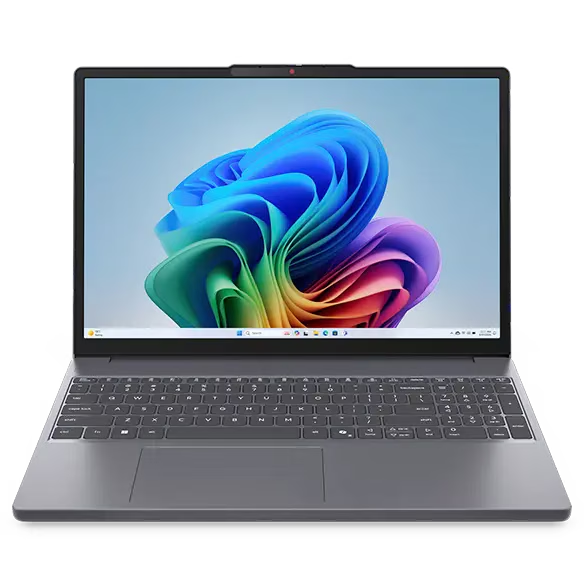
That is where the Lenovo IdeaPad Slim 3i Gen 11 15-inch comes into the picture.
The IdeaPad family is aimed at everyday computing, and the Slim 3i provides a larger display than the 14-inch models discussed above.
Lenovo’s current listings show the IdeaPad Slim 3i 15-inch Gen 11 at A$2,479 for the listed configuration.
This makes it an interesting option for buyers who prefer a larger screen for everyday productivity.
It is easy to assume that a smaller laptop automatically provides better battery life, but the reality is more complicated.
Battery endurance depends on the relationship between the battery, processor, display and workload. A larger screen can consume more power, but an efficient processor and sensible power management can still provide useful everyday endurance.
The bigger advantage of the 15-inch IdeaPad Slim 3i is the additional screen space.
If you regularly work with spreadsheets, documents, websites and multiple windows, having a larger display can make everyday tasks more comfortable.
For example, a student researching an assignment could have a browser window open alongside a document. Someone working from home could keep email, a spreadsheet and a web application visible without constantly resizing everything.
Students often need a laptop that can do a little bit of everything.
It needs to be portable enough to take to class, capable enough for research and assignments, comfortable enough for long typing sessions and useful for entertainment after study.
The IdeaPad Slim 3i is designed around that everyday role rather than trying to be a specialised workstation.
That makes it particularly interesting for university students in Australia who don’t necessarily need the premium features of a ThinkPad X1 Carbon.
The larger 15-inch display can also be useful for students who spend a lot of time reading PDFs, preparing presentations or working with spreadsheets.
The IdeaPad Slim 3i can also make sense as a home laptop.
For many households, the typical laptop workload isn’t particularly demanding. It consists of web browsing, online banking, documents, video calls, streaming, email and occasional photo management.
You do not necessarily need an expensive business-class laptop for these activities.
The advantage of choosing a Lenovo model such as the IdeaPad Slim 3i is that you can stay within Lenovo’s broader ecosystem while selecting a machine suited to everyday computing rather than paying for features you may never use.
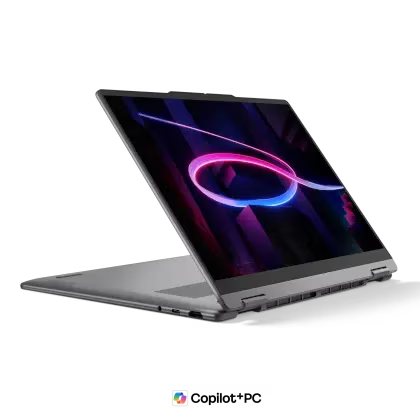
The Lenovo Yoga 7i 2-in-1 Aura Edition Gen 11 14-inch is one of the most interesting models in this selection because it combines the flexibility of the Yoga 2-in-1 design with Lenovo’s newer Aura Edition positioning.
Other Lenovo listings have shown the same part number at different promotional prices, including A$1,649 and A$1,499 during different promotions.
This is a good example of why Australian laptop shoppers should check the live Lenovo page immediately before purchasing. A promotional price can change considerably without the underlying laptop model changing.
The biggest attraction is flexibility.
A 2-in-1 laptop can work as a traditional notebook but also adapt to other situations. That makes it useful for people who don’t want to own a separate tablet for casual touchscreen use.
The 14-inch size also strikes a good balance between portability and usable screen space.
For a traveller, this could be particularly convenient. You can use it normally for work, reposition it for entertainment and take advantage of its touchscreen capabilities where appropriate.
The Aura Edition branding is another distinguishing feature of this model. Lenovo uses the Aura Edition designation on selected laptops to identify devices with specific experience-focused features and optimisations.
At the time of writing, A$1,699 is the most useful current Lenovo promotional price to quote for the supplied 83TC005NAU configuration, with an estimated value of A$2,779 shown by Lenovo.
However, shoppers should not assume that A$1,699 is a permanent price.
Lenovo’s pages show that this exact part number has appeared at several different promotional prices.
That can actually be good news for buyers. If you are not in a hurry, checking Lenovo promotions can potentially make a substantial difference to the final purchase price.

This model is a particularly good fit for:
Students
Creatives who want touchscreen flexibility
Travellers
Remote workers
People who want a 2-in-1
Users who want a modern 14-inch Lenovo laptop
Buyers looking for a premium model during a Lenovo promotion
For many buyers, it may offer one of the most attractive combinations of flexibility and price among the five models featured in this guide.
There is no single answer because “best battery life” means different things to different people.
Someone who travels frequently may value the X1 Carbon because its very low weight makes it easier to carry all day.
A student may prefer the Yoga 7i Gen 11 because its 2-in-1 design provides flexibility while its promotional pricing can make it more accessible.
A business user may prefer the ThinkPad T14 Gen 6 because it offers a more conventional professional setup.
Someone who wants a large screen for everyday work may prefer the IdeaPad Slim 3i.
And someone looking for a combination of a premium 2-in-1 design and a 14-inch screen may choose the Yoga 7i Gen 10.
Instead of claiming that one laptop will always last longer than every other model, it is more useful to compare the strengths of each.
For buyers who place portability at the top of their list, the ThinkPad X1 Carbon Gen 13 Aura Edition is the standout.
Lenovo specifically describes it as less than 1kg and highlights its long battery life.
That combination is hard to ignore.
A laptop is only genuinely portable if you are comfortable carrying it. A powerful 2kg machine may have excellent specifications, but it can become inconvenient if you carry it between meetings every day.
The X1 Carbon takes the opposite approach.
It aims to provide a serious business computing experience in an extremely lightweight package.
For frequent flyers, consultants, executives and people who work from multiple locations, that can be worth the premium.
For flexibility, the Yoga 7i 2-in-1 Aura Edition Gen 11 is a very strong choice.
Its 2-in-1 design means it can adapt to different situations, while the current promotional pricing makes it particularly interesting.
The supplied configuration is currently listed around A$1,699 on Lenovo’s website, against an estimated value of A$2,779.
That makes it one of the most attractive options in this article from a value perspective when the promotion is available.
The important point is that this price is promotional and may change.
If you see this model available around A$1,699 and its specifications suit your needs, it is worth checking the offer before assuming the price will remain unchanged.

The ThinkPad T14 Gen 6 is arguably the most straightforward recommendation for professional users.
It is not trying to be a convertible entertainment device or an ultra-lightweight premium flagship. Instead, it is a practical ThinkPad designed for serious productivity.
Lenovo current listings show the supplied 21QGCTO1WWAU5 configuration around A$2,599, with promotional variations appearing on Lenovo’s Australian store.
For someone who spends most of their day writing, researching, attending online meetings and using business applications, the T14 can be a more logical purchase than paying extra for features they may not need.
If you want something straightforward and prefer a larger screen, the IdeaPad Slim 3i Gen 11 15-inch is worth considering.
Its current Lenovo listing is around A$2,479 for the listed configuration.
The 15-inch screen gives everyday users more room for documents, browser tabs, spreadsheets and entertainment.
This is especially useful for people who mostly use their laptop at home or in an office and therefore don’t need the smallest possible machine.
The Yoga 7i 2-in-1 Gen 10 14-inch is the more expensive Yoga option in this comparison at the current listed price of A$3,199 for the specified 83JQ00HJAU configuration.
Its biggest selling point is its combination of a compact 14-inch format and 2-in-1 flexibility.
Lenovo has also listed discounted prices for selected Yoga 7i Gen 10 configurations during promotions, so the actual amount a shopper pays can vary substantially depending on when they buy.
If you prefer the Gen 10 model’s specific configuration and find it discounted, it can become much more competitive.
Even a laptop designed for long battery life can run down quickly if you use it aggressively.
The easiest way to improve everyday battery endurance is to manage the things that consume the most power.
Lowering display brightness is one of the simplest steps. You do not necessarily need maximum brightness indoors, and reducing it can help extend battery life.
You can also close applications and browser tabs you are not using. Modern browsers are much better at managing background activity than they used to be, but a large number of active tabs can still increase system activity.
Windows power settings are also worth checking. If you are travelling and do not need maximum performance, an efficiency-oriented power mode can make sense.
Wireless connections can also affect battery usage. If you are not using Bluetooth, Wi-Fi or another connection, disabling it when appropriate can reduce unnecessary activity.

One common mistake when shopping for a long-battery-life laptop is comparing battery capacity alone.
A larger battery does not automatically mean longer real-world battery life.
The processor matters. The display matters. Brightness matters. The software running in the background matters. Even the workload matters.
Watching video, browsing the web, editing documents and running demanding applications can produce very different battery consumption.
Lenovo explicitly states that battery life and recharge times vary based on system settings and usage.
That is why the best approach is to look at the entire laptop.
A well-designed lightweight machine with efficient hardware may provide a better mobile experience than a larger machine with a physically bigger battery.
Prices and configurations can change quickly in the Australian laptop market.
Lenovo states on its website that offers, prices, specifications and availability may change without notice and can differ from those offered by Lenovo resellers.
That is particularly important for the models in this article because several have appeared at different promotional prices.
Before purchasing, check:
The exact processor
RAM capacity
SSD capacity
Display type and resolution
Operating system
Warranty period
Charger included with the configuration
Current Lenovo price
Delivery availability
Whether the displayed price is a promotion
This is especially important with the ThinkPad X1 Carbon Gen 13 Aura Edition because there are multiple configurations and market prices can differ significantly.

If I were narrowing this list down according to different types of buyers, the choice would look like this.
For frequent travellers: the ThinkPad X1 Carbon Gen 13 Aura Edition is the standout. Its less-than-1kg design and Lenovo’s emphasis on long battery life make it particularly suitable for people who carry a laptop all day.
For students: the Yoga 7i 2-in-1 Gen 11 Aura Edition is particularly appealing, especially when the current promotional price around A$1,699 is available. The 2-in-1 design gives students more flexibility than a conventional laptop.
For professionals: the ThinkPad T14 Gen 6 is a sensible option. It provides the familiar ThinkPad approach to productivity while maintaining a practical 14-inch format.
For everyday home use: the IdeaPad Slim 3i Gen 11 15-inch is worth considering if you want more screen space and don’t need the premium features of the ThinkPad or Yoga ranges. Lenovo currently lists the 15-inch Gen 11 model at around A$2,479.
For buyers wanting a premium 2-in-1: the Yoga 7i Gen 10 remains an attractive option, particularly if you find a promotional price. Its current listed price for the specified configuration is A$3,199.
Choosing a laptop with good battery life is ultimately about choosing a machine that fits the way you work.
For one person, that might mean a lightweight ThinkPad that can travel around Australia without becoming a burden. For another, it might mean a Yoga 2-in-1 that can be used for work during the day and entertainment at night. Someone else may simply want a dependable 15-inch IdeaPad for university, home and everyday productivity.
That is where Lenovo’s range has a clear advantage.
The brand offers different laptop families for different types of users rather than forcing everyone into the same type of machine. The Yoga range is particularly attractive for flexibility, ThinkPad models are well suited to professional productivity, and IdeaPad provides options for everyday computing.
Among the five models covered here, the ThinkPad X1 Carbon Gen 13 Aura Edition is the strongest choice for buyers who put portability and mobile professional work first. The Yoga 7i 2-in-1 Gen 11 Aura Edition is arguably the most interesting value proposition when its promotional pricing is available. The ThinkPad T14 Gen 6 is a dependable choice for professional users, while the IdeaPad Slim 3i Gen 11 makes sense for buyers who prefer a larger everyday display.
The Yoga 7i 2-in-1 Gen 10 rounds out the selection as a premium, flexible 14-inch option.
One final point is worth remembering: no laptop has identical battery performance for every user. Lenovo itself makes clear that battery life depends on system settings and usage.
So rather than buying solely on an advertised battery-life number, think about how you actually use your laptop. If you travel frequently, prioritise weight and charging convenience. If you work primarily at home, screen size may matter more. If you are a student, flexibility and value may be more important. And if you are a business user, keyboard comfort, connectivity, security and overall reliability can be just as important as battery endurance.
For buyers, the five Lenovo models featured here provide a useful range of choices, from the lightweight premium ThinkPad X1 Carbon to the flexible Yoga 7i and the larger-screen IdeaPad Slim 3i. Checking Lenovo current configuration and price immediately before buying is the best way to make sure you are getting the right specification and the latest available deal.



 .
.  .
.