

Working from anywhere sounds like the perfect lifestyle. You can answer emails from a beachside café, join a video meeting from a quiet apartment in a new city, or finish an important project while sitting in a coworking space halfway around the world. For digital nomads and remote workers, this flexibility is one of the biggest advantages of modern work.
But there is another side to working remotely that is not always discussed. When your office can be anywhere, staying organized can become surprisingly difficult.
There may be distractions around you, different time zones to manage, unreliable internet connections, noisy environments, and a long list of tasks competing for your attention. Without the structure of a traditional office, productivity often depends on having the right systems and tools in place.
Fortunately, there are now many productivity tools designed to make remote work easier. From communication platforms and project management apps to note-taking software, cloud storage, time management tools, and AI-powered solutions, the right combination can help remote professionals stay focused and connected wherever they are.
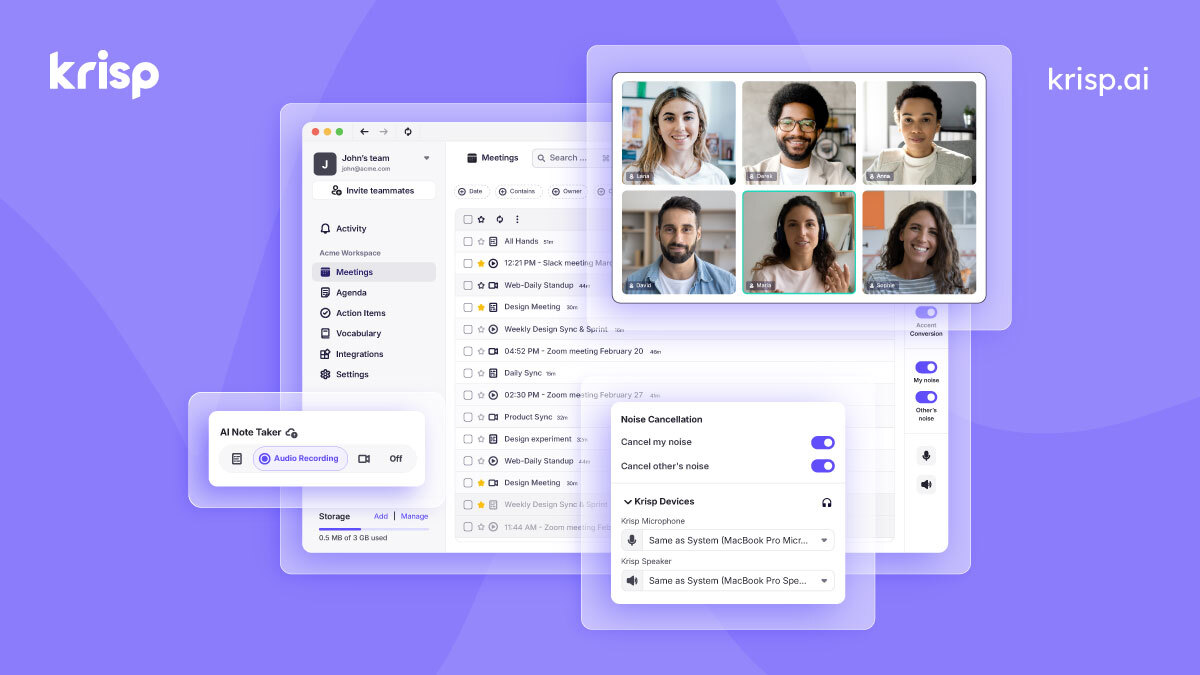
One particularly useful category is audio productivity. Digital nomads often work in cafés, hotels, airports, coworking spaces, and shared apartments where background noise is unavoidable. This is where tools such as Krisp can become valuable for people who regularly attend online meetings and calls.
In this guide, we will look at some of the best productivity tools for digital nomads and remote workers, how they can fit into a flexible work routine, and what to consider when building your own remote-work toolkit.
Remote work gives people more control over where and sometimes when they work. However, freedom does not automatically lead to productivity.
A person working from home may have household distractions. Someone traveling between countries may have to deal with unfamiliar surroundings and changing schedules. A freelancer working from cafés might have limited access to a quiet workspace. Meanwhile, remote teams often rely on digital communication for nearly everything, from quick questions to important meetings.
This means productivity tools have to solve several different problems.
First, they need to make communication simple. A remote team cannot rely on walking over to a colleague’s desk. Messages, meetings, and updates have to happen online.
Second, remote workers need a reliable way to organize their tasks. When several clients or projects are running simultaneously, it is easy to lose track of deadlines.
Third, information needs to be accessible from anywhere. Cloud-based tools allow workers to access documents, notes, and files without being tied to one computer.
Finally, remote workers need tools that help reduce distractions and make their working environment more manageable.
The best productivity setup is therefore not necessarily the one with the most apps. It is the one that helps you communicate, organize, focus, and complete your work without creating unnecessary complexity.

For digital nomads, noise is one of the most common challenges of working remotely.
A traditional office may have its own distractions, but remote workers can find themselves working in places that were never designed to function as offices. A busy café, a hotel lobby, an airport lounge, or a shared apartment can all create background noise during an important call.
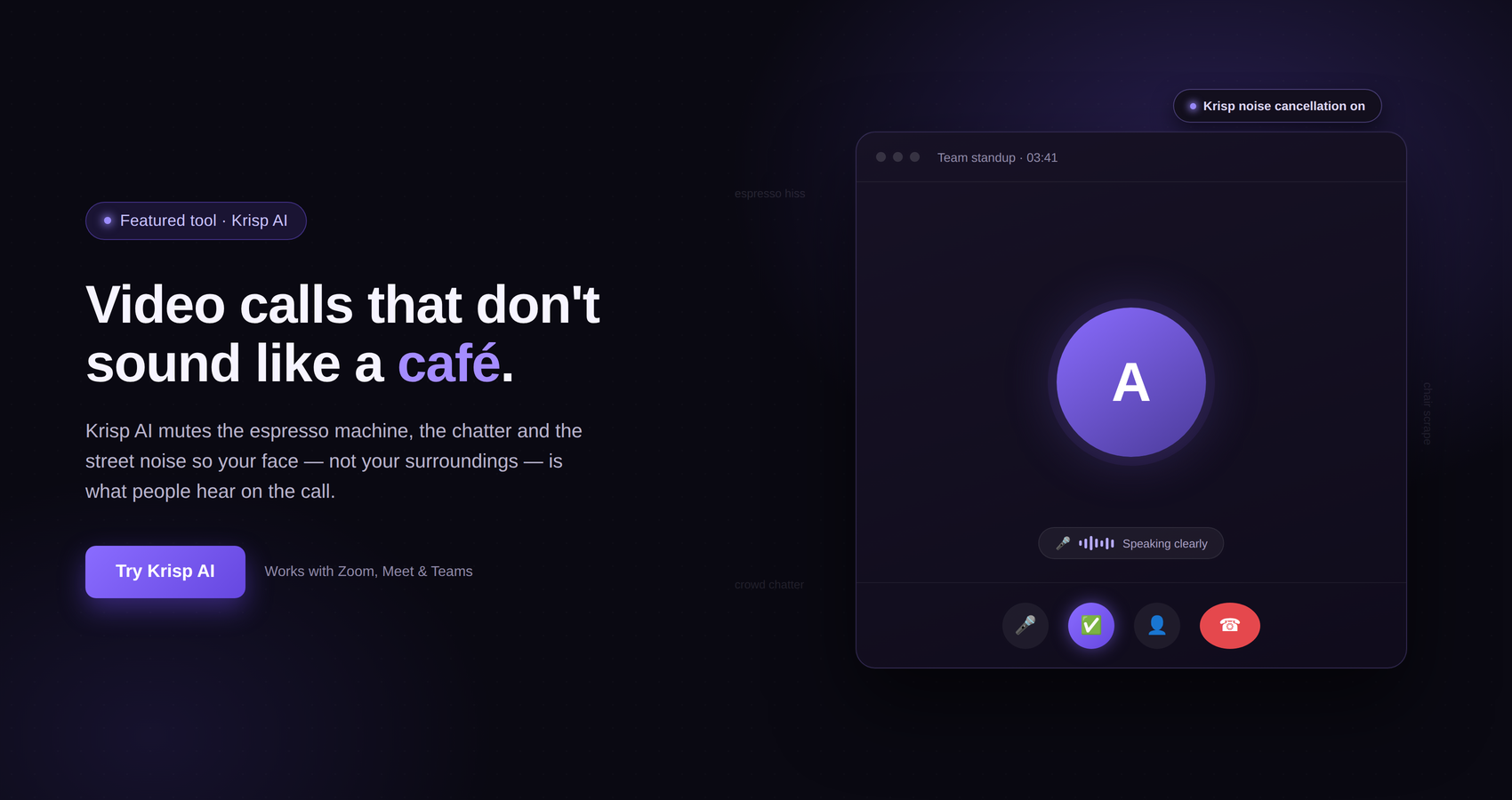
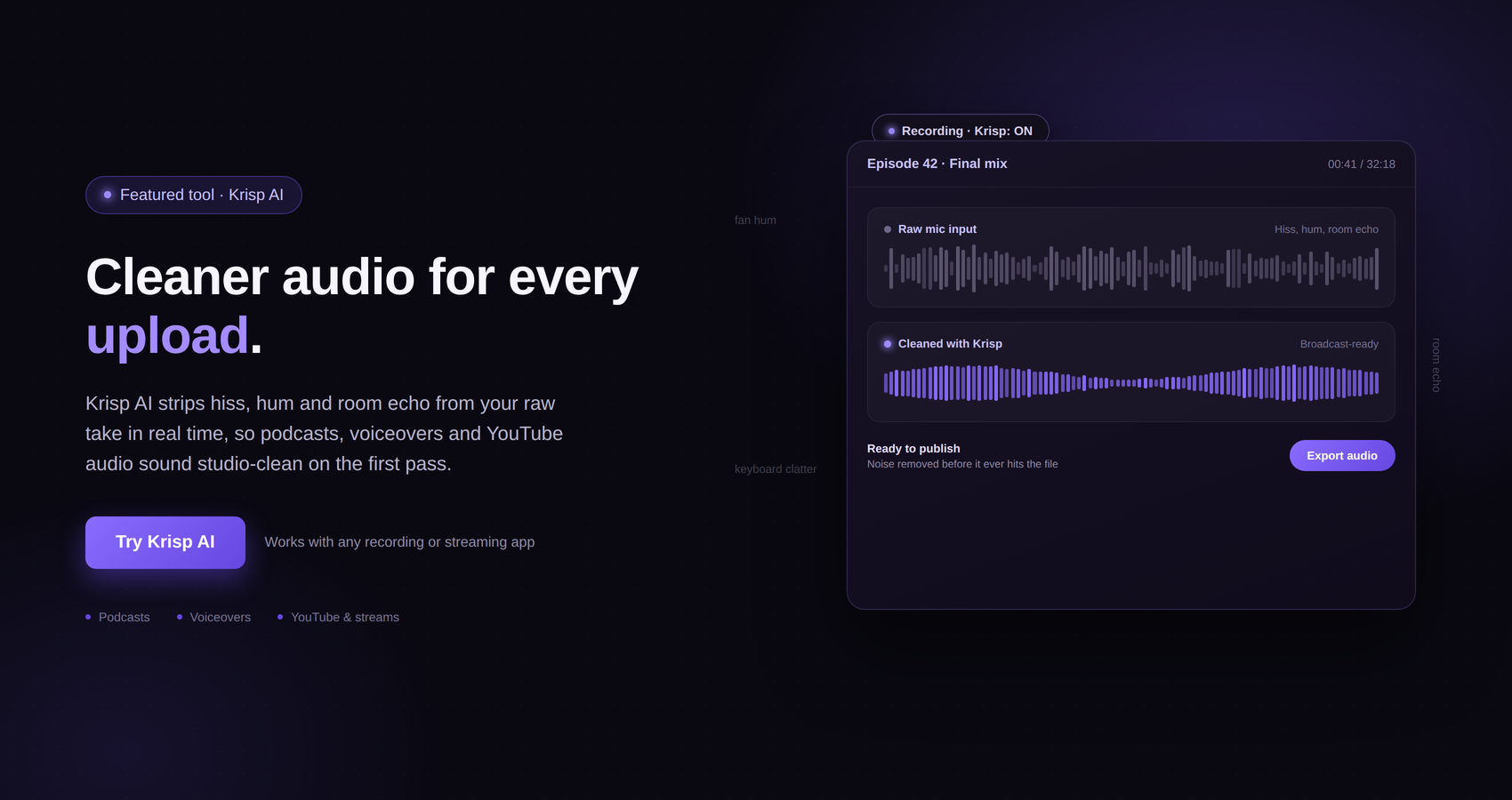
Krisp is a productivity tool focused on improving audio quality for online communication. Its technology is designed to remove background noise from calls, helping users communicate more clearly in situations where unwanted sounds may otherwise become a distraction.
This can be particularly useful for digital nomads because their work environment is often changing.
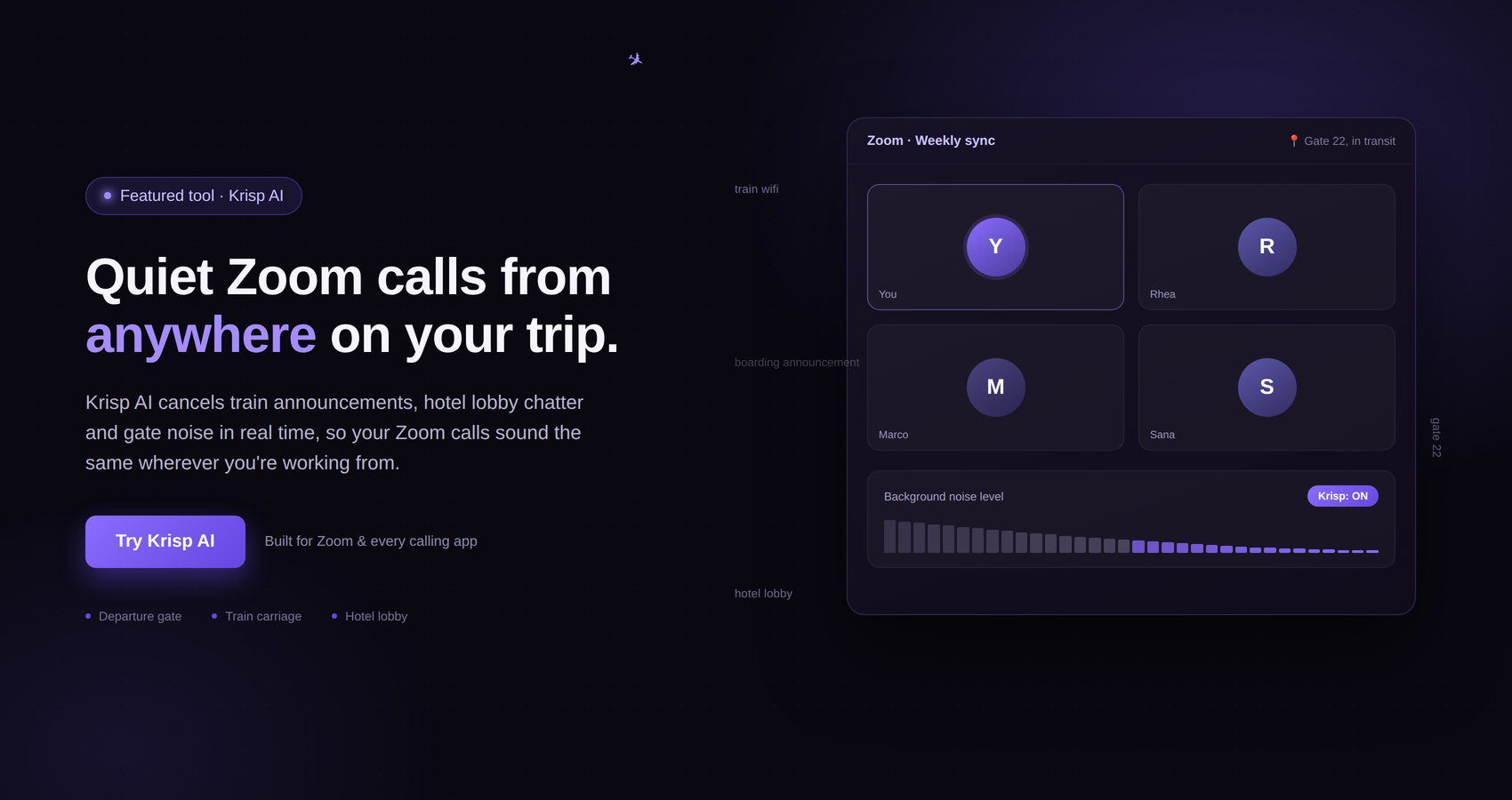
Imagine joining a client meeting while working from a café. There may be conversations happening nearby, cups being placed on tables, music playing in the background, or other sounds that could interfere with your call. Instead of needing a perfectly silent room every time, a noise-cancellation solution can help create a more professional audio experience.
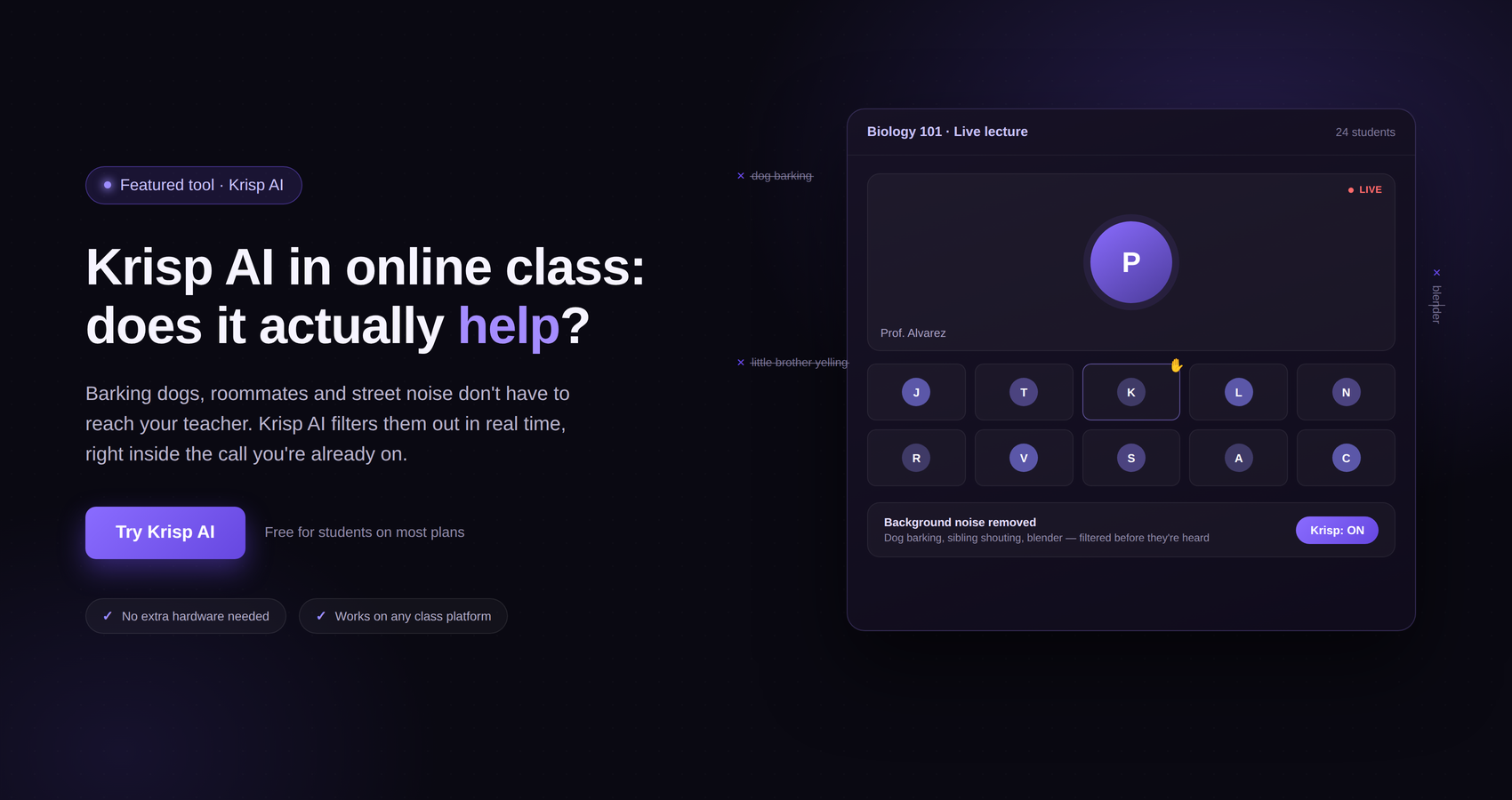
Krisp is also relevant for remote workers who work from home. Not everyone has a dedicated office. Some people share their home with family members, roommates, or pets, and unexpected sounds can happen during meetings.
For professionals whose work depends heavily on video calls and voice communication, improving the quality of those interactions can make the remote working experience much smoother.
Krisp can be used with popular communication and conferencing applications, making it a practical addition to a broader remote-work setup. The exact experience can depend on the application, device, and configuration, so users should check Krisp’s current compatibility and system requirements when setting it up.
The main reason to consider a tool like Krisp is simple: your workspace may change every day, but your professional communication still needs to remain consistent.

Email remains important, but it is not always the most efficient way to handle quick conversations between remote colleagues.
This is where Slack has become a popular option for distributed teams. The platform organizes communication into channels and direct messages, allowing teams to separate conversations based on projects, departments, clients, or topics.
For remote workers, this can reduce the number of internal emails and make everyday communication easier to manage.
A marketing team, for example, might have separate channels for content, advertising, social media, and general discussions. A remote freelancer working with several clients may use different communication spaces for each project.
One advantage of this approach is that conversations can remain connected to specific topics. Instead of having one long email thread that becomes difficult to follow, teams can organize discussions around the work itself.
Slack can also connect with other workplace tools, allowing notifications and information from different services to appear in one communication environment.
However, there is a potential downside. Too many notifications can become a productivity problem.
A remote worker who constantly checks every new message may end up spending more time reacting to notifications than completing focused work. The solution is not necessarily to stop using communication tools but to use them more intentionally.
Turning off unnecessary notifications, setting communication expectations, and creating periods of uninterrupted work can help maintain a better balance.
Microsoft Teams is another widely used option for remote and hybrid teams, particularly organizations that already rely on Microsoft’s productivity ecosystem.
The platform combines communication and collaboration features, allowing users to participate in chats, meetings, and team-based work. For companies using Microsoft 365, Teams can fit naturally into an existing workflow.
This can be useful for remote workers who regularly work with documents, calendars, and other Microsoft services.
One of the biggest challenges of remote work is keeping communication and files organized. When conversations happen in one place and important documents are scattered across multiple unrelated services, it becomes harder to find information later.
An integrated ecosystem can help reduce that problem.
For digital nomads working with larger organizations, Microsoft Teams can also provide a familiar communication environment without requiring the worker to manage multiple unrelated platforms for basic team interaction.
As with any productivity platform, the key is to avoid turning every message into an interruption. Remote professionals should still create boundaries around meetings and notifications, particularly when working across different time zones.

Video conferencing is a central part of remote work, and Zoom is one of the most recognized platforms in this category.
For digital nomads, video meetings can be essential when working with clients or teams located in different countries. Instead of traveling to an office, professionals can connect through an online meeting.
However, the quality of a video call depends on more than the conferencing platform itself.
Internet speed, microphone quality, lighting, camera placement, and background noise can all affect the experience.
This is another reason why audio tools such as Krisp can be useful as part of a remote-work toolkit. A reliable conferencing platform handles the meeting itself, while audio-enhancement technology can help address environmental noise.
Remote professionals should also consider the practical side of scheduling meetings. A digital nomad may be working in one time zone today and another next month. If a team is spread across several countries, scheduling can quickly become confusing.
Using calendar tools with time-zone support and agreeing on reasonable meeting windows can help prevent unnecessary scheduling problems.

For many remote workers, Google Workspace provides a convenient collection of tools for everyday work.
Services such as Google Docs, Sheets, Slides, Drive, and Gmail allow users to create, store, and collaborate on work online.
This cloud-based approach is particularly useful for digital nomads because it reduces dependence on a single physical computer. When documents are stored securely in the cloud, users can access them from compatible devices and locations, subject to their account settings and internet availability.
Google Docs, for example, can be useful when multiple people need to work on the same document. Instead of sending different versions of a file back and forth through email, collaborators can work within a shared document.
Google Sheets can be useful for budgets, content calendars, project tracking, and data organization. Google Slides can support presentations and collaborative planning.
For a remote professional, having these tools available in one ecosystem can make everyday work more portable.
The important thing is to create a sensible folder structure. Cloud storage can become just as messy as a physical computer if everything is saved without organization.
Creating folders by client, project, year, or department can make files much easier to locate.
 .
.
Digital nomads often need more than a simple to-do list. They may have travel plans, client information, project notes, content ideas, meeting notes, and personal planning requirements all competing for attention.
Notion is a flexible workspace that can be used for organizing information and managing different types of work.
One of its strengths is flexibility. Users can create pages and databases that suit their own workflow instead of being restricted to a single format.
A freelance writer might use Notion to organize article ideas and editorial calendars. A remote consultant might create project pages for different clients. A digital nomad could also use it to keep travel information alongside work-related notes.
The important thing with flexible tools is to avoid overbuilding your system.
It is easy to spend hours creating an elaborate productivity dashboard that looks impressive but takes too much effort to maintain. A simple system that you actually use is usually more valuable than a complicated system that you abandon after a few weeks.
For beginners, starting with a basic task list, project database, and notes section may be enough.

Some people prefer to see their work visually. For those users, Trello can be a practical task management option.
Trello uses boards, lists, and cards to help users organize projects and tasks. This visual approach can make it easier to understand what needs to be done, what is currently in progress, and what has been completed.
A digital nomad managing multiple freelance projects could create a board for each major area of work. Cards can represent individual tasks, while lists can show different stages of progress.
For example, a content creator might organize work into stages such as ideas, research, writing, editing, and published.
The benefit of a visual system is that it can provide an immediate overview of workload.
However, Trello is not necessarily the right choice for everyone. Some professionals prefer traditional lists or more detailed project management systems. The best option depends on the complexity of your work and how much information you need to track.

Sometimes productivity does not require a complicated project management platform. A simple task manager can be enough.
Todoist is designed to help users organize tasks and manage personal and professional to-do lists.
For remote workers, a task management tool can provide structure when there is no manager physically present to define the day’s priorities.
A useful approach is to separate tasks into different categories. For example, a freelancer might have lists for client work, administrative tasks, marketing, and personal projects.
The goal should be to create a manageable list rather than an endless collection of tasks.
One of the biggest mistakes remote workers make is creating a daily schedule that is impossible to complete. A long list may look productive, but constantly carrying unfinished tasks into the next day can become frustrating.
Instead, prioritize the work that genuinely needs to be completed and leave room for unexpected requests.
A simple task manager can help make those priorities visible.

When projects become more complicated, a basic to-do list may no longer be enough.
Asana is a project and work management platform designed to help teams organize tasks and workflows.
For remote teams, this type of tool can be useful because everyone needs visibility into the progress of shared work.
A project manager can assign tasks, track progress, and organize deadlines, while team members can see what they are responsible for.
This can reduce the need for constant status-update messages.
Instead of asking someone repeatedly whether a task has been completed, team members can check the project workspace.
For digital nomads working independently, a platform such as Asana can also be useful when managing several long-term projects. It can provide more structure than a basic task list without requiring every detail to be handled through email.
The key is to keep the system updated. A project management tool only works when tasks, deadlines, and responsibilities accurately reflect reality.

Some remote professionals prefer having more functions available in a single workspace.
ClickUp is positioned as a productivity and work management platform that brings together project management, tasks, documents, goals, and other work-related functions.
For teams that want to reduce the number of separate applications they use, an all-in-one platform can be appealing.
However, there is always a trade-off between having everything in one place and keeping your system simple.
A platform with many features may take more time to configure and learn. It can be a good choice for teams with complex workflows, but individual freelancers may find that a simpler combination of tools is easier to maintain.
Before choosing an all-in-one productivity platform, consider what you actually need.
If your work requires task management, document collaboration, and project tracking, a broader platform may be worthwhile. If you mainly need a daily to-do list, a simpler application could be more efficient.

Productivity is often discussed in terms of task lists, calendars, and project management. But communication quality is another important part of remote work.
A meeting can be productive only when participants can clearly hear and understand one another.
Background noise may seem like a minor inconvenience, but repeated interruptions can make online meetings more tiring. This is particularly relevant for digital nomads who do not always control their surroundings.
A tool like Krisp can fit into this part of the productivity stack by helping reduce unwanted background noise during supported calls and meetings.
For someone who works from a dedicated home office, this may not be necessary every day. But for someone who frequently changes locations, it can provide an extra layer of flexibility.
The broader lesson is that productivity tools should reflect the realities of your work environment.
A digital nomad does not necessarily need the same tools as someone working permanently from a private home office. The more unpredictable your environment, the more valuable it can be to have tools that help compensate for those variables.
The best productivity setup is rarely the one with the largest number of applications.
Using too many tools can actually create more work. You may end up checking multiple task lists, switching between different communication platforms, and searching through several cloud storage services to find one document.
A better approach is to assign a clear purpose to each tool.
For example, you might use one platform for team communication, another for video meetings, a task manager for daily priorities, cloud storage for documents, and Krisp for managing background noise during online calls.
The exact combination will depend on your profession.
A freelance designer may need different tools from a software developer. A travel blogger may have different requirements from a remote customer support professional.
The goal is to create a system where every tool solves a real problem.
If an application does not save time, improve organization, or make communication easier, it may not deserve a permanent place in your productivity setup.
For digital nomads, simplicity is particularly valuable. The fewer unnecessary systems you have to manage, the more energy you can spend on the work that actually matters.
One of the biggest benefits of remote work is flexibility, but flexibility can quickly turn into disorganization if you do not have a clear schedule.
Digital nomads often work across different time zones, and that can make calendar management more complicated than it is for someone who works from the same office every day. A client may be based in New York, a colleague may be in London, and the digital nomad may currently be working from Thailand. Without a reliable calendar system, it is easy to schedule a meeting at the wrong time or forget an important deadline.
Google Calendar is a popular option for organizing meetings, appointments, deadlines, and personal commitments.
For remote workers, a calendar should not be used only for meetings. It can also be used to block out time for focused work, administrative tasks, exercise, travel, and breaks.
This is particularly useful for people who work independently. When there is no traditional office schedule, it can be tempting to work whenever there is free time. Unfortunately, this often leads to a workday that never really ends.
Time blocking can help solve this problem. For example, you could reserve the morning for deep work, schedule meetings in the afternoon, and leave the evening free. The exact schedule will depend on your work and personal preferences, but having a structure can make a flexible lifestyle more sustainable.
For digital nomads, it is also important to check time-zone settings before accepting meetings. A calendar that automatically adjusts meeting times can help prevent confusion when traveling between countries.
Scheduling a meeting through email can take several messages.
One person suggests a time. The other person is unavailable. A second time is proposed. Someone realizes the time zone is different. Eventually, several emails are exchanged before a meeting is finally booked.
Calendly is designed to make this process simpler by allowing people to share their availability and let others choose an appropriate time.
This can be especially useful for freelancers, consultants, coaches, marketers, and other professionals who regularly schedule calls with clients.
For digital nomads, scheduling tools can also reduce the problem of communicating across time zones. Instead of manually calculating when someone is available, a scheduling system can make the process more straightforward.
However, a scheduling tool should not mean that you are available all day.
Remote workers should still establish boundaries. If you allow meetings to be booked at any time, you may end up with a schedule filled with calls that leave little room for actual work.
A better approach is to define specific meeting windows. You might choose to accept calls only during certain hours, leaving the rest of the day available for focused work.
Many remote professionals believe they know where their time goes until they actually track it.
A few minutes checking email can become half an hour. A quick social media break can turn into an hour. A simple meeting can take additional time before and after the call.
Toggl Track is a time-tracking tool that can help users understand how much time they spend on different tasks and projects.
This can be particularly useful for freelancers who bill clients based on time. It can also help professionals who want to understand their working habits.
Time tracking does not have to become an obsession. The goal is not necessarily to record every second of the day. Instead, it can provide a clearer picture of where working hours are being spent.
For example, after tracking your time for a few weeks, you might discover that administrative work takes much longer than expected. You may also realize that certain types of projects require significantly more time than you originally estimated.
That information can help you make better decisions about pricing, workload, and scheduling.
Digital nomads may find time tracking particularly useful because travel can affect productivity. A workday in a quiet apartment may look very different from a workday spent moving between airports and hotels.
Understanding those patterns can help you plan more realistic schedules.
Knowing what you planned to do and knowing what you actually did are two different things.
A remote worker may start the morning intending to complete an important report but find themselves checking social media, reading news, watching videos, and browsing unrelated websites.
RescueTime is designed to help users understand how they spend time on digital devices.
The value of this type of tool is not necessarily in tracking productivity for its own sake. It is about identifying habits that may be getting in the way of meaningful work.
Digital nomads often have a lot of freedom, which can be wonderful, but that freedom also requires self-discipline.
If you repeatedly lose productive hours to online distractions, seeing those patterns can be the first step toward changing them.
Some people may benefit from setting specific periods for focused work and keeping distracting websites or applications out of reach during those periods.
The key is to use tracking as information rather than as a source of guilt. Productivity is not about being busy every minute. It is about making meaningful progress on the work that matters.
Security becomes particularly important when you work from different locations.
Digital nomads may connect to different Wi-Fi networks, use multiple devices, and access work accounts from hotels, coworking spaces, cafés, or other temporary locations.
This makes password management an important part of a remote-work setup.
1Password is a password manager that can help users store and manage passwords and other sensitive information.
Instead of trying to remember dozens of unique passwords, users can rely on a password manager to organize their credentials.
For remote workers, this can make it easier to maintain better password habits without having to memorize every login.
It is also important to think about device security when traveling. A laptop containing client information or business documents should be protected with appropriate security measures, and users should be careful about where and how they access sensitive accounts.
A productivity system is only useful if the work being managed is also protected.
Digital nomads should therefore consider cybersecurity as part of their overall productivity strategy rather than treating it as a completely separate issue.
Cloud storage is essential for many remote professionals.
If all your important files exist only on one laptop, losing access to that device can create a serious problem. Hardware failures, theft, or accidental damage can happen anywhere, and digital nomads may be more exposed simply because they travel frequently.
Dropbox is one of the established cloud storage and file-sharing platforms used by individuals and businesses.
A cloud-based file system can make it easier to access documents from different devices and share files with clients or colleagues.
The most important thing is to create a logical structure.
For example, a freelancer could create separate folders for each client, followed by folders for active projects, completed work, contracts, invoices, and other important documents.
A good naming system can also save time. Files with clear names and dates are much easier to locate than documents named “final-final-new-version.”
Cloud storage should also be treated as part of a broader backup strategy. Depending on the importance of your work, maintaining additional backups may be appropriate.
Not every remote worker is a graphic designer, but many professionals still need to create visual content.
A freelancer may need a presentation. A travel blogger may need social media graphics. A small business owner may need promotional materials. A consultant may want to create a professional report.
Canva is a widely used design platform that provides templates and tools for creating different types of visual content.
Its appeal for remote workers is accessibility. Users do not necessarily need advanced graphic design skills to create visually organized materials.
For digital nomads, this can be useful because creative work can be completed from almost anywhere without requiring specialized design software for every small task.
However, it is important to remember that templates should be adapted to your own brand and purpose. Simply choosing a template and changing a few words may not always create a distinctive result.
The best use of a tool like Canva is to speed up routine design work while still giving attention to quality and consistency.
Remote workers communicate through written messages more than they may realize.
Emails, proposals, client messages, project updates, reports, social media posts, and internal communication all require clear writing.
Grammarly is a writing assistance tool that can help users review written content for issues such as grammar, spelling, clarity, and style, depending on the features available in the user’s plan and product version.
For professionals working with international clients, writing assistance can be useful when English is not their first language.
Even native English speakers can benefit from reviewing important messages before sending them.
The goal should not be to let software replace your own judgment. A tool can suggest changes, but the writer still needs to decide whether those changes fit the intended meaning and tone.
For sensitive client communication, a human review is always worthwhile.
Artificial intelligence has become increasingly relevant to the way people work.
Remote professionals are using AI tools for brainstorming, summarizing information, generating ideas, organizing thoughts, drafting content, and supporting routine tasks.
ChatGPT can be useful for a wide range of productivity-related activities, depending on how it is used.
For example, a digital nomad could use an AI assistant to brainstorm content ideas, create a first draft of a project outline, turn rough notes into a structured plan, or generate questions for a meeting.
However, AI should be treated as an assistant rather than an automatic replacement for human judgment.
Information generated by AI should be reviewed, particularly when accuracy matters. Confidential client information should also be handled carefully and according to the relevant privacy and company policies.
For remote workers, the biggest advantage of AI may be reducing the time spent on repetitive thinking and administrative tasks.
The more time you save on low-value work, the more time you can dedicate to tasks that require experience, creativity, communication, and decision-making.
Remote teams often have more meetings than they realize.
The challenge is not only attending meetings but remembering what was discussed afterward.
Otter.ai is a transcription and meeting-related tool that can help users capture and work with spoken conversations, depending on the platform’s available features and integrations.
For remote workers, tools that help with meeting notes can reduce the need to manually write down every detail.
A freelancer might use meeting transcripts to review client discussions. A remote team member might refer back to a conversation when working on a project.
Still, users should consider privacy and consent requirements before recording or transcribing meetings. Depending on the country, organization, and participants involved, there may be rules or policies that apply.
The technology can be useful, but it should always be used responsibly.

As remote work continues to evolve, online meetings remain a major part of professional communication.
This is why Krisp deserves consideration alongside other productivity tools for remote professionals.
Productivity is not only about finishing tasks faster. It is also about reducing friction.
If a meeting is repeatedly interrupted by background noise, participants may have to ask each other to repeat themselves. If someone cannot hear a speaker clearly, important information may be missed. If the person leading the meeting is constantly worried about sounds in the background, it can affect their confidence and concentration.
Krisp’s focus on noise cancellation can help address one of the practical challenges of working outside a traditional office.
This is especially relevant to digital nomads.
A person who works from the same private office every day may have control over their surroundings. A digital nomad often does not.
One day, the workspace may be a quiet hotel room. The next day, it could be a busy café. Another day, the worker might be in a coworking space with conversations happening nearby.
Having a tool that can help reduce background noise provides another layer of flexibility.
For remote professionals who spend a significant part of their workday in calls, audio quality should be considered alongside project management, cloud storage, and communication.
Remote workers often adopt several communication tools at the same time.
A team may use Slack for quick conversations, Microsoft Teams for internal meetings, email for external communication, and Zoom for video calls.
Each tool may have a purpose, but the overall system can quickly become overwhelming.
The problem is not necessarily the number of tools. The problem is unclear communication rules.
If a team uses Slack for urgent requests, email for routine matters, Teams for other discussions, and text messages for emergencies, employees may constantly check multiple platforms.
A better approach is to define what each communication channel is for.
For example, urgent matters may have one channel, routine communication another, and formal documentation may remain in email or project management software.
The goal is to make communication predictable.
Remote productivity improves when workers know where information belongs and where they should look for it.
Sometimes the biggest productivity problem is not a lack of organization. It is a lack of concentration.
Digital workers spend much of their day surrounded by potential distractions. Social media, news websites, messages, notifications, and entertainment are always available.
Focus applications can encourage users to stay away from distractions for a set period.
Forest is one example of a focus-oriented application that uses a visual concept to encourage users to stay focused.
The exact tool matters less than the underlying habit.
You can use a dedicated focus application, a timer, or even a simple clock. The important thing is to create a clear period where you work on one task without constantly switching between activities.
Many remote workers find that 25 to 50 minutes of focused work followed by a short break is easier to maintain than trying to concentrate for several uninterrupted hours.
The best rhythm is personal. Some people work better in shorter sessions, while others prefer longer periods of deep focus.
The Pomodoro Technique is not a specific software product, but it is a productivity method that can work well for remote professionals.
The basic idea is to divide work into focused intervals separated by short breaks.
The traditional approach commonly uses 25-minute work periods followed by short breaks, with a longer break after several cycles.
For a digital nomad, this method can be useful because it does not require a complicated system.
You can use a timer on your phone, computer, or a dedicated productivity application.
The technique can be particularly helpful when a task feels overwhelming.
Instead of thinking, “I need to finish this entire project today,” you can focus on completing one short period of concentrated work.
Over time, those small sessions can add up to significant progress.
Remote teams sometimes struggle with the creative side of collaboration.
In a traditional office, a team might gather around a whiteboard and brainstorm ideas. Remote teams need digital alternatives.
Miro is an online collaborative whiteboard platform that can be used for brainstorming, workshops, planning, and visual collaboration.
It can be useful when a team needs to think visually rather than communicate only through text.
For example, a remote marketing team could use a shared workspace to organize campaign ideas. A product team might map out user journeys or project workflows.
The benefit of visual collaboration is that it can make complex ideas easier to understand.
However, like other collaboration tools, Miro works best when there is a clear objective. A virtual whiteboard filled with hundreds of disconnected notes can become just as confusing as a physical whiteboard covered with random writing.
Not every question needs a meeting.
Sometimes a short video explanation can be more efficient than scheduling a 30-minute call.
Loom is a screen recording and video messaging tool that allows users to communicate through recorded videos.
For remote workers, this can be useful when explaining a process, demonstrating a software issue, or providing feedback.
Imagine a designer wants to explain changes to a project. Instead of writing a long email describing every detail, they can record their screen and explain the changes while showing them.
This can save time for both sides.
It can also help reduce unnecessary meetings, which is an important part of improving remote productivity.
However, video messages should still be concise. A 30-minute recorded explanation may not be much better than a 30-minute meeting.
The best use cases are usually short, focused explanations that can be watched when convenient.
Automation can make a significant difference for people who perform the same tasks repeatedly.
Zapier is an automation platform that can connect different applications and automate certain workflows.
For example, a business might create automated processes that move information between supported applications when specific actions occur.
For a freelancer or digital nomad, automation could reduce repetitive administrative work.
The value of automation becomes more noticeable as your workload increases.
If you spend five minutes on a task once, automation may not be worth the effort. If you repeat that task every day for months, automation could potentially save considerable time.
However, automation should be introduced carefully.
A poorly designed automated workflow can create errors that are difficult to notice. It is important to understand what the automation does and periodically check that it is working correctly.

There is no single productivity tool that works for every digital nomad.
A freelance writer may prioritize writing tools, cloud storage, and task management. A remote developer may need collaboration platforms and code-related tools. A consultant may spend most of the day in meetings and benefit from scheduling and communication solutions.
Even within the same profession, people work differently.
Some people love detailed project boards. Others prefer simple lists. Some want every task scheduled in a calendar, while others prefer flexible planning.
The best approach is to identify your biggest productivity problems first.
If you frequently miss deadlines, start with task management.
If you struggle with meetings across time zones, improve your calendar and scheduling system.
If you spend too much time looking for documents, organize your cloud storage.
If background noise is affecting your calls, consider an audio tool such as Krisp.
If distractions are the main issue, try a focus method or distraction management tool.
This problem-first approach is usually more effective than downloading every productivity application you can find.
Productivity tools are supposed to make work easier. Unfortunately, having too many of them can create the opposite result.
Every application requires some level of maintenance. You need to remember where information is stored, check notifications, update projects, manage passwords, and learn how different tools work.
A digital nomad may eventually end up with a complicated system that requires more attention than the actual work.
A simple productivity stack may be enough.
For example, you might have one communication platform, one project management system, one calendar, one cloud storage solution, and one or two specialized tools for your specific work.
The exact combination is less important than consistency.
If you decide that all project tasks belong in one platform, keep them there. If important documents are stored in one cloud system, maintain that structure.
The fewer places you need to check, the easier it becomes to start working.
The ideal digital nomad lifestyle is not about working constantly while traveling.
The purpose of productivity tools is to help you complete your responsibilities efficiently so you can also enjoy the flexibility that remote work provides.
A well-organized digital nomad may spend several focused hours completing important work and then have time to explore a new destination.
An unorganized remote worker may spend the entire day switching between emails, notifications, meetings, and unfinished tasks.
The difference is often not how hard the person works. It is how effectively they manage their time and attention.
Tools such as Krisp, Slack, Microsoft Teams, Google Workspace, Notion, Trello, Todoist, Asana, ClickUp, and other productivity platforms can each solve different problems.
The trick is to choose the tools that match your actual needs.
A productive remote lifestyle should give you more control over your time, not create another complicated system to manage.
There are hundreds of productivity tools available today, but that does not mean you need hundreds of tools.
In fact, one of the most effective ways to build a productive remote-work setup is to start by identifying the problems that are actually affecting your work.
Do you forget deadlines? A task management application may help.
Do you spend too much time in meetings? A scheduling tool or asynchronous video platform could make communication more efficient.
Do you struggle to concentrate? A focus timer or distraction-management tool may be more useful.
Do you work in noisy environments? An audio solution such as Krisp could help improve your experience during online meetings and calls.
Do you constantly search for files? A better cloud storage structure may solve the problem.
This approach is more practical than simply downloading every popular productivity application.
A good productivity system should make your work feel simpler, not more complicated.
A digital nomad does not need to use every productivity application available. A small number of reliable tools can often cover most professional needs.
A basic productivity stack might include a communication platform such as Slack or Microsoft Teams, a video conferencing solution such as Zoom, a project management tool such as Asana or Trello, a cloud storage service such as Google Drive or Dropbox, and a calendar application such as Google Calendar.
You could then add specialized tools based on your profession.
For example, someone who spends hours on video calls may consider Krisp as part of their audio setup. A designer might use Canva or other creative software. A freelancer who bills by the hour could benefit from a time-tracking platform such as Toggl Track.
The important thing is to establish a clear role for each application.
If you have three different task management apps, you may eventually forget which one contains the latest information. If your files are divided across several cloud storage services, finding a document can become unnecessarily difficult.
One central source of truth for each category of work can make your system much easier to maintain.
One of the simplest improvements a remote worker can make is deciding where tasks belong.
You might use Todoist, Trello, Asana, ClickUp, Notion, or another system. The specific choice is less important than using it consistently.
When a new task arrives through email, a chat message, or a meeting, add it to your chosen task system if it requires action.
This creates a separation between communication and work management.
Without such a system, you may rely on memory to remember everything you need to do. That can become difficult when you are managing multiple projects across different clients and time zones.
A task management system gives you a place to capture work before it disappears from your attention.
It also makes prioritization easier.
Instead of looking at a huge list of unfinished tasks, you can identify which items are urgent, which are important, and which can wait.
This can be particularly valuable for digital nomads, whose schedules may change unexpectedly because of travel.
A productive remote workday does not necessarily begin with opening your email.
For many digital nomads, the first few minutes of the day can determine how the rest of the day develops.
Checking messages immediately can put you into a reactive mode. You may start responding to other people’s priorities before deciding what you need to accomplish yourself.
A better approach may be to begin by reviewing your own priorities.
Look at your task list and calendar. Identify the most important work for the day. Check whether you have meetings that require preparation.
Then decide what needs your attention first.
This does not mean ignoring communication completely. If your role requires immediate responses, you may need to check messages early. But even then, taking a moment to identify your priorities can prevent the entire day from becoming a series of interruptions.
A simple morning routine could involve reviewing your calendar, choosing three major priorities, checking urgent messages, and then beginning your first focused work session.
The routine should be realistic.
There is no need to create a complicated 20-step morning ritual if it does not suit your lifestyle.
One of the biggest challenges of remote work is constant interruption.
A message arrives. Then another notification appears. A colleague asks a question. An email comes in. A meeting starts.
By the end of the day, you may have been busy for eight hours without completing the work that actually required concentration.
This is where deep work becomes important.
Deep work refers to periods of focused attention on demanding tasks without unnecessary interruptions.
For digital nomads, these periods can be especially valuable because the surrounding environment may already contain distractions.
Consider blocking a specific period for concentrated work.
During that time, turn off non-essential notifications, close unrelated browser tabs, and avoid checking communication platforms unless something is genuinely urgent.
A focus timer can help you stay committed to the session.
You could use a dedicated application, a simple timer, or a productivity method such as the Pomodoro Technique.
The goal is not to work without breaks. The goal is to give your brain a clear period where it can focus on one important task.
Meetings can quickly break a productive day into small pieces.
A 30-minute meeting at 10:00 a.m. and another at 11:30 a.m. may look harmless on a calendar, but the gaps between them may not be long enough to complete meaningful work.
Instead, remote workers can consider grouping meetings together when possible.
For example, you might reserve certain afternoons for calls and keep mornings available for focused work.
This approach can be particularly useful for freelancers and consultants.
Scheduling platforms such as Calendly can help establish defined meeting windows, while Google Calendar can provide a broader view of your schedule.
Not every profession allows this kind of flexibility, but even small adjustments can make a difference.
If you cannot control when meetings occur, try to protect at least one uninterrupted block of time during your workday.

Digital nomads need to think differently about workspace design.
A traditional office worker may have a permanent desk with a monitor, keyboard, chair, and other equipment. A digital nomad may need to create a functional workspace from whatever is available.
This makes portability important.
A lightweight laptop, comfortable headphones, a reliable charging setup, and a suitable travel bag can make moving between locations easier.
For people who regularly attend online meetings, audio quality should also be considered.
A good microphone or headset can help, while software such as Krisp can provide additional support when background noise becomes an issue.
The goal is to create a setup that can be quickly established wherever you are.
You should be able to arrive at a coworking space, hotel, or temporary apartment and begin working without spending an hour trying to recreate your office.
Remote work depends heavily on connectivity.
A digital nomad may have excellent internet one day and unreliable service the next.
This is why having a backup plan is important.
Depending on your location and circumstances, that could mean having mobile data available, knowing where the nearest coworking space is, or identifying cafés with reliable internet before an important meeting.
If you have a critical video call, avoid assuming that your current connection will always work perfectly.
Prepare in advance.
Download important files when appropriate, keep essential documents accessible, and know what you will do if your primary connection fails.
A productivity system is not only about working efficiently under ideal conditions. It should also help you handle unexpected problems.
Remote meetings can become much more productive when participants prepare in advance.
Before joining an important call, check your internet connection, microphone, camera, and meeting software.
If you are working in a location where background noise is possible, consider using appropriate headphones or an audio tool such as Krisp to help manage unwanted sounds.
It is also useful to have the relevant documents open before the meeting begins.
If you are discussing a project, have the project information ready. If you are presenting, check your presentation before joining.
These small steps can reduce the amount of time spent solving technical problems during the actual meeting.
For digital nomads, preparation becomes even more important because the working environment may not be predictable.
A few minutes of preparation can prevent a much bigger problem later.
One of the most practical lessons for digital nomads is that you cannot always control your surroundings.
You can choose a quiet café, but someone may sit next to you and start talking loudly.
You can book a hotel room, but there may be construction happening outside.
You can work in a coworking space, but other people will naturally be having conversations.
This is part of the reality of location-independent work.
Krisp can be considered as part of the solution for professionals who regularly communicate through online calls and meetings in environments where background noise may be present.
Its focus is on audio communication and reducing unwanted background sounds, which makes it particularly relevant to people who work outside traditional offices.
For someone who works from a quiet private office, the need may be occasional. For a digital nomad who moves between different environments, it may be more relevant.
This is why Krisp fits naturally into a broader productivity discussion.
Productivity is not only about managing tasks. It is also about removing the small obstacles that repeatedly interrupt your work.
A remote worker may accumulate thousands of documents over time.
Contracts, invoices, presentations, images, spreadsheets, reports, research files, and project documents can quickly become difficult to manage.
Cloud storage services such as Google Drive and Dropbox can help keep files accessible, but the technology alone does not create organization.
You need a system.
One approach is to organize files by client or project.
For example, a freelancer could create a main folder for each client and then divide it into active projects, completed projects, invoices, contracts, and reference materials.
Another approach is to organize by year.
The best structure depends on the nature of your work.
What matters is consistency.
Use meaningful file names and avoid creating multiple versions with confusing labels.
A document named “Client Proposal July 2026” is easier to understand than “Proposal Final V3 New Final Updated.”
Small organizational habits can save a surprising amount of time over the course of a year.
Remote professionals often spend more time on administrative work than they realize.
Copying information between applications, sending routine messages, organizing files, creating recurring tasks, and updating spreadsheets can all consume valuable time.
Automation tools such as Zapier can help connect supported applications and automate certain repetitive workflows.
The best automation opportunities are usually tasks that happen frequently and follow a predictable pattern.
For example, if you repeatedly perform the same series of actions every time a new project begins, part of that process may be suitable for automation.
However, automation should not be used simply because it is available.
A process that takes two minutes once a month probably does not need automation. A process that takes ten minutes every day may be worth considering.
Always test automated workflows carefully before relying on them for important business processes.
Your work changes over time.
The tools that were useful six months ago may no longer be necessary. You may take on new clients, start managing a team, or change the type of work you do.
That means your productivity system should not be considered permanent.
Once a month, take a few minutes to review how you work.
Ask yourself which tools you actually use.
Are there applications you rarely open?
Are you maintaining multiple systems that perform the same function?
Are notifications distracting you?
Are you spending too much time in meetings?
Are you still able to find important documents quickly?
This review can help you simplify your setup.
The goal is not to constantly change tools. Constantly switching platforms can itself become a productivity problem.
Instead, make changes only when you identify a genuine issue.
Remote workers often feel pressure to appear busy.
Because colleagues cannot physically see you working, there can be a temptation to stay online all day, respond immediately to every message, and attend every meeting.
But being constantly available is not the same as being productive.
A person can spend eight hours responding to messages and still make little progress on important work.
Productivity should be measured by meaningful results rather than the number of hours spent staring at a screen.
This is another reason why project management and task management tools can be useful.
Instead of asking, “Was I online all day?” ask, “What important work did I complete?”
The answer is usually a better indicator of progress.
Remote work becomes easier when everyone understands communication expectations.
Teams should ideally have clear guidelines around response times, urgent requests, meetings, and communication channels.
For example, a team might decide that Slack is used for everyday communication, email is used for formal communication, and urgent matters follow a separate process.
The exact rules will depend on the organization.
What matters is reducing uncertainty.
If employees believe they must respond immediately to every message, they may struggle to concentrate.
Clear communication rules allow people to disconnect from notifications without worrying that they are missing something important.
For digital nomads working across time zones, this becomes even more valuable.
Not everyone needs to be online at the same time for every task.
One of the best ways to improve remote productivity is to reduce unnecessary meetings.
Not every update requires a video call.
A written project update, shared document, recorded video, or task comment may communicate the same information more efficiently.
Tools such as Loom can be useful for short video explanations, while project management platforms can keep updates connected to specific tasks.
Asynchronous communication allows people to respond when they are available rather than interrupting their current work.
This is especially important for globally distributed teams.
A digital nomad may be working in a different time zone from their colleagues. If every decision requires a live meeting, productivity can become dependent on everyone’s schedules aligning perfectly.
Using asynchronous communication where appropriate gives teams more flexibility.
Digital nomads often switch between devices.
You may use a laptop for serious work, a smartphone while traveling, and occasionally a tablet.
When selecting productivity tools, consider whether they work well across the devices you actually use.
Cloud-based services can be useful because information can remain accessible across multiple devices.
However, do not assume every tool will provide exactly the same experience everywhere.
Before building your entire workflow around a platform, consider how you will use it while traveling.
If you lose access to your primary laptop, can you still access important information?
If you are away from your desk, can you quickly check your tasks?
If you have an urgent meeting, can you join from another device if necessary?
Thinking about these scenarios can make your remote-work setup more resilient.
It is easy to misunderstand productivity as working more hours.
For digital nomads, this can be particularly dangerous because travel and work can blend together.
You may work in the morning, explore a destination during the afternoon, and then return to your laptop in the evening to finish more tasks.
Without boundaries, work can slowly occupy all available time.
Rest is not wasted time.
Taking breaks, getting enough sleep, exercising, and enjoying your surroundings can help you maintain your energy over the long term.
The purpose of productivity tools should be to help you work effectively enough that you do not need to spend every waking hour working.
A successful digital nomad lifestyle is not measured by how many emails you answer from an airport.
It is measured by whether you can complete meaningful work while still having the freedom to enjoy the flexibility that remote work provides.
For someone starting from scratch, building a productivity system can feel overwhelming.
A simple starting point might include a calendar for scheduling, a task manager for priorities, a communication platform for team discussions, cloud storage for documents, and a video conferencing platform for meetings.
From there, add tools based on your specific needs.
If you need better project organization, consider Asana, Trello, Notion, or ClickUp.
If you need better time awareness, look at tools such as Toggl Track or RescueTime.
If you need to create visual content, Canva may be useful.
If you need to automate repetitive workflows, explore platforms such as Zapier.
If you regularly communicate from noisy environments, Krisp can be considered as part of your audio toolkit.
The point is not to build the biggest possible collection of software.
The point is to create a system that makes your work easier.
Imagine a freelance writer who travels regularly and works with several clients.
They could use Google Calendar to organize deadlines and meetings, Todoist to manage daily tasks, Google Drive to store client documents, Slack for communication with selected clients, Zoom for meetings, and Krisp when joining calls from locations with background noise.
They might also use Grammarly to review important writing and a time-tracking application to understand how long different projects take.
This is already a complete productivity system.
There is no need to add another ten applications unless a genuine problem appears.
The freelancer’s goal is to write, communicate with clients, meet deadlines, and manage projects efficiently.
Each tool has a specific role.
A remote employee working for a larger company may have a different setup.
Microsoft Teams or Slack could handle communication. Microsoft 365 or Google Workspace could manage documents and collaboration. Asana, ClickUp, or another project management platform could track responsibilities.
A calendar could manage meetings, while Krisp could help improve audio during calls if the employee works from a home environment or another location where background noise is present.
The employee may also use a password manager and security tools to protect company accounts.
Again, the best system depends on the organization’s existing technology.
Employees should generally follow their company’s security and software policies rather than introducing personal tools without approval.
A travel blogger who works remotely may need a combination of creative and organizational tools.
A project management platform could organize upcoming articles. Cloud storage could hold photographs and documents. Canva could help with visual content. Notion could be used to organize ideas and research.
Google Calendar could manage publishing schedules, while an AI assistant could support brainstorming and early-stage planning.
When speaking with brands, clients, or partners from different locations, video conferencing tools and reliable audio can become important.
For calls conducted from hotels, cafés, or coworking spaces, a tool such as Krisp may be useful when background noise is difficult to avoid.
This is a good example of why productivity systems should be customized around the actual work being performed.
Technology can help, but tools alone cannot create productivity.
You can have the best project management software available and still miss deadlines if you do not prioritize tasks.
You can have an excellent calendar and still waste time if every hour is filled with unnecessary meetings.
You can have the best noise cancellation technology and still have unproductive meetings if nobody knows what the meeting is supposed to accomplish.
The tools are there to support your workflow.
Your workflow is what determines whether those tools create real value.
This is why the most effective remote workers usually focus on simple habits.
They know what they need to accomplish.
They organize their tasks.
They protect focused work time.
They communicate clearly.
They keep their files organized.
They prepare for meetings.
They take breaks.
And they regularly review whether their current system is still working.
The rise of remote work has created an entirely new way of thinking about productivity.
For digital nomads, the office may be a hotel room one week, a coworking space the next, and a café somewhere else after that. Remote employees may work from home, shared spaces, or different cities while staying connected with colleagues around the world.
This freedom is one of the greatest advantages of modern work, but it also comes with challenges.
The right productivity tools can help make that lifestyle more manageable.
Communication platforms such as Slack and Microsoft Teams help remote teams stay connected. Project management solutions such as Asana, Trello, Notion, and ClickUp can help organize work. Google Workspace and Dropbox can make files easier to access and share. Calendar and scheduling tools can reduce confusion around meetings and time zones.
Time-tracking and focus tools can help workers understand how they spend their days, while automation platforms can reduce repetitive administrative tasks.
And for professionals who regularly work in environments where background noise is unavoidable, Krisp is another tool worth considering.
Its focus on reducing unwanted background noise during supported calls and meetings makes it particularly relevant to the realities of flexible work. A digital nomad cannot always control what is happening around them, but having the right technology can help make communication more manageable.
Ultimately, the best productivity setup is the one that fits your lifestyle and your work.
You do not need every app on the market. You need a small collection of tools that solve your biggest problems and work well together.
Start with the basics. Identify where you lose the most time. Choose a tool that addresses that specific issue. Use it consistently before adding something else.
Over time, you will develop a productivity system that feels natural rather than complicated.
For digital nomads and remote workers, that may be the real goal: not simply working more, but creating a flexible system that allows you to work effectively from almost anywhere while still having the freedom to enjoy life beyond the screen.
The right combination of organization, communication, focus, and technology can make remote work significantly easier. And when your environment changes constantly, having dependable tools in your corner can make all the difference.