

If you spend a lot of time on online meetings, remote work, online classes, interviews, sales calls, or content creation, audio quality can make a bigger difference than you might expect. A poor microphone, people talking in the background, traffic outside the window, keyboard sounds, or general room noise can make an otherwise useful conversation difficult to follow.
This is where Krisp AI comes into the picture.
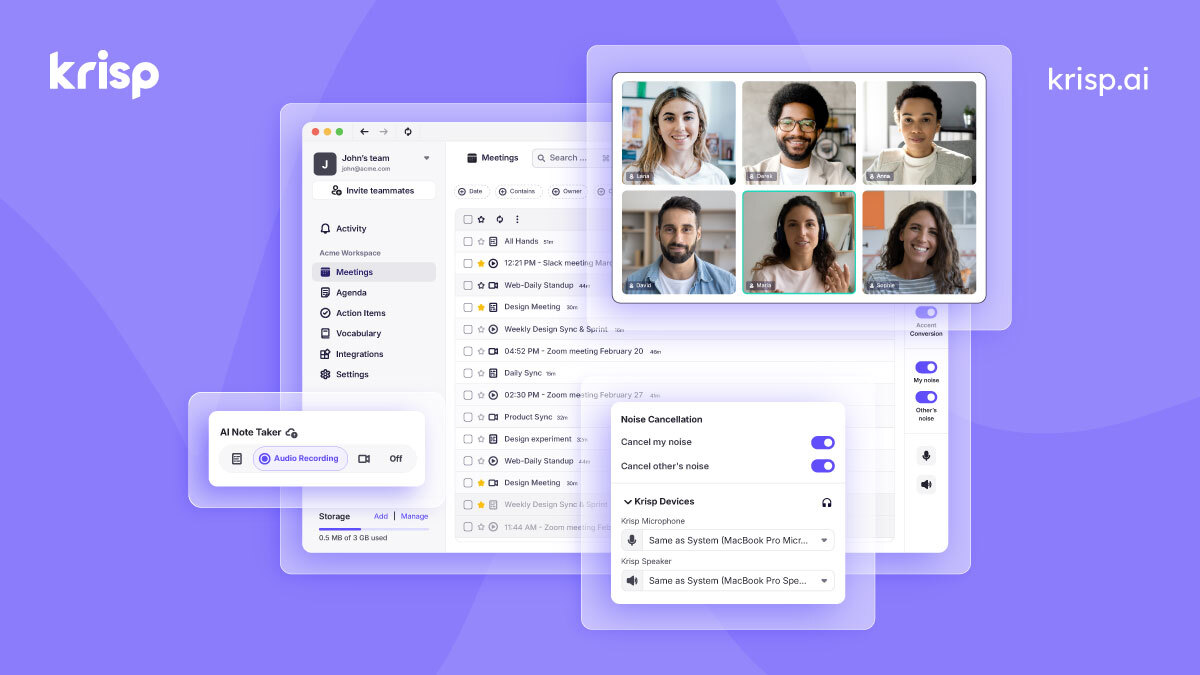
Krisp is designed to improve the audio experience during online calls by removing unwanted background noise. It can also provide features around meeting transcription, notes, recording, and other AI-powered meeting tools depending on the plan you use. Krisp’s noise cancellation works in real time, and the company says that audio processing for its noise cancellation happens locally on the device rather than sending audio data from the machine to Krisp’s servers.
But there is an important question for anyone considering Krisp: Is the free option enough, or is a paid plan worth considering?
The answer depends largely on how often you have meetings and which Krisp features you actually need.
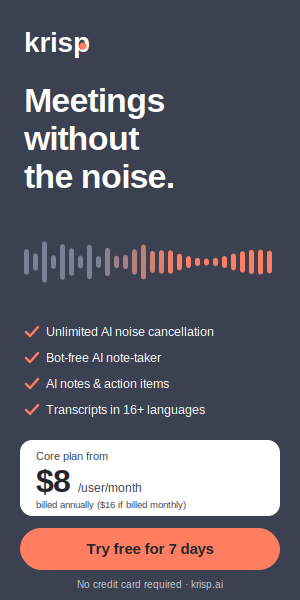
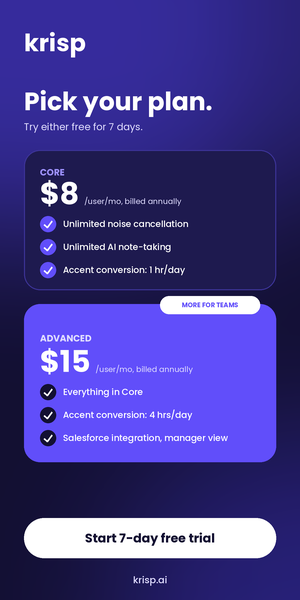
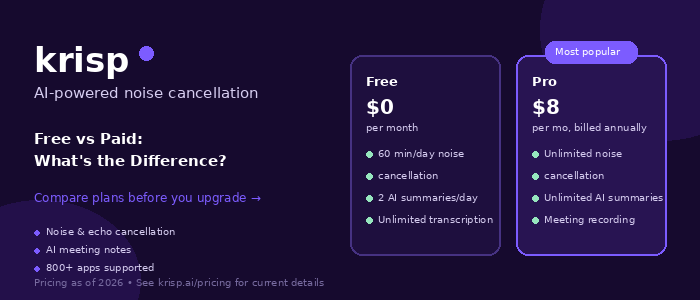
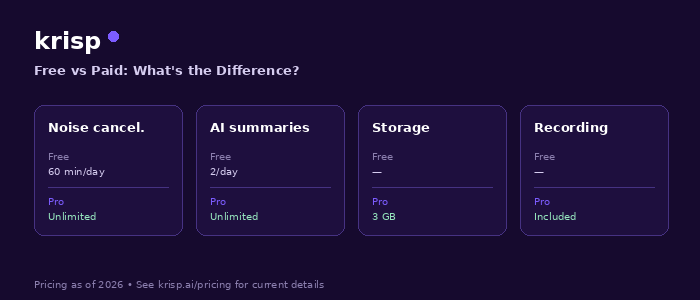
There is also an important point to clarify before comparing the plans. Krisp’s current pricing page presents a 7-day free trial that gives users access to premium features, rather than simply describing the current offering as an unlimited free-forever version of every premium feature. The current Core plan is listed at $16 per user per month when billed monthly or $8 per user per month when billed annually, while Advanced is listed at $30 per user per month monthly or $15 per user per month annually. Enterprise pricing is customized.
So, if you have seen older articles describing Krisp’s free plan as a permanent 60-minute-per-day option, it is worth checking the current Krisp pricing page before making a decision. Krisp’s pricing and product structure have changed over time.
Let’s look at what Krisp offers today and what you actually get when moving from a free trial to a paid subscription.
Krisp is an AI-powered audio and meeting application designed to make online conversations clearer.
At its simplest, Krisp can remove unwanted background sounds during calls. That can be useful when you are working from a home office, joining a meeting from a hotel room, sitting in a café, traveling, or dealing with an environment that simply isn’t quiet enough for a professional call.
Krisp’s help documentation describes it as a noise-cancellation desktop application. The application can remove noise coming from other participants as well as unwanted noise from your own environment. Krisp also provides Background Voice Cancellation, which is designed to cancel background voices while retaining the primary speaker’s voice when using a headset.
That makes Krisp different from a traditional audio editor.
You don’t necessarily have to record a meeting first and clean the audio afterward. The main noise cancellation experience is designed to work in real time while you are on a call.
Krisp has also expanded beyond noise cancellation. Its current product includes an AI Meeting Assistant with features such as transcription, AI notes, action items, recording, AI Chat, meeting history, and other meeting-related capabilities. The exact availability depends on the plan.
This is one reason the free-versus-paid question has become more complicated than simply asking whether Krisp removes background noise.
The real question is what level of the Krisp ecosystem you need.
Krisp’s current pricing page lists a 7-day free trial.
The trial is designed to let users test premium capabilities before committing to a subscription. Krisp currently states that the trial does not require a credit card and provides access to features including unlimited transcription, unlimited noise cancellation, unlimited audio and video recording, unlimited AI Notes and Action Items, and limited AI Accent Conversion and Understanding.
That makes the trial particularly useful for someone who is unsure whether Krisp will fit into their workflow.
For example, imagine that you have an important week of remote meetings coming up. You might want to see how Krisp handles your home environment, your microphone, your video conferencing setup, and your normal meeting routine.
Instead of judging the application based on a few minutes of use, the seven-day trial gives you an opportunity to use its premium capabilities in actual meetings.
There is an important distinction, though.
A trial is not the same thing as having a permanently free premium plan.
According to Krisp’s terms, a trial period expires if you do not purchase a paid subscription. Once the trial expires, access to Krisp stops unless a paid subscription is activated, although the terms provide a post-trial period for exporting content.
Therefore, anyone looking for a completely free long-term Krisp experience should check the current account and pricing options rather than relying on older blog posts.
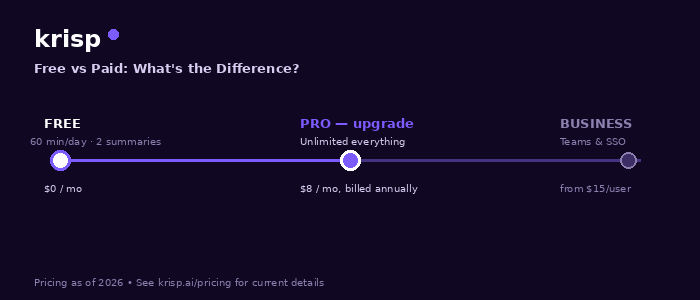
Krisp’s current paid entry-level meeting plan is called Core.
The pricing page currently lists Core at $16 per user per month when paid monthly and $8 per user per month when paid annually. Krisp describes Core as being designed for individuals and small teams.
One of the biggest differences compared with a trial is that Core is designed for continued use rather than temporary evaluation.
Core includes unlimited AI Note-taker functionality, including transcription, audio and video recording, AI Notes and Action Items, and in-person meeting notes. It also includes unlimited noise cancellation.
The plan also includes multilingual transcripts, AI Chat, integrations, mobile app access, team and billing management, and storage.
Krisp currently lists 10 GB of storage with Core. It also lists integrations including HubSpot, Slack, Notion, Zapier, Microsoft Teams, and API integration.
For someone who has meetings several times a week, these features can change how they use Krisp.
Instead of thinking of Krisp only as a background-noise remover, you can use it as part of your meeting workflow.
For example, a freelancer could use noise cancellation during a client call, rely on transcription for the conversation, review AI-generated notes afterward, and keep the resulting meeting information organized through the available features.
That is where a paid Krisp plan starts to make more sense than simply using noise cancellation occasionally.
Krisp Advanced sits above Core and is intended for users and teams that need additional controls and features.
The current pricing page lists Advanced at $30 per user per month when billed monthly or $15 per user per month when billed annually.
Advanced includes everything in Core, along with additional features aimed at more demanding workflows.
One of the notable differences is accent conversion. Core currently includes one hour per day of speaker-side and listener-side accent conversion, while Advanced provides a higher allowance, with Krisp listing four hours per day for speaker-side accent conversion and unlimited listener-side accent conversion.
Advanced also adds features such as manager view, company deal grouping, trim and comment functionality, Salesforce integration, ConnectWise integration, team-level webhooks, and 60 GB of storage.
This means Advanced isn’t necessarily aimed at someone who only wants quieter Zoom or Teams calls.
It is more relevant to teams that want additional administrative controls, integrations, storage, and meeting-management functionality.
Noise cancellation is probably the feature most people associate with Krisp.
The idea is straightforward. Instead of forcing everyone on a call to listen to your surroundings, Krisp processes the audio in real time to reduce unwanted sounds.
That can be particularly useful for people who work remotely.
A home office isn’t always silent. Someone might be cooking in the next room. A delivery person might ring the doorbell. A fan might be running. A dog might start barking. You could be working next to a busy road.
Travel creates even more challenges.
A hotel room may have air conditioning noise. An airport lounge may have constant announcements. A café can have conversations, coffee machines, plates, music, and general background activity.
Krisp is built for this type of situation.
According to Krisp’s documentation, its noise cancellation can remove noise coming from both sides of an online call, while Background Voice Cancellation is designed to deal specifically with background voices.
The current paid Core and Advanced plans list unlimited noise cancellation.
That unlimited usage can be important for people who spend a significant part of their working day in meetings.
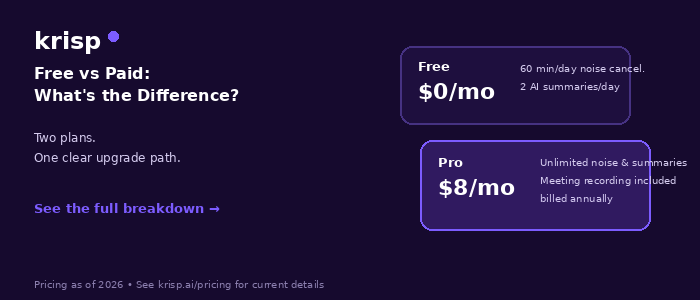
Noise cancellation is only one part of the comparison.
Krisp has increasingly positioned itself as an AI Meeting Assistant, and transcription is an important part of that experience.
The current Core plan includes unlimited transcription and unlimited AI Meeting Notes and Action Items.
This can be useful when you don’t want to spend an entire meeting typing notes.
For example, you might be discussing a website project with a client. During the meeting, the conversation could cover deadlines, design changes, content requirements, technical fixes, and responsibilities.
Rather than trying to write every sentence down, you can concentrate on the conversation and use Krisp’s meeting tools afterward to revisit the discussion.
Krisp’s documentation confirms that Core users can record and transcribe meetings. It also states that a call needs to be at least two minutes long to generate a transcript.
For people who attend only occasional calls, this may not be essential.
For people who have meetings every day, however, unlimited transcription can be much more useful.
Another difference worth considering is recording.
Krisp currently lists audio and video recording among the capabilities available with its AI Meeting Assistant plans. Core users can record meetings and access the recording through Krisp.
Recording can be useful when you need to revisit a conversation rather than relying entirely on notes.
A content creator might want to review an interview.
A consultant might need to revisit a client discussion.
A project manager might want to confirm exactly what was discussed during a planning meeting.
A student might want to revisit a permitted recorded session.
Of course, recording meetings should always be handled according to applicable laws, organizational policies, and the expectations of the people involved.
The value here is not simply that Krisp can record. The combination of recording, transcription, and AI meeting features can make the recorded conversation easier to work with afterward.
Accent conversion is another area where the paid plans go beyond basic noise cancellation.
Krisp currently lists AI Accent Conversion as part of its paid plans, with different usage allowances depending on the subscription. Core includes one hour per day, while Advanced includes a higher speaker-side allowance and unlimited listener-side accent conversion.
Krisp describes the feature as converting an accent in real time for both the listener and speaker.
The company currently lists support for Indian, Filipino, South African, and Latin American accents on the speaker side for the Core plan.
This is a feature that will be particularly relevant to certain users rather than everyone.
If you mainly need background noise cancellation, you may not care about accent conversion.
If you regularly communicate across countries and accents are sometimes a barrier to understanding, however, it may be a feature worth testing during the trial.
Another paid-plan capability is AI Chat.
The idea behind AI Chat is that meeting information doesn’t have to remain a static transcript.
Once you have meeting information available, an AI interface can make it easier to ask questions or find useful details from the conversation.
This can be helpful after a long meeting.
Instead of manually searching through a transcript to find a particular point, you can use the available AI functionality to work with meeting information.
Krisp currently lists AI Chat as a Core feature, alongside multilingual transcripts and detailed AI meeting capabilities.
For occasional users, this may feel like an extra feature.
For someone handling multiple meetings every day, it can become part of the normal workflow.
Paid Krisp plans also provide functionality that goes beyond live meetings.
Krisp’s help documentation says users on Core and Advanced can upload an audio or video file directly to their Krisp account for transcription.
That can be useful in situations where a conversation wasn’t originally captured through Krisp.
For example, you might already have an interview recording, webinar recording, or other audio or video file and want a transcript.
The upload-and-transcribe feature allows users to select a transcription language and upload a file for processing. Krisp’s documentation says English is the default language and that additional supported languages are available.
This is another example of how the paid version moves Krisp beyond simply being an audio filter for live calls.
Storage is another practical difference between paid plans.
Krisp currently lists 10 GB of storage with Core and 60 GB with Advanced. Enterprise offers unlimited storage according to the current pricing page.
For someone who rarely records meetings, storage probably won’t be a major consideration.
But if you regularly record meetings, interviews, or other sessions, storage can become more important.
Advanced may therefore be more relevant to teams that accumulate a large amount of meeting content over time.
Individual users and teams don’t necessarily have the same needs.
Someone working independently might only care about getting clearer audio and useful meeting notes.
A growing company may need integrations and administrative controls.
Krisp Core currently includes team and billing management as well as integrations including HubSpot, Slack, Notion, Zapier, Microsoft Teams, and API integration.
Advanced adds additional integrations such as Salesforce and ConnectWise, as well as team-level webhooks and advanced administrative controls.
This distinction matters when deciding whether to upgrade.
You don’t necessarily need Advanced simply because it has more features.
If you’re an individual freelancer who only needs noise cancellation and meeting notes, many of the additional administrative features may not be relevant to you.
If you manage a team, those controls can become much more important.
If you only have one or two online meetings a week, you may not need every feature in a paid plan.
In that situation, the seven-day trial is a useful way to find out whether Krisp actually improves your calls.
Instead of assuming that AI noise cancellation will make a difference, test it in the environments where you normally work.
Try it at home.
Try it while traveling.
Try it with your normal headset.
Try it with your laptop microphone.
Pay attention to whether people on the other end can hear you clearly and whether the overall meeting experience feels better.
The trial is particularly useful because Krisp currently allows users to test premium capabilities without paying during the seven-day period.
Core becomes more interesting if Krisp is something you expect to use regularly.
The combination of unlimited noise cancellation, unlimited transcription, AI Notes and Action Items, recording, multilingual transcripts, AI Chat, integrations, and storage makes it substantially more than a simple noise-removal application.
Consider a freelancer who has five or six client meetings each week.
They may need clear audio for every call. They may also want transcripts, meeting summaries, action items, and recordings.
In that situation, the paid subscription can fit naturally into the person’s workflow.
The same applies to remote employees, consultants, recruiters, sales professionals, customer-facing teams, and others who spend a significant amount of time communicating online.
The value is less about one particular feature and more about having the collection of tools available consistently.
Advanced is aimed at a narrower group.
The additional cost makes more sense when the extra features actually matter to your work.
A team that needs Salesforce or ConnectWise integration, larger storage, advanced administrative controls, manager functionality, and higher accent-conversion allowances may have reasons to consider Advanced.
For a single user who only wants cleaner audio, many of those features may be unnecessary.
This is an important point when comparing software subscriptions.
The most expensive plan isn’t automatically the appropriate plan for every user.
Krisp’s current plan structure gives users different levels of functionality, so the sensible approach is to start with the features you actually need.
Krisp can be particularly relevant for people who don’t always have access to a quiet office.
Travel often means unpredictable sound.
You might be sitting in an airport lounge one day and a hotel room the next. You might work from a café or a shared workspace. Even a hotel room can have background sounds from air conditioning, hallways, traffic, or neighboring rooms.
A noise-cancellation application can’t change the physical environment, but it can help reduce unwanted audio that reaches the call.
This is one of the reasons Krisp fits naturally into a remote-work toolkit.
You don’t necessarily need a perfect workspace every time you have an important meeting.
A good microphone still matters, and basic habits such as moving away from obvious noise sources are still useful. Krisp isn’t a replacement for good audio equipment or a sensible meeting setup.
Instead, it can be another layer of protection when the environment isn’t completely under your control.
Content creators can also find value in Krisp, particularly when they record conversations, interviews, or other spoken content.
Krisp’s real-time noise cancellation is primarily designed around communication rather than being a traditional post-production audio editor. Krisp itself states that the application is not intended for post-production noise removal from recorded audio.
That distinction is important.
If you’re editing a finished podcast and want to clean up a noisy recording afterward, you shouldn’t assume Krisp is designed for that specific workflow.
On the other hand, if you’re conducting an online interview or recording a conversation through a supported meeting workflow, Krisp’s real-time capabilities can be useful.
Paid plans also provide recording and transcription capabilities, which can make the process of working with conversations afterward easier.
Students and teachers can also potentially benefit from cleaner communication.
Online classes often involve laptop microphones, shared rooms, household noise, and inconsistent environments.
For a student attending occasional classes, a trial can be a straightforward way to determine whether Krisp improves their particular setup.
For someone attending or hosting online sessions every day, the broader meeting features may become more useful.
Transcription can help create a written record of discussions, while meeting notes and action items can reduce the amount of manual note-taking.
As always, users should follow their school’s or institution’s rules concerning recording and transcription.
No.
This is worth emphasizing because software cannot completely solve every audio problem.
A good microphone placed correctly can make a significant difference. Your distance from the microphone matters. The room matters. Your internet connection matters. The application you’re using matters.
Krisp is designed to process audio and reduce unwanted background sound, but it isn’t a substitute for all other aspects of a good recording or calling setup.
Think of it as part of the audio chain rather than the entire solution.
If you’re sitting directly next to a loud machine, moving away from it is still sensible.
If your microphone is extremely poor, upgrading your microphone may still help.
If your internet connection is unstable, noise cancellation won’t fix the connection.
Krisp works best when combined with sensible audio habits.
One of Krisp’s biggest selling points is that the product is designed to work with online communication rather than requiring a complicated audio-editing workflow.
The application works in real time, and Krisp’s documentation describes it as a desktop application for online calls.
For a typical user, that means the appeal isn’t having to learn audio engineering.
You want to join a meeting, enable the appropriate Krisp functionality, and communicate.
That simplicity is important for people who don’t want to spend time adjusting filters, editing waveforms, or learning complicated audio software.
Krisp’s subscription is recurring, and users can manage their subscription through their account.
According to Krisp’s help documentation, cancelling a subscription does not immediately remove the paid features. The user continues to have access through the end of the current billing cycle, after which the account is downgraded.
Krisp also states that payments are generally non-refundable unless otherwise specified in its terms.
This is useful to know before subscribing.
If you are considering a paid plan, check the billing details and renewal information in your account rather than assuming that cancellation immediately ends the current subscription period.
The simplest way to approach Krisp is to start with your actual usage.
If you’re curious about Krisp and want to test its premium capabilities, use the seven-day trial.
If you have frequent meetings and want ongoing access to noise cancellation, transcription, recording, notes, integrations, and other meeting features, Core is the current paid plan aimed at individuals and small teams.
If you need additional administrative controls, more storage, advanced integrations, and higher accent-conversion allowances, Advanced provides those additional capabilities.
Enterprise is available for organizations that need organization-wide deployment, security features, custom controls, dedicated account support, and other enterprise requirements.
There isn’t a universal answer because different users have very different meeting habits.
Someone who has two calls a month doesn’t have the same requirements as someone who spends six hours a day in meetings.
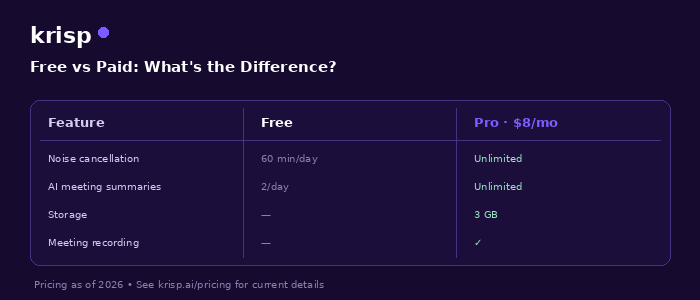
The biggest difference between Krisp’s current free trial and its paid plans is not simply noise cancellation.
The trial is primarily a way to experience Krisp’s premium capabilities before deciding whether to subscribe. The current Krisp pricing page gives trial users seven days and lists unlimited transcription, unlimited noise cancellation, unlimited audio and video recording, unlimited AI Notes and Action Items, and limited AI Accent Conversion and Understanding during the trial.
The paid plans are designed for continued use.
Core provides unlimited noise cancellation and AI Meeting Assistant functionality, including transcription, recording, AI Notes and Action Items, along with features such as multilingual transcripts, AI Chat, integrations, mobile access, and 10 GB of storage.
Advanced builds on Core with additional storage, higher accent-conversion allowances, manager and administrative functionality, additional integrations, and other team-oriented features.
For someone who only wants to experiment with Krisp, the trial is the natural place to start.
For someone who regularly works online and wants consistent access to Krisp’s meeting and audio tools, Core is the plan that deserves the closest look.
And for teams with more complex requirements, Advanced or Enterprise may be more appropriate.
The good thing about trying Krisp is that you don’t have to make the decision based on a feature list alone. You can put it through your own daily routine. Join a normal meeting. Try it with your usual microphone. Use it in the environment where you normally work. See how the noise cancellation performs and whether the transcription and meeting tools actually save you time.
That real-world test is much more useful than simply looking at a pricing table.
Krisp has grown from being primarily associated with real-time noise cancellation into a broader AI meeting platform. For people who spend a large part of their working, studying, or communicating life on calls, that makes it worth exploring.
If cleaner calls are the main thing you’re after, start there. If you also need transcripts, recordings, meeting notes, action items, integrations, and other AI meeting capabilities, the paid plans offer considerably more to work with.
Before subscribing, however, check Krisp’s current pricing page because subscription prices, included features, limits, and plan structures can change over time.