
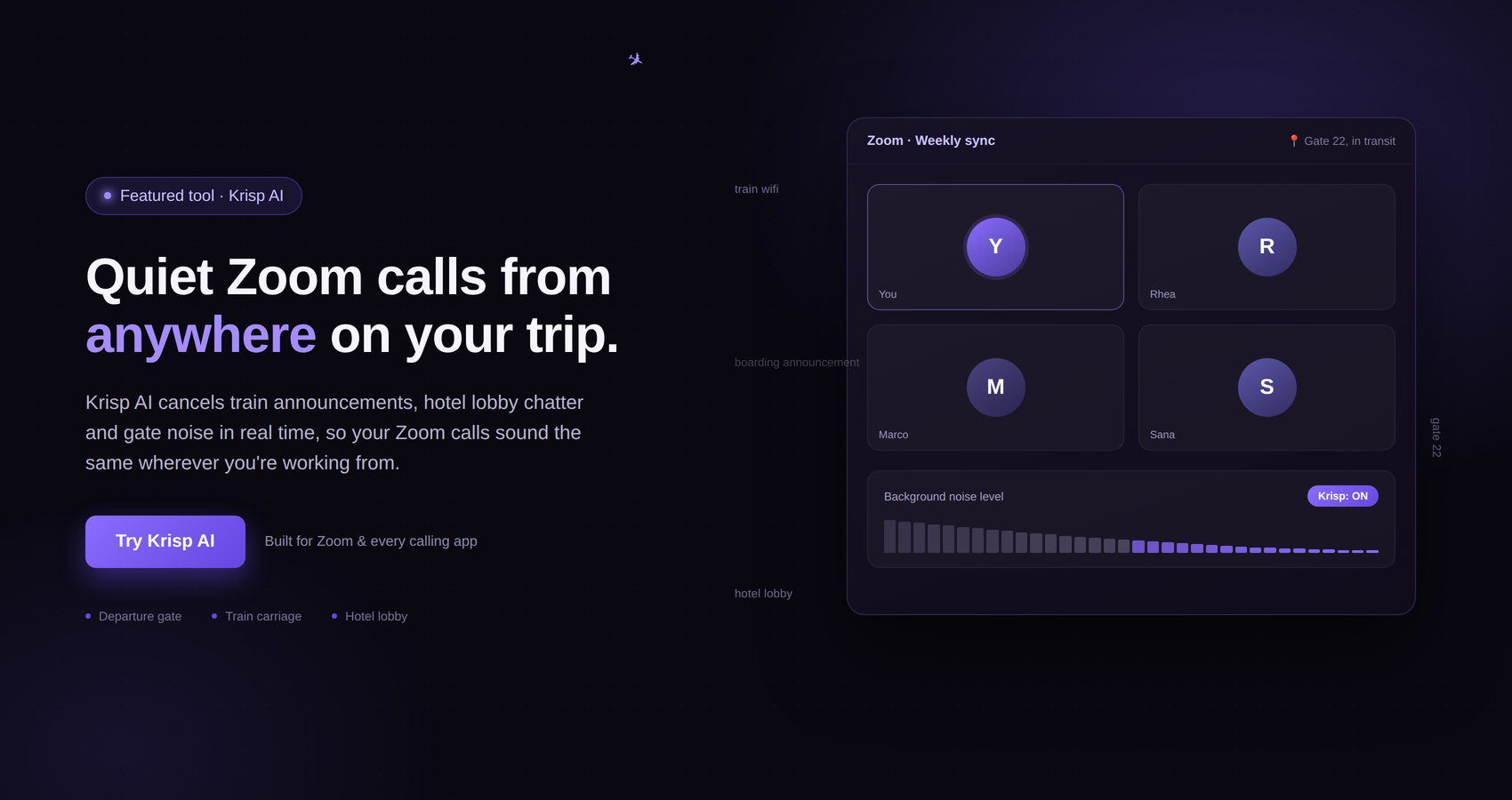
Working remotely sounds simple until you actually have to do it from different places. One day, you may be taking a client call from your home office. The next, you could be working from a hotel room, a busy café, a shared apartment, or a coworking space where someone is always talking in the background.
For remote workers and digital nomads, the ability to communicate clearly can make a huge difference. A poor internet connection is frustrating enough, but background noise can make a normal meeting much harder. Barking dogs, keyboard clicks, traffic, conversations, fans, crying children, and other everyday sounds can easily become distractions during an important call.
This is where Krisp comes into the picture.
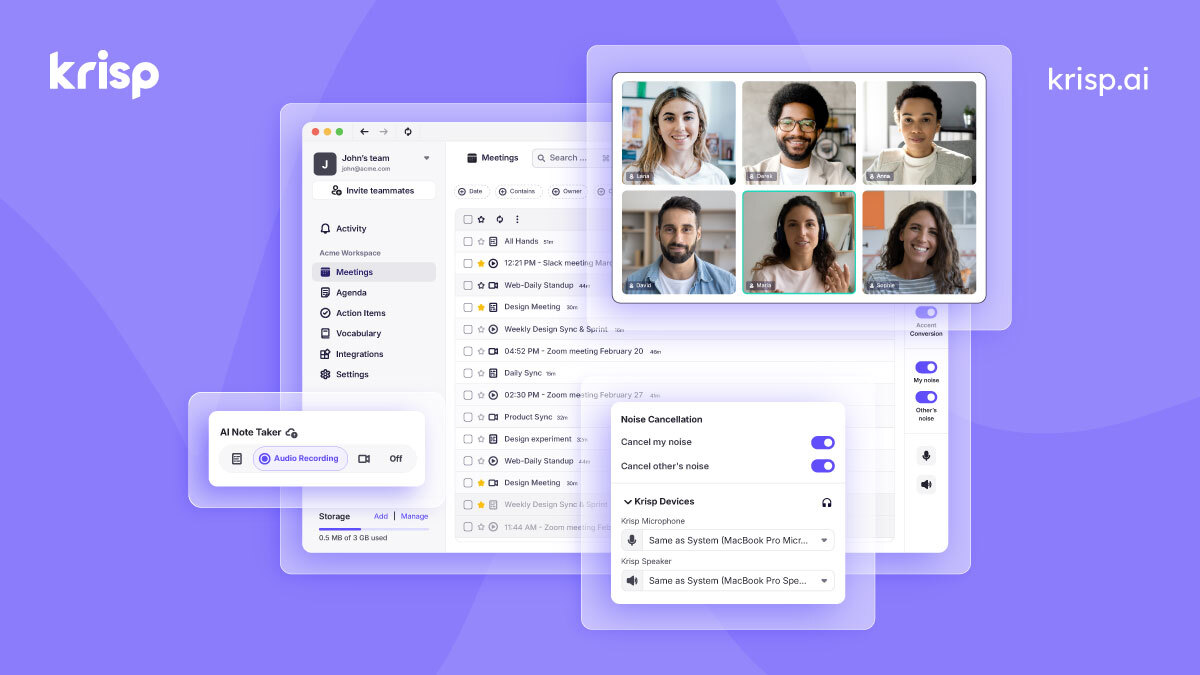
Krisp is an AI-powered communication platform that has become particularly known for its AI Noise Cancellation. The technology is designed to remove unwanted background noise, echo, and cross-talk from calls. The company has also expanded beyond noise cancellation, offering an AI Meeting Assistant with features such as transcription, meeting notes, action items, recording, and AI-powered tools for meetings.
For someone who works remotely or travels while working, that combination can be interesting. You may not always have access to a perfectly quiet office, but you still need to sound professional when speaking with clients, colleagues, customers, or business partners.
So, is Krisp worth using if you are a remote worker or digital nomad?
The short answer is that it can be, particularly if you regularly attend online meetings in less-than-perfect environments. But whether you should pay for Krisp depends on how often you use its AI meeting features and how much value you personally get from cleaner audio, meeting documentation, and related tools.
In this Krisp review, we will look at what the platform offers, how it can fit into a remote work lifestyle, its biggest advantages, potential limitations, pricing, and the types of professionals who may get the most value from it.
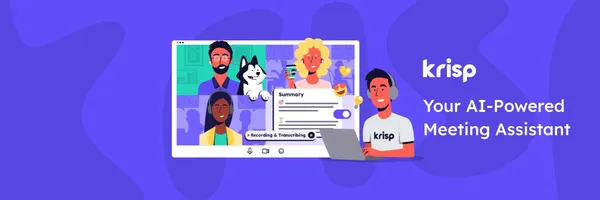
Krisp is a communication-focused AI platform built around voice clarity and meeting productivity. Its best-known feature is AI Noise Cancellation, which is designed to remove unwanted background sounds from online calls.
According to Krisp, its noise cancellation works at the audio level and can be used with conferencing applications including Zoom, Google Meet, Microsoft Teams, and Slack Huddles. Because of this approach, users are not restricted to a single video-conferencing service.
This is particularly useful for people who move between different platforms. A freelancer might use Google Meet with one client, Zoom with another, and Microsoft Teams for a project with a larger organization. Rather than needing a separate noise-cancellation solution for each platform, Krisp is designed to work across conferencing apps.
Krisp has also developed an AI Meeting Assistant. This brings together several tools that are useful before, during, and after meetings. Depending on the plan and feature, users can access meeting transcription, AI notes, action items, recording, and other meeting-related capabilities.
The company also offers AI Accent Conversion, which is designed to help make speech easier to understand in conversations involving different accents. This is an especially interesting feature for international teams and professionals who regularly communicate across countries.
The important thing to understand is that Krisp is no longer simply a noise-cancellation application. While noise cancellation remains one of its most recognizable features, the broader product now focuses on voice AI and meeting productivity.
For remote professionals, this means Krisp can potentially solve more than one problem. It can help make your audio cleaner while also helping you capture information from meetings and organize what needs to happen afterward.
Remote work offers plenty of freedom, but that freedom comes with a few practical challenges.
When you work in a traditional office, your company may provide a dedicated desk, meeting rooms, professional equipment, and a relatively controlled environment. Remote workers do not always have that luxury.
Your office might be a bedroom. It might be a kitchen table. It might be a coworking space. You could even be working from a rented apartment while traveling.
The problem is that professional meetings do not stop simply because your surroundings change.
A client may expect you to join a video call at a specific time. Your manager may schedule a team meeting. You might have to present a proposal to a potential customer. In all of these situations, you want the other person to focus on what you are saying rather than what is happening around you.
This is one of the main reasons Krisp can be appealing to remote workers.
The idea is straightforward: instead of trying to control every sound around you, you can use AI Noise Cancellation to reduce unwanted background noise during calls.
That does not mean you can ignore your working environment completely. You still need a reliable internet connection, a suitable microphone or headset, and a place where you can concentrate. However, noise cancellation can provide an additional layer of protection when your environment is not completely quiet.
For a remote worker who spends several hours every week on calls, this can become a practical productivity tool rather than something that is used occasionally.
Digital nomads have an even more complicated situation.
A remote worker may have a permanent home office. A digital nomad may not.
One week, you could be working from a quiet apartment. The next week, you might be staying in a hotel near a busy road. After that, you could move to a coworking space or work from a café.
The ability to work from different locations is one of the biggest attractions of the digital nomad lifestyle. But your surroundings can change dramatically from one destination to another.
This is where a tool like Krisp can become particularly relevant.
If you have an important video meeting scheduled while staying somewhere with background noise, you may not have enough time to find a completely silent location. Even when you do find a quiet room, there can still be unexpected sounds.
A door may close. Someone may start talking nearby. A vehicle may pass outside. A colleague in a coworking space may have a conversation. A keyboard may be clicking while you are trying to speak.
These are small problems individually, but they can become frustrating when they happen repeatedly.
Krisp’s AI Noise Cancellation is designed specifically for this type of situation. Its official materials describe the technology as removing noise, echo, and cross-talk from meetings and calls.
For digital nomads, the appeal is not necessarily that Krisp allows you to work anywhere without limitations. Instead, it can give you more flexibility when choosing where to work.
You still need to consider internet speed, power availability, privacy, and your own ability to concentrate. But when noise is the main issue, Krisp can potentially make a difficult environment more manageable.

Noise cancellation is the feature that put Krisp on the map for many remote professionals.
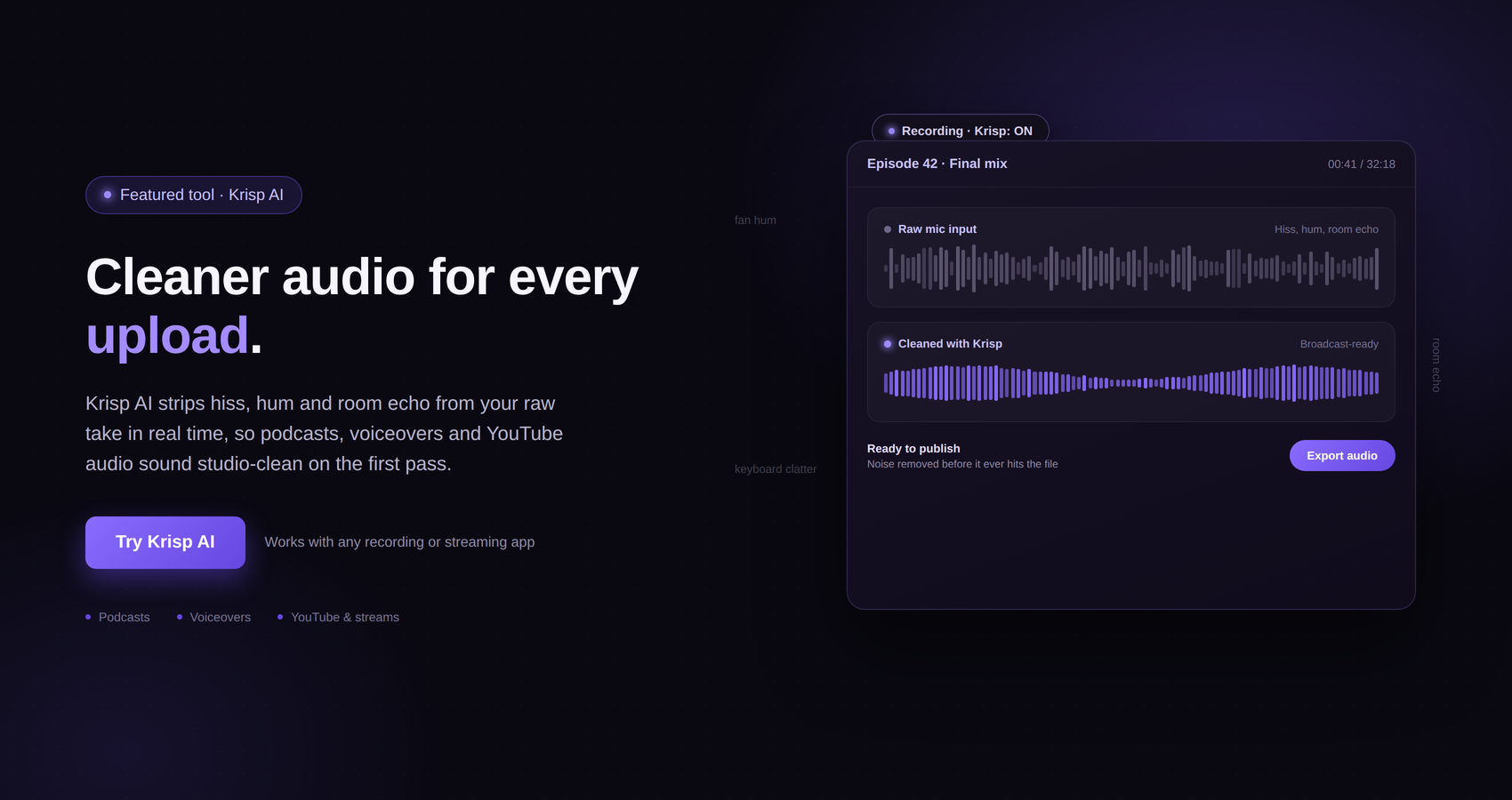
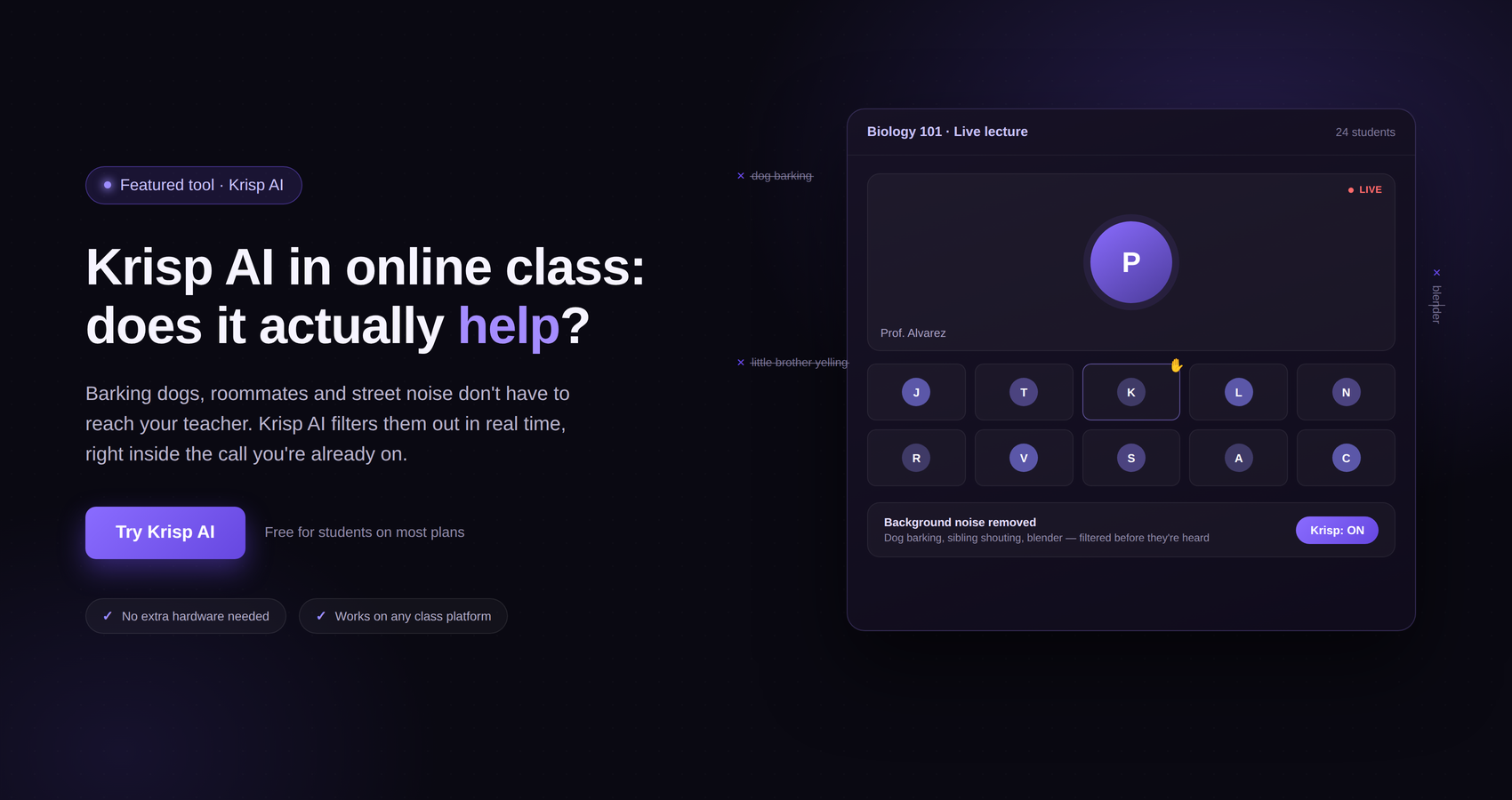
The concept is simple. During an online call, there may be sounds that you do not want the other participants to hear. Krisp’s AI Noise Cancellation is designed to identify and remove unwanted background noise while preserving the primary speaker’s voice.
Krisp’s official product information specifically highlights background sounds such as barking dogs, crying babies, keyboard clicks, fan noise, and other types of unwanted noise.
This is particularly useful because many remote workers do not have complete control over their surroundings.
Imagine that you are on a client call and someone starts using a vacuum cleaner in the next room. Or you are working from a coworking space where two people begin talking behind you. Or you are staying in a busy apartment where street noise occasionally comes through the window.
Without noise cancellation, these sounds may become part of the conversation.
With Krisp, the goal is to reduce those distractions so that the people on the other end can hear you more clearly.
One of the strengths of Krisp is that the company says its noise cancellation works with any conferencing application because it operates at the audio level. This can make the product convenient for people who use multiple communication platforms.
For a freelancer or remote employee who switches between Zoom, Google Meet, Microsoft Teams, and Slack Huddles, that flexibility can be useful.
Yes. According to Krisp, its audio-level approach allows it to work with major conferencing applications, including Zoom, Google Meet, Microsoft Teams, and Slack Huddles.
This matters because remote workers rarely use only one communication platform.
A company may use Microsoft Teams internally but communicate with clients through Zoom. Another client may prefer Google Meet. A startup might use Slack Huddles for quick conversations.
Having a solution that can work across these platforms means you do not have to rethink your audio setup every time you change applications.
For digital nomads, this can be even more useful because they may work with clients and companies located in different countries, each with their own preferred tools.
The main advantage here is convenience. Instead of thinking about noise cancellation as a feature tied to one particular meeting platform, Krisp can be treated as part of your overall communication setup.
That makes it easier to maintain a consistent audio experience even when your work environment and meeting applications change.
One of the biggest developments in Krisp is the expansion into AI-powered meeting assistance.
Noise cancellation helps during the meeting. But what happens after the meeting?
This is where meeting transcription, notes, summaries, and action items become useful.
Krisp’s AI Meeting Assistant is designed to help capture and organize information from meetings. The platform provides tools for transcription, AI notes, action items, recording, and other meeting workflows.
For remote professionals, this can solve a very common problem: trying to remember everything that was discussed during a busy day.
If you attend five meetings in one day, remembering every decision and task can be difficult. You may take notes manually, but manual note-taking also means you are dividing your attention between listening and writing.
An AI meeting assistant can help reduce that workload.
Krisp’s official information describes its AI Meeting Assistant as providing transcription, meeting notes, action items, and recording capabilities. It also offers AI Chat features and integrations designed to help users work with meeting information.
This can be useful for freelancers, consultants, agency owners, sales professionals, recruiters, project managers, and remote employees.
The value is not simply in having a transcript. The real benefit is being able to return to the conversation later and identify what was decided, what needs to happen next, and who is responsible for particular tasks.
Transcription is one of those features that can seem unnecessary until you actually need it.
Imagine having a client call where you discuss ten different details. You remember the broad conversation, but later you cannot remember the exact wording of one requirement.
If you have a transcript, you have something to refer back to.
For freelancers, this can be especially useful when discussing project requirements. A client may explain a preferred design, content structure, deadline, or revision process during a conversation. Instead of relying entirely on memory, you can revisit the meeting information.
For remote employees, transcripts can help when meetings involve multiple topics and decisions.
For digital nomads working across time zones, the benefit can be even greater. You may not always be able to attend every meeting live. Having meeting documentation can help you catch up on important discussions.
Krisp’s official information also states that its transcription supports multiple languages, including English and additional languages such as Spanish, French, German, Russian, Italian, Dutch, Polish, Portuguese, Hindi, Danish, Swedish, Norwegian, Czech, Ukrainian, and Korean.
Language support can be valuable for international teams, although users should always consider the specific language and transcription requirements of their work before choosing a tool.

A transcript tells you what was said. Notes and action items can help you understand what matters.
This is an important distinction.
A two-hour meeting transcript may contain a huge amount of information. Going through every line can take almost as long as attending the meeting.
AI-generated notes and action items are intended to make that information easier to use.
Krisp’s AI Meeting Assistant includes AI notes and action items as part of its meeting productivity features. The goal is to help users identify key information and follow-up tasks without manually processing every part of the conversation.
For a remote worker, this could make the end of a meeting more productive.
Instead of finishing a call and immediately spending another 15 minutes organizing your notes, you can review the generated information and focus on the tasks that actually require your attention.
For a digital nomad, this can be particularly convenient. Travel days can already be unpredictable. If you are moving between destinations while maintaining a full workload, reducing administrative work after meetings can save valuable time.
Of course, AI-generated notes should still be reviewed. No automated system should be treated as a perfect replacement for your own judgment. Important decisions, names, numbers, deadlines, and commitments should be checked before you rely on them.
But as a starting point for organizing meeting information, the feature can be useful.
Another feature offered by Krisp is AI Accent Conversion.
The concept is designed around making spoken communication easier to understand across different accents. For international teams, this can be relevant because remote work has created workplaces where people from different countries communicate every day.
Accent differences are not a problem by themselves, but communication can occasionally become difficult when people are unfamiliar with a particular accent or when audio quality is poor.
Krisp’s Accent Conversion is intended to help improve speech clarity in these situations.
The exact availability and usage limits depend on the Krisp plan. According to the current pricing information, the Core plan includes one hour per day of speaker-side Accent Conversion, while the Advanced plan includes four hours per day. Listener-side Accent Conversion is listed separately with unlimited availability on these plans.
For remote professionals who regularly work with international clients or teams, this could be an interesting addition to the platform.
However, it is not necessarily the main reason everyone should subscribe to Krisp. If your only concern is background noise, you may find that noise cancellation is the feature that provides the most immediate value.
Accent Conversion becomes more relevant when cross-accent communication is a regular part of your professional life.
Freelancers often have to manage several roles at once.
You are not only doing the actual work. You may also be responsible for sales calls, client meetings, project updates, proposals, revisions, and administrative tasks.
That makes time particularly valuable.
Krisp can potentially help freelancers in several areas.
First, noise cancellation can make client calls easier when working from a home office, coworking space, or temporary location.
Second, transcription and meeting notes can reduce the amount of manual note-taking required during client conversations.
Third, action items can help keep track of what needs to happen after each call.
For freelancers managing multiple clients, this can be useful because each client may have different requirements and deadlines.
A freelancer who has several calls in a day can easily forget a small detail. Having meeting documentation available can reduce that risk.
The biggest benefit may therefore come from the combination of features rather than from any single feature.
A freelancer may not need AI meeting notes every day. But when combined with noise cancellation and transcription, the overall product can become more valuable.

Remote employees may have a different set of needs.
Unlike freelancers, they often work within an established team and attend recurring meetings throughout the week.
These could include daily stand-ups, weekly team meetings, one-to-one conversations, project meetings, and client calls.
The more meetings you attend, the more difficult it becomes to keep track of everything.
Krisp’s AI Meeting Assistant can help by capturing meeting information and organizing notes and action items.
The noise cancellation side is also relevant.
A remote employee may have a dedicated home office, but that does not guarantee silence. Household activity, construction, pets, traffic, and other distractions can happen at any time.
For employees who frequently participate in video calls, having a tool that can reduce these interruptions can make communication smoother.
This is especially useful for professionals who are expected to sound clear and professional while working outside a traditional office.

Digital nomads are perhaps one of the most obvious audiences for a product like Krisp.
The digital nomad lifestyle is built around location flexibility. You might work from one country for several weeks and then move somewhere else.
The challenge is maintaining a consistent work routine when your environment is constantly changing.
A noise-cancellation tool can help create a more predictable communication experience.
You cannot always control the sounds outside your window. You cannot always choose who sits near you in a coworking space. You cannot always prevent background activity in a rented apartment.
Krisp does not solve all of these problems, but it can address one of them: unwanted noise during calls.
The AI Meeting Assistant features can also help digital nomads stay organized.
Travel often introduces additional distractions. Flights, accommodation changes, transportation, and time-zone differences can make it harder to maintain the same level of focus.
Having meeting transcripts, notes, and action items in one place can make it easier to stay on top of work.
For a digital nomad who attends regular meetings, Krisp can therefore serve as a combination of communication and productivity software.
Cafés are popular among digital nomads and remote workers, but they are rarely quiet.
There may be conversations happening around you, coffee machines running, music playing, chairs moving, and people coming and going.
If you have an important meeting, these sounds can become distracting.
Krisp’s AI Noise Cancellation is designed to reduce unwanted background noise, making it potentially useful for people who occasionally work from cafés.
That said, it is still worth being sensible about where you take professional calls.
Noise cancellation is not a replacement for privacy. If you are discussing confidential business information, a crowded public café may not be the right environment regardless of how clean your audio sounds.
For casual meetings, internal discussions, or less sensitive conversations, however, Krisp can make working from a public environment more practical.
Coworking spaces are often an excellent choice for digital nomads because they provide desks, internet access, and a professional working environment.
The problem is that shared workspaces are still shared spaces.
Someone may be talking on a call next to you. Another person may be typing. There may be background conversations throughout the day.
This is where noise cancellation can be particularly useful.
Krisp’s technology is designed to remove background noise and voices while preserving the primary speaker’s voice. For someone working in a coworking environment, that can make online meetings easier to manage.
It can also help when you need to speak during a call without forcing everyone around you to remain completely silent.
Again, this does not eliminate the need for good workplace etiquette. If you are joining an important meeting, you should still use a suitable space when possible.
But as an additional tool, Krisp can help reduce the impact of the unavoidable background noise that comes with shared workspaces.
Hotels and short-term apartments are common workplaces for digital nomads.
They can be comfortable, but they are not always designed as offices.
You may hear hallway traffic, housekeeping activity, neighbors, street noise, or sounds from nearby rooms.
This can become particularly frustrating when you have an important meeting scheduled.
Krisp’s noise cancellation can help reduce some of these unwanted sounds during calls.
The advantage is flexibility. You do not have to depend entirely on finding a perfectly silent room.
However, there are limits.
If the surrounding environment is extremely loud, no software should be expected to make the problem disappear completely. A good microphone, sensible room selection, and a reliable internet connection still matter.
Krisp is best viewed as another layer in your remote-work setup rather than a complete replacement for a suitable workspace.
Pricing is an important part of any Krisp review.
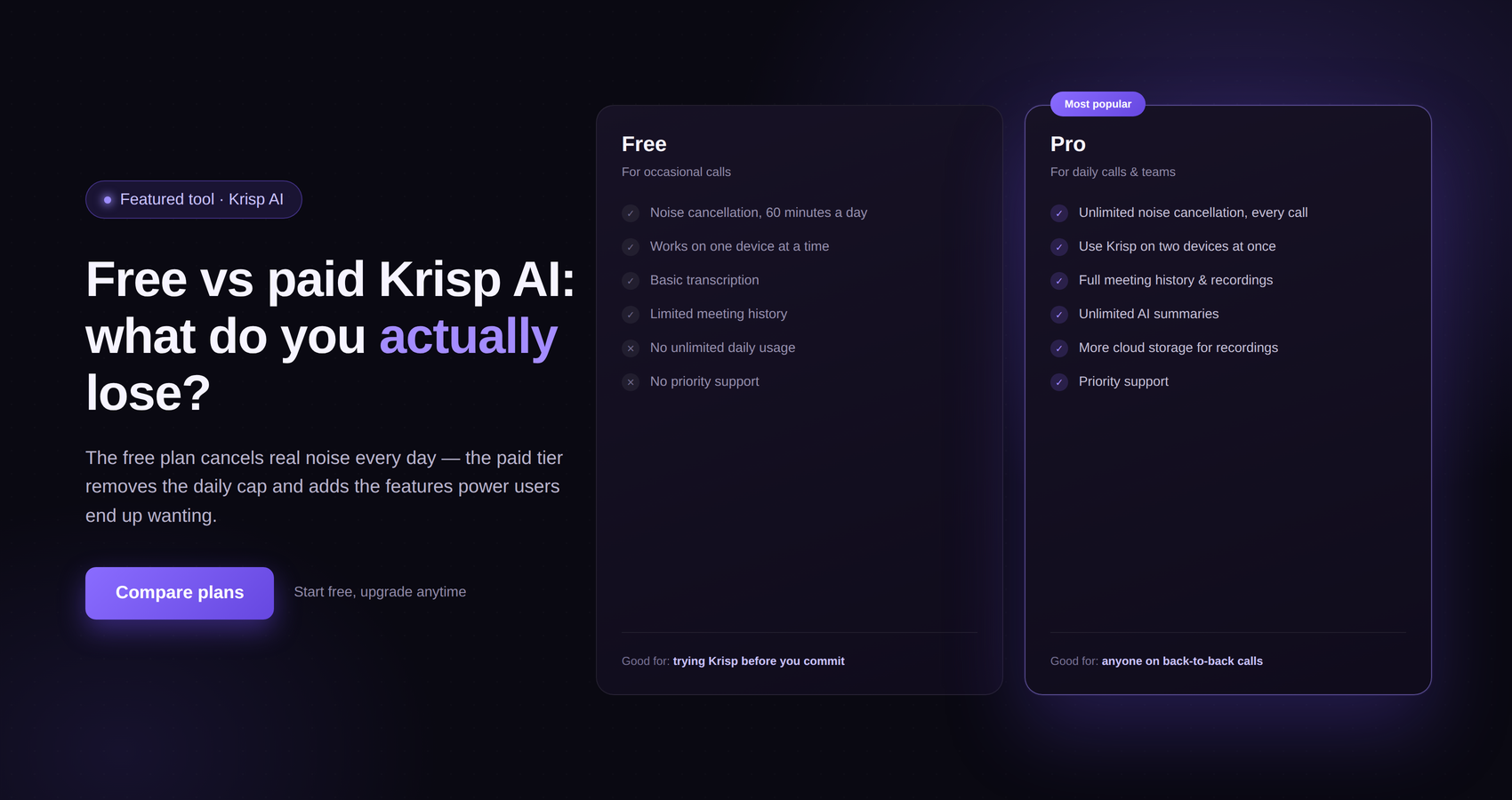
According to Krisp’s current official pricing page, the platform offers a Free Trial and paid plans for its AI Meeting Assistant.
The Free Trial is listed at $0 and provides a seven-day trial period. Krisp states that no credit card is required for the trial.
The current Core plan is listed at $16 per user per month on monthly billing and $8 per user per month when billed annually. The Advanced plan is listed at $30 per user per month on monthly billing and $15 per user per month when billed annually.
Krisp’s pricing page indicates that the exact features vary by plan.
The Core plan includes features such as the AI Note-taker, bot-free transcription, audio and video recording, AI notes and action items, unlimited noise cancellation, integrations, a mobile app, multilingual transcripts, AI Chat, and Accent Conversion with a listed daily limit.
The Advanced plan adds features aimed at users who need more advanced controls and security-related capabilities, including private transcription and recordings processed on-device, along with other administrative and compliance features.
Because pricing and feature availability can change, it is always sensible to check Krisp’s current pricing before subscribing.
For an individual remote worker, the main question is not simply whether Krisp is affordable. The better question is whether you will actually use the features included in the subscription.
If you only need occasional noise cancellation, a free option may be sufficient for your needs.
If you attend meetings every day and regularly use transcription, AI notes, action items, and noise cancellation, a paid plan may offer significantly more value.

For someone who is unsure about Krisp, the free trial is probably the easiest way to evaluate it.
Krisp currently advertises a seven-day free trial with no credit card required. The trial is designed to let users test premium features before deciding whether to pay.
This is useful because noise cancellation is one of those features where personal experience matters.
Your microphone, your room, your internet connection, and the type of background noise around you can all affect your experience.
Instead of deciding based only on reviews, you can test Krisp during your normal workday.
Try it during a Zoom meeting. Use it with Google Meet. Test it in a coworking space. Try it when there is background activity at home.
If you are considering the AI Meeting Assistant, test the transcription and notes features as well.
The most important question is whether Krisp makes your working day easier.
If you notice a meaningful improvement in call quality and meeting organization, the subscription may be worth considering.
For many remote workers, I would say Krisp is worth considering.
The strongest case is for people who attend frequent online meetings and do not always work in a completely quiet environment.
If you work from home with occasional background noise, the AI Noise Cancellation can be useful.
If you work from coworking spaces, the benefit may be even more noticeable.
If you regularly attend meetings and struggle to keep up with notes and action items, the AI Meeting Assistant can add another layer of value.
The combination is what makes Krisp interesting.
A remote worker who only wants basic noise cancellation may not need every feature included in the broader platform.
But someone who wants cleaner calls and automated meeting documentation may find the product more compelling.
The paid subscription makes more sense when you use the platform regularly rather than occasionally.
For digital nomads, the answer depends heavily on how often you have meetings.
If your work involves regular client calls, team meetings, sales conversations, or presentations, Krisp can be a useful addition to your travel work setup.
The ability to reduce background noise can be valuable when your working environment changes frequently.
The AI Meeting Assistant can also help you stay organized when travel and work overlap.
For example, you may have a meeting in the morning and a long travel day afterward. Having access to meeting notes and action items can make it easier to remember what needs to be done later.
However, if you rarely attend online meetings and spend most of your time working independently, Krisp may not provide enough value to justify paying for a subscription.
In that situation, the decision comes down to usage.
Digital nomads who live on video calls are likely to get more value from Krisp than digital nomads who mainly work asynchronously.
One of the biggest advantages of Krisp is its focus on audio quality.
Background noise can make a professional conversation feel less professional. By reducing unwanted noise, Krisp can help remote workers communicate more clearly.
Another advantage is platform flexibility. Krisp states that it works with conferencing applications such as Zoom, Google Meet, Microsoft Teams, and Slack Huddles.
The AI Meeting Assistant is another strong point.
Transcription, notes, action items, and recording can reduce the amount of manual work involved in documenting meetings.
The platform can also be useful for international professionals because of its multilingual transcription capabilities and AI Accent Conversion features.
For digital nomads, the combination of these features can be particularly appealing because their work environment may change frequently.
Finally, the seven-day free trial provides an opportunity to test the premium experience before committing to a paid subscription.
No software is perfect, and Krisp is no exception.
The first consideration is cost.
While Krisp offers a free trial, users who want continued access to its paid features need to subscribe. If you only attend a few meetings each month, you may not feel that the subscription provides enough value.
The second consideration is that noise cancellation is not a complete solution to every audio problem.
It cannot fix a poor internet connection. It cannot replace a good microphone. It cannot make an extremely loud environment completely silent.
Your overall call quality will still depend on your hardware, connection, and surroundings.
Another consideration is that the feature set can be broader than what some users actually need.
If all you want is basic noise cancellation, you may not use transcription, AI notes, action items, recording, or other meeting features.
That does not make Krisp a bad product. It simply means you should choose a plan based on how you actually work.
Finally, AI-generated transcripts and notes should be reviewed rather than blindly trusted. Important business information should always be checked for accuracy.

A common question is whether remote workers should invest in Krisp or simply buy a better microphone.
The answer is that these solve different problems.
A better microphone can improve the quality of the audio you send to other people. It may provide clearer voice reproduction and better sound quality.
Krisp’s AI Noise Cancellation focuses on unwanted background noise and other distractions.
For some users, the ideal setup may be a combination of good hardware and software.
A high-quality microphone in a noisy environment can still capture unwanted sounds. Similarly, noise cancellation software cannot turn a poor-quality microphone into professional studio equipment.
If you already have good headphones or a good microphone, Krisp can potentially add another layer of audio control.
For digital nomads, this combination can be especially useful because portable equipment and software can work together to create a more consistent setup across different locations.
Privacy is important whenever you use AI tools for meetings.
Krisp’s help documentation states that its Noise Cancellation processing happens locally on the user’s device and that audio data from the machine is not sent to Krisp’s servers for that feature.
Krisp also provides AI Meeting Assistant features that involve transcription, recording, and meeting documentation. These features should be considered separately from Noise Cancellation when thinking about privacy and data handling.
For professionals who discuss confidential information, it is important to understand how the specific feature you are using processes and stores data.
You should also follow your employer’s policies and obtain any required consent before recording or transcribing meetings.
The privacy requirements for a freelancer, a small business, and a large company may be very different.
Krisp’s paid plans also differ in the security and compliance features they offer, so organizations with specific requirements should review the current plan details carefully before making a decision.
Krisp is particularly well suited to people who regularly communicate through online meetings.
This includes remote employees who spend a large part of their day on calls.
It can also be useful for freelancers who regularly speak with clients.
Consultants, coaches, recruiters, sales professionals, customer-facing employees, and agency teams may also find value in the platform.
Digital nomads are another natural audience because they often work from changing environments.
If you frequently work from coworking spaces, hotels, apartments, or other locations where background noise is unpredictable, Krisp can be useful.
People who regularly attend meetings and need help keeping track of discussions may also benefit from the AI Meeting Assistant.
The common thread is simple: Krisp makes the most sense when communication is a significant part of your work.
Krisp may not be necessary for everyone.
If you work alone and rarely participate in online meetings, you may not get enough value from the platform.
Similarly, if you always work from a quiet, dedicated office and already have excellent audio equipment, noise cancellation may not be a major concern.
People who mainly communicate through email, messaging, and asynchronous tools may also have less reason to use an AI meeting assistant.
The best way to approach Krisp is to think about your actual workflow.
How many meetings do you attend each week?
How often do you work in noisy environments?
Do you spend time manually taking meeting notes?
Do you regularly need to remember decisions and action items?
If the answer to several of these questions is yes, Krisp may be worth testing.
Krisp is a strong option for remote workers and digital nomads who want to improve the quality and efficiency of their online meetings.
Its biggest strength remains AI Noise Cancellation. For people who work in unpredictable environments, being able to reduce background noise can make a real difference.
But the platform has grown beyond noise cancellation.
The AI Meeting Assistant adds transcription, AI notes, action items, recording, and other tools that can help professionals manage the information created during meetings.
For digital nomads, the combination is particularly interesting. You can change countries, cities, apartments, hotels, and coworking spaces without necessarily changing the way you handle your online meetings.
Of course, Krisp is not essential for every remote worker. If you rarely have meetings or always work in a silent office, you may not need it. And if you are considering a paid plan, you should think about how frequently you will actually use its features.
My overall view is that Krisp is most worthwhile for professionals who spend a meaningful part of their working week in online meetings and who do not always have complete control over their surroundings.
The seven-day free trial is a sensible way to find out whether it works for your particular setup. Rather than judging the product based on someone else’s experience, test it with your own microphone, your own meeting platforms, and your own working environment.
For a remote worker, the value may come from clearer calls.
For a freelancer, it may come from easier client communication and better meeting documentation.
For a digital nomad, it may come from having a more consistent communication setup while moving between different locations.
And for someone who combines all three lifestyles, Krisp can potentially become a useful part of the everyday remote-work toolkit.
Remote work has changed the way people think about offices. You no longer need to be sitting at a company desk to have a professional career. At the same time, working remotely does not mean that your surroundings will always be ideal.
The freedom to work from home, a coworking space, a hotel, or another country is valuable. But that freedom also creates new challenges, especially when you have to join important meetings from environments that were never designed for professional communication.
Krisp addresses one of those challenges directly.
Its AI Noise Cancellation is designed to reduce unwanted sounds, while its broader AI Meeting Assistant adds tools for transcription, notes, action items, recording, and meeting productivity.
That combination makes Krisp more than a simple noise-cancellation application.
For remote workers and digital nomads who spend a lot of time in online meetings, the platform can be a practical investment. The more frequently you use its features, the easier it becomes to see where the value comes from.
The key is to choose based on your own working style.
If you work independently and rarely have calls, Krisp may be unnecessary.
If you spend hours every week speaking with clients, colleagues, customers, or partners, the situation is different. Cleaner audio and easier meeting documentation can save time and reduce distractions.
For digital nomads, the appeal is even more straightforward. Your location may change, but your professional responsibilities do not. A tool that helps you communicate clearly and keep track of meetings can make it easier to maintain a consistent work routine while traveling.
So, is Krisp worth it?
For the right user, yes.
It is particularly worth considering if you regularly work from noisy or unpredictable environments, attend frequent online meetings, and want more than basic audio cleanup. The combination of AI Noise Cancellation and meeting productivity features gives Krisp a broader purpose in the modern remote-work setup.
The best approach is to try it yourself during your normal working routine. Use it where you actually work, whether that is a home office, coworking space, hotel, or café. Test the noise cancellation, see how the meeting features fit into your workflow, and decide whether the time saved and communication improvements justify the cost.
For remote workers and digital nomads, that practical test is ultimately the best measure of whether Krisp deserves a place in your everyday work toolkit.