


Traveling to the United States can be an exciting experience, whether you are visiting for a holiday, taking a road trip, attending a business event, studying for a few weeks, or spending time with family and friends. One thing that can quickly become frustrating, however, is figuring out how to stay connected once you arrive.
Your phone is useful for almost everything while traveling. You may need Google Maps to find your hotel, a rideshare app to get from the airport, messaging apps to stay in touch with family, email for work, translation tools, restaurant reservations, mobile banking, and travel apps. Losing access to mobile data can make even simple parts of a trip much harder.

For travelers coming to the USA from another country, international roaming is one of the traditional ways to keep a phone connected. The problem is that roaming arrangements can vary significantly depending on your home mobile provider and plan. Travelers may also have to think about daily roaming charges, data allowances, activation requirements, or what happens when they use more data than expected.
A travel eSIM offers another approach.
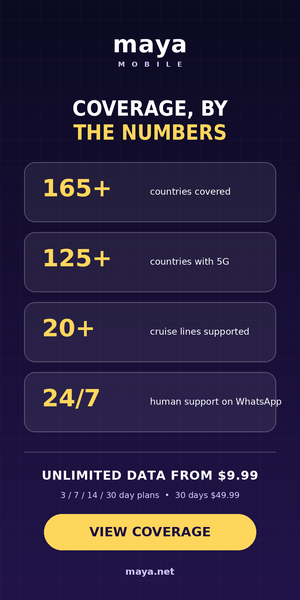
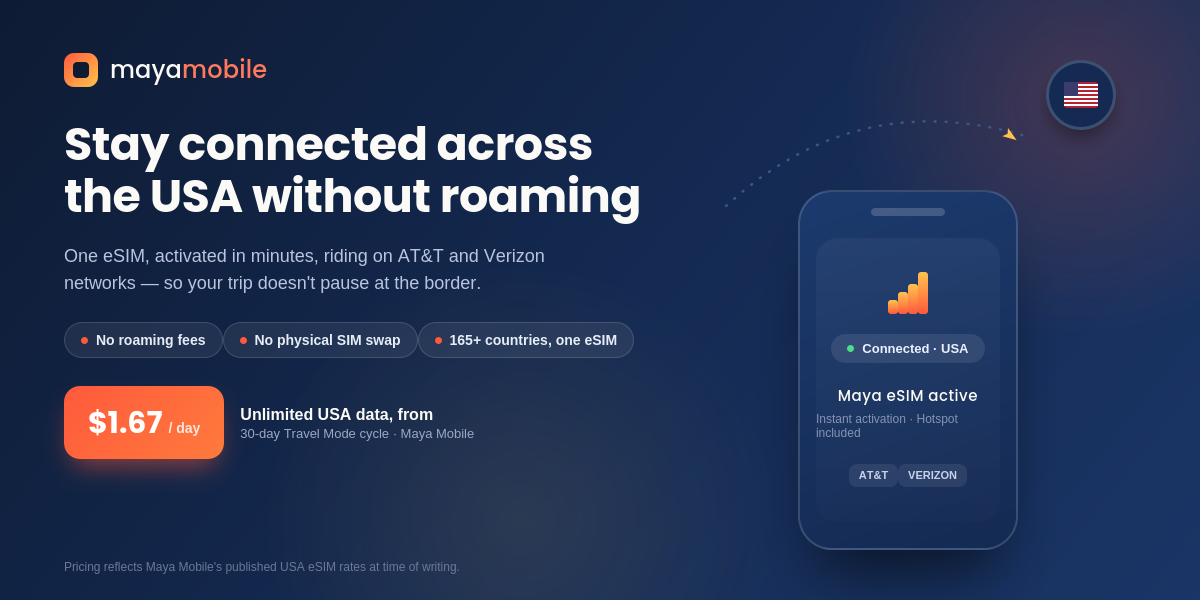
Maya Mobile provides travel eSIM plans that can be used in the United States. According to Maya Mobile’s current website, its service covers the USA through local network partners, including T-Mobile and Verizon, with 5G listed as available. Maya also says its eSIM service covers more than 165 countries.
That makes Maya Mobile an option worth considering for travelers who want mobile data in the USA without relying on their home carrier’s international roaming service.
Before looking at Maya Mobile specifically, it helps to understand what an eSIM actually is.
An eSIM is a digital SIM that can be installed on a compatible phone without inserting a physical SIM card. Instead of taking out your existing SIM and replacing it with another card, you can add a compatible eSIM to your device and select which connection you want to use for mobile data.
This can be particularly useful when traveling internationally.
With a traditional physical SIM, you may need to find a store after landing, purchase a local SIM, remove your existing SIM, keep the original card somewhere safe, and then make sure everything works correctly. If you travel between several countries, the process can become even more inconvenient.
Maya Mobile takes a different approach. Its current setup information says you purchase a plan, install the Maya eSIM, and then turn the Maya eSIM on when you arrive at your destination. Maya says the eSIM works alongside your existing SIM, meaning travelers do not necessarily have to remove their regular SIM just to use Maya’s data connection.
The eSIM can remain installed on the phone after a trip. Maya’s terms state that once a plan expires, the eSIM remains on the device in an inactive state and does not need to be deleted or reinstalled for a future trip.
For frequent travelers, that is an important convenience.

International roaming itself is not necessarily bad. It is convenient because you can often arrive in another country and continue using your existing mobile service.
The issue is that the cost and conditions depend on your home carrier.
A traveler may have a plan that includes international roaming, while another traveler may face separate charges for using data abroad. Some plans may have specific international allowances, while others may charge based on usage or require an international add-on.
This uncertainty is one reason travelers often look for alternatives before leaving home.
The USA is also a destination where mobile data can become an important part of a trip. A traveler might spend hours using navigation during a road trip, upload photographs and videos, check accommodation information, communicate through messaging apps, stream music, use rideshare services, or work from a hotel or café.
Rather than depending entirely on whatever international roaming arrangement comes with a home mobile plan, travelers can purchase a travel eSIM designed for use in the destination.
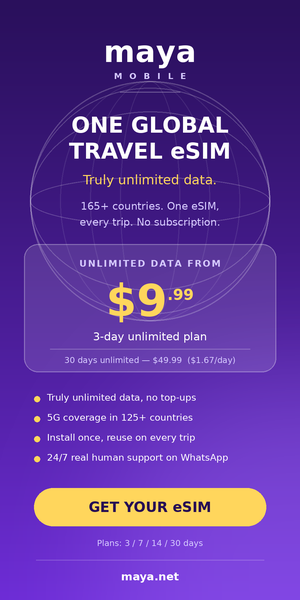
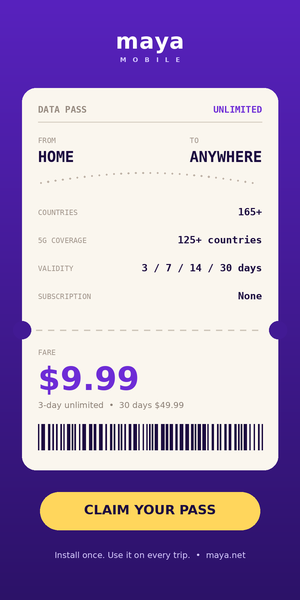
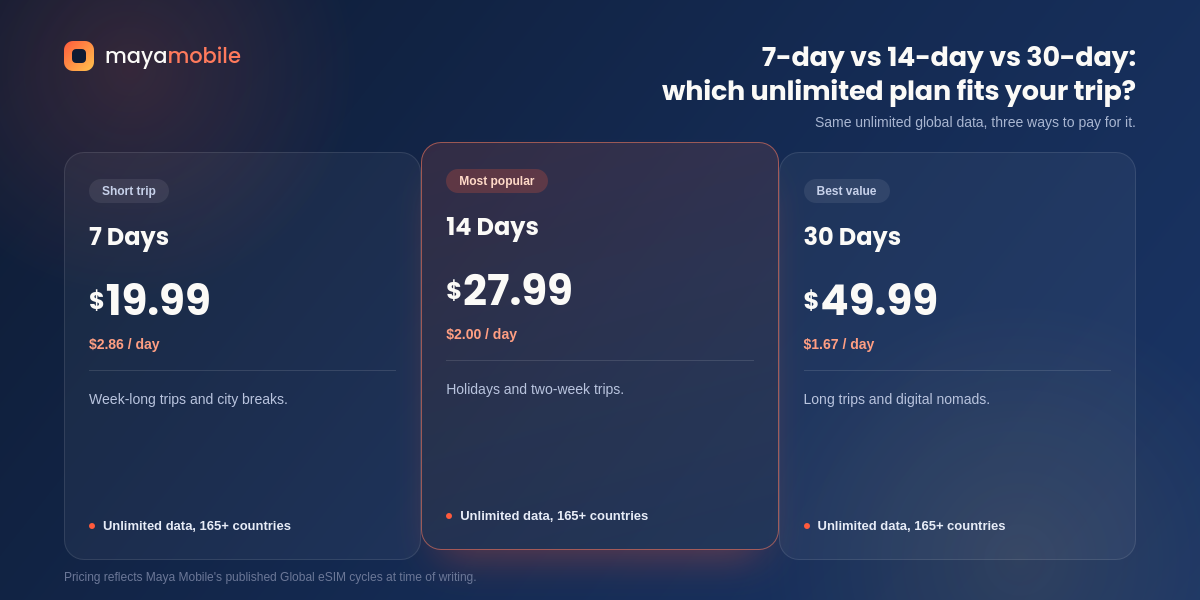
Maya Mobile’s USA eSIM page currently lists unlimited plans with durations of 3, 7, 14, and 30 days. The prices displayed by Maya Mobile are $9.99 for 3 days, $19.99 for 7 days, $27.99 for 14 days, and $49.99 for 30 days.
That gives travelers several duration options rather than requiring everyone to purchase the same length of service.
The basic process is relatively straightforward.
You first choose a Maya Mobile plan that covers the United States and matches the length of your trip. You then purchase the plan and install the Maya eSIM on a compatible device.
Maya’s setup guide says installation takes about two minutes and can be completed before travel. Once you arrive, you turn on the Maya eSIM in your phone settings and select it for cellular data.
This means the main setup can be completed before you leave home rather than waiting until you land in the USA.
That can be useful after a long flight. Instead of searching for a SIM shop at the airport or trying to figure out local mobile options while tired, you can prepare your connection in advance.
Maya also says that its eSIM automatically connects to the best available local network. Its coverage page currently lists T-Mobile and Verizon for the United States, with 5G shown as available. Actual service will naturally depend on the local network and conditions where you are traveling.
Maya Mobile currently lists four standard plan durations for its USA offering.
The 3-day unlimited plan is listed at $9.99. This could suit someone taking a short weekend trip or spending only a few days in the country.
The 7-day unlimited plan is listed at $19.99 and can work for a one-week holiday or short business trip.
The 14-day unlimited plan is listed at $27.99, which may be relevant for travelers spending two weeks in the USA.
The 30-day unlimited plan is listed at $49.99 and is intended for longer trips. Maya currently describes this as its best-value option on its plan pages, with the displayed cost working out to approximately $1.67 per day.
These prices and plan details can change, so travelers should check Maya Mobile’s current USA plan page before purchasing.
One useful point is that Maya describes these plans as one-time purchases rather than standard subscriptions. According to Maya’s current information, a plan ends when its purchased period ends unless the customer chooses to enable Auto Top-Up.

Maya Mobile currently describes its plans as offering unlimited data.
Its published information states that its plans have unlimited data with no caps or throttling, and that 4G LTE and 5G are available where supported.
For travelers, unlimited data can be useful because it removes the need to constantly estimate how many megabytes or gigabytes are left.
Think about a typical day in the USA. You might use navigation in the morning, browse attractions, message friends, check restaurant information, upload photos, listen to music, use rideshare apps, and check email throughout the day.
With a limited data plan, you may start wondering whether you should connect to Wi-Fi before using another app. With an unlimited-data plan, that particular concern is reduced.
There is still an important distinction to understand: unlimited mobile data does not mean that network conditions are identical everywhere. Signal strength, local network congestion, geographic coverage, buildings, weather, and other factors can affect the connection you receive in a particular location.
Maya says it does not artificially throttle speeds and that it connects to available 5G networks where supported, falling back to 4G LTE where 5G is unavailable.
The USA is a particularly interesting destination for travelers who plan to drive between multiple cities.
A road trip might include several different destinations in one trip. You could start in Los Angeles, travel toward Las Vegas, continue to national parks, and eventually head toward another city. Or you could spend weeks traveling through several states.
Having mobile data throughout the journey can make everyday travel easier.
Navigation is one obvious example. Instead of relying entirely on downloaded maps or stopping frequently to find Wi-Fi, you can use your phone’s mobile data for directions.
You can also use mobile data to find restaurants, check opening times, contact accommodation providers, search for attractions, book activities, or communicate with travel companions.
Maya’s USA coverage is part of its broader international eSIM offering. The company currently lists the United States among its supported destinations and says its service covers more than 165 countries.
That broader coverage can also be useful if the USA is only one part of a longer itinerary.
Some international trips do not stop at one country.
A traveler might visit the USA and then continue to Canada or Mexico. Another traveler could combine a US holiday with destinations in Europe or Asia.
Maya Mobile’s global eSIM is designed around this type of multi-country travel. Maya says the same eSIM can be used across more than 165 countries, and its coverage page lists the United States along with Canada, Mexico, and many other destinations.
This means travelers can avoid repeatedly handling physical SIM cards when moving between supported destinations.
Maya also states that its eSIM automatically switches between local networks depending on the destination.
For someone taking a multi-country trip, having one eSIM already installed can make the connectivity side of the journey easier to manage.
One concern people sometimes have about travel eSIMs is what happens to their existing phone number.
If you use your regular SIM for your home number and add Maya as an eSIM for data, the two connections can coexist on compatible devices. Maya’s setup information specifically says its eSIM works alongside an existing SIM.
This can be useful when you still want access to your normal mobile line while using Maya for travel data.
However, travelers should check how their particular phone handles dual SIM and cellular-data settings. Device capabilities vary, and your home carrier’s terms can also determine how calls, texts, and roaming work on your regular line.
For many travelers, the practical setup is to keep their normal number available while selecting the Maya eSIM as the cellular-data connection.

Few travel apps are more important than maps.
When you are walking around an unfamiliar city, driving through another state, looking for a hotel, or trying to find the nearest restaurant, having access to navigation can save considerable time.
Mobile data lets your phone communicate with online services while you are away from Wi-Fi.
With Maya Mobile’s USA plans, travelers can use their data connection for ordinary internet-based activities such as navigation and apps. Maya’s USA information specifically mentions navigation, messaging apps, VoIP, and general mobile data use.
Before a road trip, it is still sensible to download important maps or other offline information when possible. Mobile coverage can vary by location, particularly in remote areas, and having an offline backup is good travel planning regardless of which mobile provider you use.
Messaging has become one of the easiest ways to communicate while traveling.
Instead of relying entirely on traditional SMS, many travelers use internet-based services to send messages, photos, videos, voice notes, and make calls.
A travel data connection can support these services without requiring the traveler to depend on hotel Wi-Fi.
Maya’s USA information says its eSIM supports messaging apps and VoIP.
That can be particularly helpful for international travelers who want to keep in contact with family members at home while exploring the USA.
It also makes coordinating with travel companions easier. If one person is delayed at an attraction, arrives at a different airport terminal, or gets separated from the group, mobile data can make communication much simpler.
Not everyone visiting the USA is on vacation.
The country is also a major destination for business travelers, remote professionals, students, conference attendees, and people visiting clients or colleagues.
For these travelers, reliable mobile data can be more than a convenience.
You might need to answer an urgent email while traveling between meetings. You may need to join a video call from a hotel room. Perhaps you need to send a document while sitting in a café or use your laptop while waiting at an airport.
Maya Mobile says its eSIM supports Wi-Fi hotspot and tethering, allowing the mobile connection to be shared with a laptop, tablet, or another device.
That can make an eSIM more useful than simply having data on your phone.
For example, if your hotel Wi-Fi is unavailable or you are working somewhere without Wi-Fi, you can potentially use your phone’s connection to get another device online.
As always, actual performance depends on the local mobile network and conditions where you are.

Hotspot functionality is especially useful for travelers who carry more than one device.
A laptop, tablet, second phone, or other Wi-Fi-enabled device can sometimes connect through a phone’s mobile hotspot.
Maya Mobile currently states that hotspot and tethering are supported and included with its plans.
This could be useful during a road trip, for remote work, or when you need internet access on a laptop away from a traditional Wi-Fi connection.
Imagine sitting at an airport before a flight and needing to finish a presentation. Instead of searching for a public Wi-Fi network, you may be able to connect your laptop through your phone.
Again, the experience depends on the strength and availability of the local mobile network, but having hotspot support included gives travelers another way to use their data plan.
One of the easiest ways to avoid travel connectivity problems is to prepare before departure.
Maya recommends installing the eSIM before traveling. Its setup guide explains that an internet connection is required during installation, so completing the process while you still have reliable Wi-Fi or cellular data is sensible.
A simple preparation routine can help.
First, check whether your phone supports eSIM.
Second, make sure the phone is carrier unlocked. Maya’s FAQ states that a carrier-unlocked phone is required to use its eSIM.
Third, purchase the appropriate plan.
Fourth, install the Maya eSIM while you have a reliable internet connection.
Finally, check your phone’s SIM and cellular-data settings before departure so you understand where to select the Maya connection once you arrive.
Doing this at home is usually easier than trying to troubleshoot everything after a long international flight.
An eSIM only works if the device supports eSIM functionality.
Maya’s plan pages indicate compatibility with modern smartphones, including iPhones, Samsung devices, Google Pixel phones, and others. Its USA page also directs customers to check eSIM compatibility before purchasing.
Compatibility can depend on the exact phone model and regional version.
It is therefore worth checking your particular device rather than assuming that every recent smartphone will work.
You should also check whether the phone is carrier unlocked. Maya specifically states that a carrier-unlocked device is required.
This is an easy step to overlook, especially if you purchased your phone through a mobile carrier.

Another useful feature of Maya’s approach is that the eSIM itself remains on your phone.
Maya’s terms explain that when an active plan expires, the eSIM stays installed but becomes inactive. You do not need to delete it. When you purchase another plan and activate it, the same eSIM can be used again.
This can be convenient for frequent travelers.
Suppose you visit the USA this summer and return several months later. You do not necessarily have to repeat the complete eSIM installation process. The eSIM can remain on your device, ready for another plan.
Maya’s published information describes the eSIM as something that can be installed once and reused across future trips.
That is one of the more practical differences between an eSIM designed for repeated travel and a traditional physical SIM that you might purchase for a single destination.
Maya Mobile plans are presented as one-time purchases, but Maya also offers an optional Auto Top-Up feature.
According to Maya’s current information, Auto Top-Up can automatically renew the plan when it expires. If Auto Top-Up is not enabled, the plan simply ends when its purchased period is over.
This distinction is important.
If you only want mobile data for a specific vacation, you may prefer to leave automatic renewal turned off.
If you are traveling for a longer period and want continuous service, Auto Top-Up can be useful.
Maya says Auto Top-Up is optional rather than an automatic requirement. Its checkout information also says customers can change or cancel the feature from their account.
Travelers should review the settings during checkout so they know exactly what they are purchasing and whether automatic renewal is enabled.
Not every USA trip lasts several weeks.
Someone might fly to New York for a long weekend. Another traveler may visit Miami for four days. A business traveler might attend a conference and stay for three days.
For shorter trips, buying a very long mobile plan may not make sense.
Maya currently lists a 3-day unlimited plan for $9.99 and a 7-day unlimited plan for $19.99.
That gives short-trip travelers an option that matches a shorter itinerary.
For a weekend visit, three days may be enough. For a week-long vacation, the seven-day option may be more appropriate.
The key is to choose the duration that matches your actual trip rather than paying for more days than you need.

Longer trips create different connectivity needs.
If you are spending a month in the USA, moving between cities, working remotely, visiting family, or traveling around several states, constantly purchasing short-term data plans can become inconvenient.
Maya’s current USA offering includes a 30-day unlimited plan priced at $49.99.
Maya currently presents this as its best-value standard duration, equivalent to about $1.67 per day based on the displayed price.
A longer plan can also be convenient because you do not have to think about replacing the plan every few days during a month-long trip.
The USA is a popular destination for people who work remotely, and connectivity can be one of the first things a digital nomad considers when planning a trip.
A remote worker might spend a few days in one city before moving to another. They may work from hotels, cafés, coworking spaces, rental apartments, or other temporary locations.
Having mobile data as a backup to Wi-Fi can be useful.
Maya’s plans support hotspot and tethering, which can allow a compatible phone to share its connection with another device.
This does not replace the need to evaluate accommodation and workspace Wi-Fi if you rely heavily on the internet for work. However, it can provide another connection option when Wi-Fi is unavailable or inconvenient.
For anyone working while traveling, having more than one way to get online can make a trip less stressful.
Students traveling to the USA for short-term programs, university visits, exchanges, internships, or other educational purposes also need reliable connectivity.
A student may need to communicate with classmates, access course information, use maps to navigate an unfamiliar campus, contact accommodation providers, or stay connected with family.
A travel eSIM can reduce the need to search for a local SIM after arrival.
Maya’s USA plans offer several durations, so a student can look at the length of the trip and select an appropriate option. The currently listed standard durations are 3, 7, 14, and 30 days.
Students should still check their phone’s compatibility and carrier-unlocked status before buying.

Families can have particularly high connectivity needs.
Parents may need navigation, messaging, travel apps, hotel information, and entertainment for children during long journeys.
If several family members have compatible devices, each traveler can consider their own connectivity requirements.
Hotspot support can also be useful in situations where one person needs to connect another device. Maya says its plans support Wi-Fi hotspot and tethering.
For a family road trip, mobile data can help with everything from finding the next fuel station to checking restaurant reviews and keeping everyone in contact.
The right setup will depend on how many devices need data and how heavily each person uses the internet.
Although setting up an eSIM can be straightforward, there are a few things worth checking before purchasing.
First, confirm that your phone supports eSIM.
Second, confirm that the phone is carrier unlocked. Maya specifically requires a carrier-unlocked device.
Third, check the plan duration. Maya currently offers 3-, 7-, 14-, and 30-day options on its standard USA plans.
Fourth, look at the current price before purchasing because plan pricing can change.
Fifth, install the eSIM while you still have reliable internet access.
Finally, understand your phone’s cellular settings so that you know how to select Maya for mobile data after landing.
A few minutes of preparation can make the arrival process much smoother.
It is also important to understand what a travel eSIM does and does not do.
Maya Mobile provides mobile data through its eSIM service. That does not automatically mean that your normal home mobile service has been canceled or replaced.
Your regular SIM can remain on your phone, depending on your device and setup.
It is also important to distinguish internet-based communication from traditional cellular calling and SMS. If you need to receive traditional calls or text messages on your home number, you should understand how your regular carrier handles those services while abroad.
Maya’s service is particularly useful for providing the data connection needed for apps, navigation, messaging services, VoIP, browsing, and other internet-based activities. Maya’s USA information specifically lists these types of uses.
Understanding this distinction helps you set up your phone correctly rather than assuming that every traditional mobile service will work in exactly the same way.

The setup process can be completed before your trip.
Start by checking your device’s eSIM compatibility and confirming that the phone is carrier unlocked.
Then choose a Maya Mobile plan for the USA and complete the purchase.
Install the Maya eSIM while connected to reliable Wi-Fi or another internet connection.
Keep the eSIM installed on your phone.
When you arrive in the United States, open your phone’s cellular settings and switch on the Maya eSIM. Select it as your cellular-data line.
Maya’s own setup instructions explain that travelers can install the eSIM before travel and turn it on when they land.
If you do not immediately have data, Maya recommends checking that the eSIM is switched on and selected for cellular data.
This is one reason it is better to familiarize yourself with the settings before leaving home.
The main attraction of a travel eSIM is convenience.
There is no physical SIM card to remove. There is no need to find a store immediately after landing. You can prepare the connection before departure.
Maya Mobile takes that concept further by keeping the eSIM installed after the plan expires. According to its terms, the inactive eSIM remains on the device and can be used again after purchasing another plan.
For someone who travels internationally several times a year, this can make mobile connectivity easier to manage.
Maya’s coverage also extends well beyond the USA. The company currently lists more than 165 countries and 250-plus network partners on its coverage page.
That means the same eSIM can be relevant to travelers whose itineraries change from one trip to another.
For travelers who want to avoid depending on their home carrier’s international roaming service, Maya Mobile provides another option.
Its USA eSIM plans currently include unlimited data, multiple plan durations, and access to listed US network partners. Maya also supports hotspot and tethering and says its eSIM can remain installed for future trips.
The most suitable option depends on the individual traveler.
Someone visiting the USA for three days has different requirements from a digital nomad staying for a month. A business traveler may care more about hotspot functionality, while a tourist may mainly need maps and messaging.
The important thing is that travelers can choose a plan based on the length and nature of their trip rather than automatically relying on international roaming.
Staying connected while traveling in the United States does not have to mean relying exclusively on international roaming from your home mobile provider.
A travel eSIM can provide a practical alternative, particularly for people who want to arrange their mobile data before leaving home.
Maya Mobile currently offers USA plans with unlimited data in several durations, including 3, 7, 14, and 30 days. Its published USA coverage includes 5G through listed local network partners such as T-Mobile and Verizon, while its broader eSIM service covers more than 165 countries.
The setup is designed to be completed before travel. You install the eSIM, keep it on your phone, and then enable it for cellular data when you arrive. Maya says the eSIM can remain installed after a plan expires, allowing travelers to purchase another plan for a future trip without reinstalling the eSIM.
For travelers who use their phones heavily for navigation, messaging, browsing, work, entertainment, and travel apps, unlimited data can also make it easier to stay connected without constantly monitoring a small data allowance.
Maya’s support for hotspot and tethering is another useful feature for people carrying laptops or tablets.
Of course, no mobile connection is guaranteed to work identically everywhere. Coverage and speed can vary depending on location and local network conditions, so travelers should still plan accordingly, especially when visiting remote areas.
Before buying, check that your phone is eSIM-compatible and carrier unlocked, review Maya Mobile’s current USA plan prices and terms, and choose a plan that matches the length of your trip.
For international visitors heading to the United States, Maya Mobile offers a straightforward way to arrange travel data before departure and stay connected after landing, without having to make a physical SIM swap part of the travel routine.