





Digital subscriptions have become one of those expenses that can quietly grow without us noticing.
One month, you sign up for a streaming service because there is a show you want to watch. The next month, you add a music subscription because you are tired of advertisements. Then comes a cloud storage plan, a productivity app, an AI service, a design tool, a fitness platform, or an online learning service.
None of these subscriptions may seem particularly expensive on their own. The problem appears when they are all charged at the same time.
A few dollars here and there can eventually turn into a surprisingly large monthly bill.
The good news is that cutting your subscription spending does not necessarily mean giving up every service you enjoy. In many cases, the smarter approach is to understand what you are actually using, remove subscriptions that no longer provide enough value, choose the right plans, and look for legitimate ways to reduce the cost of services you still want.
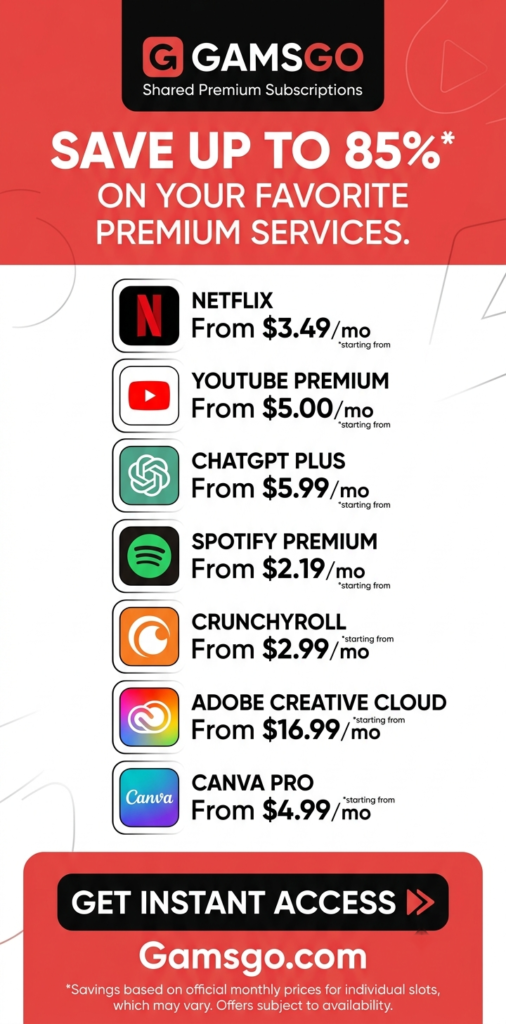
One option worth knowing about is GamsGo, a subscription-sharing platform that connects subscription owners with co-subscribers. GamsGo describes its model as applying the idea of carpooling to digital subscriptions, allowing users to share subscription costs rather than always paying the full price themselves.
Whether you use GamsGo or simply reorganize the subscriptions you already have, the basic principle is the same: you should not pay full price for digital services you barely use.
Here are practical ways to spend less without making your digital life unnecessarily complicated.
Before looking for discounts, take a realistic look at your current subscriptions.
This sounds simple, but it is often the most important step.
People frequently remember their major subscriptions but forget smaller recurring payments. A $5 or $7 subscription might not attract much attention when you see it on your bank statement. However, several small charges can add up over an entire year.
Go through your bank account, credit card statements, PayPal account, app-store subscriptions, and other payment methods you regularly use.
Write down every recurring digital payment.
For each subscription, note:
The service name
Monthly or annual price
Renewal date
How frequently you use it
What you primarily use it for
Whether you could live without it
Whether a cheaper plan would be enough
Whether you can share the cost legitimately
Whether you are currently paying for overlapping services
The last point is particularly important.
You might discover that you are paying for several services that solve essentially the same problem.
For example, someone may have two cloud-storage services, multiple music services, several video platforms, and more than one productivity application.
The issue is not necessarily that any one of them is expensive. The issue is duplication.
Once you have a complete list, divide everything into three simple categories.
The first category is essential.
These are services you use regularly and would genuinely miss if they disappeared. Perhaps you use a particular cloud-storage service every day for work or rely heavily on a productivity platform.
The second category is useful but optional.
These are services you enjoy but could live without. A streaming service that you watch several times a month may fit here.
The third category is forgotten or rarely used.
These are the subscriptions that deserve immediate attention.
A useful question is:
“If this subscription disappeared tomorrow, would I actually notice?”
If the honest answer is no, cancelling it could be the easiest saving you make all year.
Monthly pricing can make subscriptions appear cheaper than they really are.
Suppose you have eight services that average $10 per month.
That is $80 every month.
Over twelve months, it becomes $960.
Suddenly, the number looks much more significant.
This is why you should calculate the annual cost of your subscriptions. Looking at the yearly figure makes it easier to decide whether a service is genuinely worth keeping.
You can even calculate the cost per use.
If a service costs $12 a month and you use it 20 times, you are paying about 60 cents per use.
If you pay the same $12 but use it once, the value looks very different.
This does not mean every subscription needs to be used constantly. Some services are worth paying for because you need them occasionally. But understanding the cost helps you make a deliberate decision rather than letting automatic renewals make it for you.
The simplest way to spend less on subscriptions is to stop paying for services you do not use.
This sounds obvious, yet it is one of the easiest expenses to overlook.
People often subscribe to a service for a specific reason and then forget about it.
Maybe you wanted to watch one series. Perhaps you signed up for an application to complete a particular project. Maybe you subscribed to an online tool during a busy period and stopped using it afterward.
If you no longer need it, cancel it.
There is no advantage to keeping a subscription simply because you might use it someday.
If you need it again in the future, you can usually subscribe again.
Streaming services are one of the easiest areas in which to reduce spending.
You do not necessarily need every service simultaneously.
Instead, consider rotating them.
For example, you might subscribe to one video service for a month or two, watch the content you are interested in, cancel it, and later subscribe to another service.
This approach works particularly well for people who do not watch several streaming platforms every week.
Instead of paying for five or six services throughout the year, you can concentrate your spending on the services you actually want at a particular time.
The same idea can apply to other digital products.
If you only need a particular software tool for one project, you may not need to maintain the subscription indefinitely.
Many services offer multiple plans.
The most expensive plan is not automatically the best plan for you.
Think about what features you actually use.
Do you need multiple users?
Do you need the highest video quality?
Do you need additional storage?
Do you need advanced features?
Do you need access across a large number of devices?
If the answer is no, a lower-tier plan might provide everything you actually need.
On the other hand, sometimes a higher plan can make financial sense if it supports multiple people and replaces several individual subscriptions.
The key is not to automatically choose the cheapest plan. It is to choose the plan that gives you the best value for the way you actually use the service.
Subscription sharing can be another way to reduce digital expenses, particularly when a service officially supports multiple users or profiles.
Instead of one person carrying the entire cost, several people can contribute toward access where the service’s rules allow it.
This is where platforms such as GamsGo can become relevant.
GamsGo describes itself as a subscription-sharing website that connects subscription owners with co-subscribers. Its stated approach is based on sharing subscription costs, similar to the way people share the cost of a carpool.
The platform offers different types of digital subscription products, and the exact access method depends on the particular product.
For example, GamsGo currently presents different options for services such as YouTube Premium, including shared access and recharge options for an individual account on certain offerings.
That distinction matters.
Not every subscription works in exactly the same way, so users should read the individual product description before purchasing rather than assuming that every service has identical sharing arrangements.
GamsGo is worth considering as part of a broader subscription-saving strategy rather than treating it as a replacement for every subscription you own.
The basic idea is straightforward.
Instead of automatically purchasing every service directly at its regular individual price, you can check whether the service is available through GamsGo and compare the available option with what you would otherwise pay.
The platform has listings for digital subscriptions and other digital products, and its marketplace rules require sellers to provide information such as the product name, duration, delivery method, regional or account restrictions, and other relevant limitations.
That makes it especially important to read the specific listing.
You should check:
What type of access you are buying
How long the access lasts
Whether the account is shared
Whether you use your own account
Whether there are regional restrictions
What features are included
Whether the product has a warranty
What the renewal process looks like
What happens if there is an access problem
This is a better approach than simply choosing something because the headline price looks attractive.
A discount only matters if it actually gives you better value.
Suppose you normally spend $15 a month on a particular subscription.
Before buying an alternative, compare the total cost, duration, access type, included features, and any restrictions.
Do not compare only the advertised monthly number.
For example, a lower price might involve shared access, while another option might activate a subscription on your own account.
Those are different products from a practical perspective.
GamsGo itself provides different models depending on the service. Its YouTube offerings, for example, describe both shared access and a recharge service that activates a membership directly on the customer’s own account.
That means the right choice depends on what matters most to you.
If maintaining your existing account and personal history is important, an option designed around your own account may be more appealing when available.
If your priority is reducing the cost of access, a shared option may be worth comparing.
Price should not be the only consideration when buying digital subscriptions.
You also want to understand what happens if something goes wrong.
GamsGo’s Help Center explains that products offering a warranty can have a defined warranty period during which buyers may request a re-issue or refund in certain circumstances, such as an account becoming unusable or being reclaimed by an original owner.
Its seller rules also describe a DealShield protection period for digital subscription account orders, with the period depending on the product’s usage duration.
The important takeaway is to check whether the particular product you are considering has warranty coverage and understand the terms before purchasing.
Digital products are different from buying a physical item from a shop. Access can depend on account status, subscription duration, regional limitations, or the specific delivery method.
Knowing the support and protection process beforehand makes the purchase easier to evaluate.
One common mistake when trying to save money is choosing the cheapest option without checking what you are actually receiving.
Two offers may both say they provide access to the same service but have completely different arrangements.
One might be a shared profile.
Another might be a shared account.
Another could be a family-group arrangement.
Another might activate a subscription directly on your personal account.
GamsGo’s own product information demonstrates why this distinction matters. Its YouTube offerings describe multiple methods, including a recharge service and shared family-group access.
Therefore, always read the details before purchasing.
A few minutes spent understanding the product can prevent disappointment later.
Annual subscriptions can sometimes reduce the effective monthly price.
But an annual discount is not automatically a saving.
If you use the service throughout the year, paying annually may make sense.
If you use it for two months and forget about it for the remaining ten, an annual plan could actually waste money.
Before committing to a yearly subscription, ask yourself how consistently you use the service.
A good rule is:
Only pay for a full year when you are reasonably confident you will use the service for a large part of that year.
Otherwise, flexibility can be more valuable than a lower monthly equivalent.
Free trials are useful, but they can become expensive when forgotten.
A trial may begin with no immediate charge and then automatically convert into a paid subscription.
If you sign up for several trials, you can easily lose track of the renewal dates.
Whenever you start a trial, immediately record:
The trial end date
The expected renewal price
The cancellation method
Whether you actually want the service after the trial
A simple calendar reminder can save you from an unnecessary charge.
Automatic renewal is convenient, but convenience can also make subscriptions invisible.
If you are trying a service temporarily, consider turning off automatic renewal if the platform allows it while still preserving your current access.
This is particularly useful when you know you only need a subscription for a specific project, holiday, event, course, or period of entertainment.
You can then decide whether to renew instead of allowing the payment to happen automatically.
GamsGo’s Help Center also explains that renewal is handled through the subscription interface for products that support renewal, while some subscription types may not have a renewal option.
So, as with any subscription platform, check the renewal details for the particular product rather than assuming every purchase works identically.
Subscription companies often offer plans at different levels because different customers have different needs.
That can work in your favor.
Look at the features you actually use.
If you only need basic functionality, paying for a premium tier may not be necessary.
For example, you might not need extra cloud storage if you are using only a small amount. You might not need a family plan if you are the only person using the service. You might not need advanced business features in an application you use for personal tasks.
The goal is not to downgrade everything.
The goal is to stop paying for features that provide no meaningful benefit to you.
Another powerful strategy is consolidation.
Consider music services.
If you have three music subscriptions but mostly listen to one, why maintain all three?
The same question applies to:
Video streaming
Cloud storage
Note-taking applications
Password managers
AI tools
Design software
Productivity platforms
Online learning services
Fitness applications
News subscriptions
Sometimes one strong service can replace several smaller subscriptions.
Consolidation makes your finances simpler as well as cheaper.
AI tools are another category where subscription costs can multiply quickly.
You might subscribe to one AI assistant for writing, another for research, another for image generation, and another for coding.
If you use all of them heavily, that may be worthwhile.
But if you only use each one occasionally, you may be paying for more capacity than you need.
Before maintaining several AI subscriptions, think about which tools you actually use every week.
You can also consider switching between services based on your current needs rather than keeping every plan active throughout the year.
As with streaming, the rotation strategy can work well.
If you already have several digital subscriptions, another practical step is to compare their regular cost with the options available on GamsGo.
GamsGo currently features subscription products across categories that include streaming, music, software and other digital services. Its marketplace documentation specifically lists digital subscriptions as one of the product categories.
You do not need to move everything at once.
Start with the subscriptions that are costing you the most.
Compare the available GamsGo option with your current subscription and consider the access model, duration, price, restrictions, warranty and support.
If the arrangement works for your needs, it could reduce the amount you spend while allowing you to continue using a service you already value.
Not every digital service should be approached in exactly the same way.
For accounts containing important personal information, work files, sensitive data, or a long history of activity, you may prefer an option that keeps the subscription attached to your own account when such an option is available.
This is one reason GamsGo’s recharge offerings can be interesting.
For example, GamsGo describes its YouTube recharge service as activating an individual membership directly on the customer’s own account rather than requiring the customer to join a family group.
GamsGo also currently advertises a ChatGPT recharge service designed to activate membership on a customer’s personal account rather than providing a shared account.
The important point is not that one model is always better.
It is that you should choose the access model that matches your priorities.
Digital subscriptions can have regional requirements.
A price that looks attractive may not necessarily be suitable for every customer or account.
GamsGo’s seller rules specifically require sellers to disclose regional or account restrictions in product descriptions.
Before purchasing, check whether the product is available for your country and whether your existing account meets any requirements.
This is especially important when dealing with services that have different plans or pricing structures in different markets.
Saving money is important, but the cheapest option is not always the best option.
Suppose you save $5 but spend an hour dealing with complicated account changes every month.
That may not be a worthwhile trade.
Similarly, if a shared account does not fit your normal usage habits, the lower price may not compensate for the inconvenience.
A good subscription-saving strategy balances three things:
Price + convenience + access.
GamsGo’s different subscription models are an example of why this balance matters. Some offerings involve shared access, while others are designed around activating subscriptions on the user’s own account.
Choose based on how you actually use the service.
You do not need to spend hours managing subscriptions.
Once a month, spend 10 or 15 minutes reviewing your recurring payments.
Ask yourself:
What did I actually use this month?
Which subscription provided the most value?
Which one barely got opened?
Did I subscribe to anything new?
Is anything renewing soon?
Could I switch to a cheaper plan?
Could I share the cost where appropriate?
Is there a better-value option available?
This small habit can prevent subscription spending from slowly getting out of control.
You can also create a fixed monthly budget for digital services.
For example, you might decide that you are comfortable spending $50 per month on entertainment and digital tools.
Once you reach that amount, any new subscription means something else has to go.
This creates a natural limit.
It also forces you to think about priorities.
If you really want a new streaming service, perhaps you cancel another one that you have not been watching.
The goal is not to eliminate entertainment.
It is to make your spending intentional.
Whenever you are about to start a new subscription, search for legitimate discounts.
Check the service’s own promotions first.
Then compare available alternatives.
Depending on the service, discounts may be available through annual plans, introductory offers, student plans, family options, bundles, or subscription-sharing platforms.
GamsGo is one platform you can check when looking for reduced-cost access to eligible digital subscriptions.
Its marketplace model is specifically built around digital products and subscription sharing, although the exact terms and access method depend on the product.
Switching providers can sometimes save money, but do the math first.
Suppose your current subscription costs $120 per year.
You find another option for $70.
That looks like a $50 saving.
But if the cheaper option does not include a feature you regularly use, you may eventually end up paying for another service to replace that feature.
The real saving could then be much smaller.
Always compare the complete package rather than the headline price.
GamsGo should not be viewed as a magic solution to every subscription expense.
Instead, think of it as one possible tool in your overall cost-cutting strategy.
The biggest savings usually come from combining several habits:
Cancel unused subscriptions.
Rotate streaming services.
Choose the correct plan.
Use annual plans only when they make sense.
Share costs where appropriate.
Compare prices before renewing.
Avoid paying for unnecessary features.
And check platforms such as GamsGo when you are looking for lower-cost access to eligible digital subscriptions.
This approach is much more sustainable than simply cancelling everything.
If you decide to explore GamsGo, take a few minutes to understand the individual product listing before paying.
Check the duration.
Check the access type.
Check whether you receive a shared account, profile, family-group access, or a recharge to your own account.
Check regional requirements.
Check the warranty information.
Check whether renewal is available.
Check the support process.
GamsGo’s marketplace rules state that sellers should provide clear information about duration, delivery method, restrictions and other relevant product details, while misleading descriptions are prohibited.
This is useful guidance for buyers too: read the listing rather than relying only on the product title.
Subscription prices change.
Promotions end.
Plans are redesigned.
Services introduce new restrictions or features.
Third-party platforms can also update their prices and available products.
For that reason, do not build your entire budget around one advertised price.
Always check the current price before making a purchase.
The same principle applies when comparing GamsGo with a service’s official subscription.
The price you see today may not be the price available several months from now.
One of the biggest causes of subscription waste is paying for something because you might need it someday.
Maybe you might return to that language-learning app.
Maybe you might use that design software again.
Maybe you might watch another series on that streaming platform.
Maybe you might need that productivity tool for a future project.
If the need is uncertain, cancelling can be reasonable.
You can always reassess later.
This is especially useful for software subscriptions. If you only need a tool during certain periods, subscribing when necessary can be much cheaper than maintaining it continuously.
If you are not sure how much you rely on your subscriptions, try an experiment.
Pick one week and deliberately avoid using non-essential paid services.
You may discover that you barely miss some of them.
Perhaps you realize that you mainly use one streaming service and hardly touch the others.
Maybe you find that a free alternative is enough for a particular task.
Maybe you discover that you only need a paid application during specific projects.
This experiment can help you distinguish between subscriptions you genuinely value and subscriptions you simply became accustomed to having.
Once you have reduced your subscriptions, make the savings work for you.
If you previously spent $100 per month and bring that down to $60, do not let the extra $40 disappear into everyday spending.
Move it into savings, investments, travel funds, or another financial goal.
That way, cancelling unnecessary subscriptions produces a visible benefit.
Even modest savings become meaningful over time.
Saving $40 a month means $480 over a year.
Saving $75 a month means $900.
Saving $100 a month means $1,200.
The exact amount will depend on your existing subscriptions, but the principle is simple: recurring savings compound into meaningful annual savings.
The goal is not to become someone who refuses to pay for digital services.
Good subscriptions can be excellent value.
A service you use every day can easily be worth its monthly price.
The problem occurs when you continue paying simply because the payment is automatic.
Instead, think of every subscription as a small financial decision.
Ask:
“Is this still worth what I am paying for it?”
If yes, keep it.
If no, change the plan, find a better option, share the cost where appropriate, or cancel it.
That mindset can make a bigger difference than chasing every tiny discount.
For people who already know they want to keep certain digital subscriptions, GamsGo can be another place to compare access options.
Its stated model is based on connecting subscription owners with co-subscribers so the cost of subscriptions can be shared.
The platform also offers different access models for certain services. Its current YouTube offerings, for example, include shared access as well as a recharge option for an individual’s own account.
That flexibility can be useful because different people have different priorities.
Some people mainly want the lowest possible cost.
Others care more about keeping their own account.
Others may want a particular subscription for only a limited period.
The important thing is to compare the actual product being offered rather than assuming all subscription-sharing options work the same way.
Digital subscriptions can easily become a forgotten monthly expense, but they do not have to.
Start by listing everything you currently pay for.
Cancel the services you no longer use.
Rotate streaming subscriptions instead of keeping every service active all year.
Choose lower plans when premium features are unnecessary.
Use annual billing only when you know you will get enough value from it.
Look for legitimate sharing options.
Compare prices before renewing.
And when you are looking for discounted access to eligible digital subscriptions, check platforms such as GamsGo and carefully compare the available options.
GamsGo’s platform is built around subscription sharing and also offers different subscription access methods depending on the service. Its Help Center provides information about warranties, refunds, renewals and product-specific conditions, which makes reading the details before purchase an important part of using the platform.
The biggest lesson is simple: you do not need to stop enjoying digital services to spend less on them.
You simply need to stop paying automatically for things that no longer make sense.
A few minutes of checking your subscriptions each month can uncover hundreds of dollars in potential annual savings. And when you combine cancellation, smarter plan selection, subscription rotation, cost sharing and services such as GamsGo, you can keep many of the digital experiences you enjoy without allowing them to quietly take over your budget.
In the end, the best subscription strategy is not about having the fewest subscriptions.
It is about having the right subscriptions at the right price for the way you actually live and work.