


Selling an old iPhone sounds easy until you actually start looking at your options.
You can trade it in when buying a new phone, sell it privately, use a phone recycling service, or leave it sitting in a drawer until you eventually forget about it. The problem is that these options can produce very different results. Two people with the exact same iPhone can end up getting noticeably different amounts depending on its condition, how they sell it, and how carefully they prepare it.
The good news is that you do not need to be an expert in phones to get a decent price for an old iPhone. A few simple steps can make the process easier and help you avoid losing money unnecessarily.
If you are in the UK, one option worth considering is Mazuma Mobile. The company allows customers to search for their iPhone model online, select its condition, receive a quote, send the phone using its available postage options, and receive payment after the device has been checked. Mazuma says its quoted price is guaranteed when the phone arrives in the condition selected and meets its terms and conditions.
But before you sell your iPhone to anyone, it is worth understanding what actually affects its value.
Here is how to give yourself the best chance of getting the most from your old iPhone.
The first step is surprisingly important: identify the exact iPhone model you own.
It is not enough to say that you have an “iPhone 13” or an “old iPhone.” Storage capacity and the exact model can make a meaningful difference when you are getting a quote.
For example, an iPhone 15 Pro is not the same as an iPhone 15, and a 256GB version is not necessarily valued the same as a 128GB version. The same applies to older models.
Before looking for a buyer, check your iPhone’s model and storage capacity.
You can usually find this information by going into the phone’s settings and checking the device information. You can also check the original box if you still have it.
This matters because selling platforms normally ask you to select the exact model before providing a valuation.
Mazuma Mobile’s iPhone selling process works in much the same way. You select your iPhone model and storage size and then choose the condition that best matches the device. The website then provides an instant quote.
Do not guess the model simply because you remember buying a particular iPhone a few years ago. Take a minute to check it properly.
That small step can prevent mistakes later.
Storage is one of the easiest details to overlook.
An iPhone with more storage can be worth more than the same model with less storage, depending on the current market and the buyer’s pricing.
Go to your iPhone’s settings and check how much storage the device has. Make a note of it before getting quotes.
This is especially important with Pro and Pro Max models because they have historically been available in several storage configurations.
When comparing offers, make sure you are comparing like for like.
There is little point comparing a quote for a 128GB iPhone with a quote for a 256GB version and assuming one company is offering a much better deal.
The model, storage capacity, condition and other factors all need to match.
This is probably the biggest factor you can control.
It is tempting to describe your iPhone as being in excellent condition because you want the highest possible quote. But if the phone has scratches, a cracked screen, damaged buttons or another issue, selecting a condition that does not accurately describe the device can cause problems when it is inspected.
Mazuma Mobile currently uses condition categories that include good, poor and faulty, with the value depending on the condition selected. Its website explains that a phone in good condition generally needs to be fully functional with very little evidence of use, while poor or faulty devices can receive lower valuations.
The best approach is simple: be honest.
Look at your phone under good lighting and inspect it properly.
Check the front glass.
Check the back.
Look around the edges.
Look at the camera lenses.
Check whether the buttons work.
Check the charging port.
Check whether the display works properly.
Think about whether there are any faults that you have simply learned to live with.
For example, perhaps your Face ID occasionally fails, the charging cable only works when held at a certain angle, or one of the speakers is quieter than it used to be.
These things might not bother you much anymore, but they can matter when the phone is being evaluated.
A dirty phone can look much worse than it actually is.
Dust around the speakers, fingerprints on the display and grime around the charging port can make a perfectly usable iPhone look neglected.
Before taking photographs or assessing the condition, give the phone a careful clean.
Use a soft, lint-free cloth to clean the display and exterior. Avoid using excessive liquid or putting moisture into the ports.
Pay particular attention to the camera lenses. A fingerprint across the lens can make photographs look blurry and may lead you to think there is a camera problem when there isn’t one.
Cleaning the phone will not magically increase its official valuation, but it can help you assess the actual condition more accurately.
It also makes the phone look better if you decide to sell it privately.
Battery condition is another thing worth checking before selling an iPhone.
Go into your iPhone settings and check the battery information, including the battery’s maximum capacity if your model provides that information.
You should also test the phone normally.
Open a few apps.
Take a photograph.
Record a short video.
Play some audio.
Connect it to Wi-Fi.
Test the charging connection.
Check the buttons.
Test the touchscreen.
If your iPhone has Face ID or Touch ID, test that too.
You are essentially trying to find out whether there is anything wrong with the phone before you declare its condition.
This is useful whether you are selling to an individual or a recycling company.
If you discover a problem now, you can factor it into your decision instead of being surprised later.
One common mistake is spending a lot of money repairing an old iPhone before selling it.
It sounds logical. If a cracked screen reduces the value, replacing the screen should increase the value, right?
Not necessarily.
The cost of a repair can sometimes be greater than the additional amount you would receive from selling the repaired phone.
Before paying for repairs, get a quote for the iPhone in its current condition. Then find out how much it could potentially be worth after the repair.
For example, imagine your damaged iPhone is worth £180 as it is, while a repaired version might be worth £250. If the repair costs £120, paying for the repair does not make financial sense purely to increase the resale value.
The numbers will vary from one phone to another, so do the calculation before spending anything.
Sometimes the best financial decision is simply to sell the phone in its existing condition.
Mazuma Mobile states that it accepts devices in different conditions, including working and faulty devices listed in its pricing guide, so it can be worth checking the valuation for the phone as it currently is before deciding whether a repair is worthwhile.
If getting the best price is your main goal, do not accept the first offer you see.
Check a few options.
You might look at:
Phone recycling companies
Manufacturer trade-in programmes
Mobile network trade-ins
Private marketplaces
Local buyers
Specialist second-hand phone retailers
Each option has advantages and disadvantages.
A private sale can potentially produce more money because you are selling directly to another person. However, you also have to deal with enquiries, negotiations, payment arrangements, meeting buyers or shipping the phone.
A recycling service can be simpler because you receive a valuation and send the phone away rather than managing individual buyers.
A manufacturer’s trade-in programme can also be convenient if you are buying another device at the same time.
The important thing is to compare the actual amount you will receive rather than simply looking at the advertised headline price.
For UK customers who want a straightforward phone recycling option, Mazuma Mobile is worth including in your comparison.
Mazuma’s current iPhone selling page allows you to select an iPhone model and storage size, choose the condition, and receive an instant price. The company says that its quoted price is guaranteed for 14 days and that customers receive 100% of the quoted value when the device arrives in the condition selected and meets its terms and conditions.
That is useful because you can check the value before deciding whether you actually want to sell.
There is no need to guess what your phone might be worth.
You can get the quote first and then compare it with your other options.
Mazuma also says it provides free postage options for UK customers.
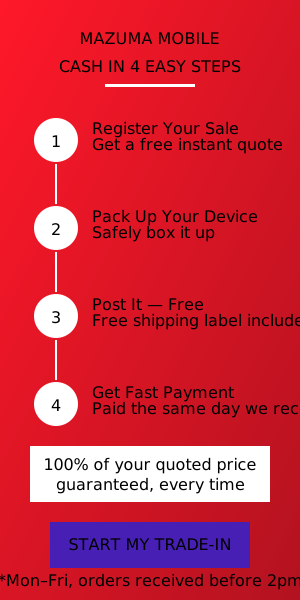
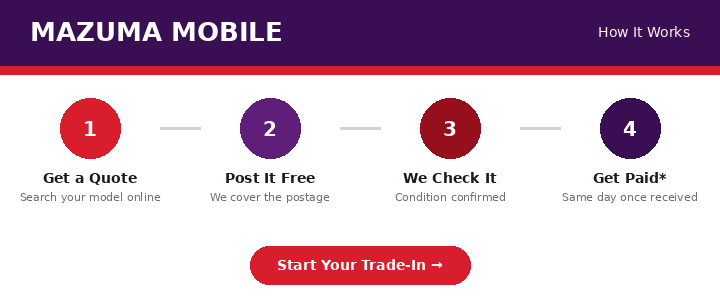
If you decide to use Mazuma Mobile, the process is fairly straightforward.
First, you search for your iPhone on the Mazuma website.
You select the correct model and storage capacity, then select the condition of your phone. This gives you the quoted value.
If you are happy with the quote, you register the sale.
Mazuma says customers can request a sales pack or print their own label, and its iPhone page also mentions a QR-code option.
You then pack the phone securely and send it using the available postage option.
According to Mazuma, devices should be posted within 14 days of placing the order.
Once the phone arrives, it is checked against the information provided when the sale was registered.
If everything matches the selected condition and the order meets the relevant terms, Mazuma says payment is made on the same day it receives the phone, subject to its stated conditions. Its current information says this applies Monday to Friday, excluding public holidays, and does not apply to orders received after 2pm.
That gives you a reasonably clear process from valuation to payment.
The condition selection deserves more attention than it usually gets.
People often look at their iPhone and think, “It works perfectly, so it must be in good condition.”
But working perfectly is only one part of the assessment.
Cosmetic condition matters too.
A phone can work perfectly but have significant scratches or damage. Likewise, a phone can look excellent but have a battery or hardware problem.
Read the condition requirements carefully before selecting an option.
Mazuma specifically provides condition information so customers can determine whether their phone falls into categories such as good, poor or faulty.
If you are unsure, choosing a lower condition category is generally safer than claiming a condition that the phone does not meet.
An inaccurate selection could result in a revised offer after inspection.
Mazuma says that if an order does not meet its terms and the value needs to be amended, the customer can receive a revised offer. If the customer does not accept the revised offer, Mazuma says the device can be returned free of charge.
The screen is one of the first things a buyer will notice.
Look for cracks, chips, deep scratches and display problems.
Small marks from normal use are different from a cracked screen.
Check the entire display rather than looking only at the centre.
Pay attention to the corners because phones often suffer damage there after being dropped.
Also check whether the touchscreen responds normally across the whole screen.
Open a website and scroll around.
Type a message.
Move icons around.
Try using the keyboard.
If a particular area of the touchscreen does not respond, you want to know before you sell the phone.
Do not focus only on the display.
Turn the phone over.
Look for cracks in the rear glass, scratches, dents and signs of impact.
Then inspect the frame.
Small marks can be normal after years of use, but deep dents may indicate that the phone has been dropped.
Also check the camera area.
Make sure the camera lenses are not cracked and that the cameras work normally.
If you have a case that has protected your iPhone for years, you might be surprised by how good the phone looks once you remove it.
Take the case off and inspect everything properly before selecting a condition.
Before sending your iPhone away, make sure you understand its account and security status.
You should remove your personal accounts and disable security features that could prevent the next owner or recycler from using the device.
Most importantly, make sure you have backed up anything you want to keep.
Your photos, contacts, messages and other important information should not exist only on the phone you are about to sell.
Once the phone is gone, recovering forgotten information can be difficult or impossible.
Apple provides its own processes for backing up and preparing an iPhone for sale, and you should follow the appropriate steps for your device before handing it over.
Mazuma also provides data deletion guidance for customers selling phones. The company says it offers a free Mobile Data Delete Tool with step-by-step instructions for removing personal information from used mobile devices.
Still, you should take responsibility for backing up and removing your own information before sending the phone.
This step cannot be stressed enough.
Before you erase your iPhone, check that you have everything you need.
Think beyond photographs.
You might have:
Contacts
Notes
Messages
WhatsApp data
Important documents
Passwords
Authentication information
App data
Photos and videos
Voice recordings
Health or fitness information
Make sure your new phone or cloud backup contains the information you need.
It is much easier to discover that something is missing while you still have the old iPhone than after you have mailed it away.
Before selling the iPhone, follow Apple’s recommended process for preparing a device for sale.
You should sign out of your Apple account where appropriate and make sure Activation Lock is no longer preventing the device from being used by someone else.
This is particularly important because a phone connected to your account can cause problems for whoever receives it.
Do not assume that simply deleting your photos is enough.
The goal is to properly prepare the entire device for its next owner.
Once you have confirmed that your important information is backed up, erase the device using the appropriate iPhone settings.
Do not manually delete hundreds of photos and contacts one by one and assume the phone is ready.
A proper reset is the better approach.
Before doing this, double-check your backup.
It is worth spending another five minutes checking than losing years of photographs because you were in a hurry.
Remember to remove your physical SIM card if your iPhone uses one.
A SIM card belongs to you and should not be sent with the phone unless there is a specific reason to do so.
If you use an eSIM, follow the appropriate process for transferring or removing it from the device.
The important thing is that your mobile service should not accidentally remain connected to the phone you are selling.
One reason people hesitate to sell an old phone is that they think they need to find the original box, charger, cable, manuals and accessories.
That depends on the buyer.
With Mazuma Mobile, its current information says that for mobile phone sales it needs the mobile phone and battery, and customers are welcome to keep the rest.
That can make the process particularly simple if your original box disappeared years ago.
Of course, requirements can vary between buyers, so always check the specific instructions for the service you choose.
Once you have accepted an offer, do not throw the iPhone into an envelope and hope for the best.
Your phone needs to survive the journey.
Use suitable protective packaging and make sure the device cannot move around excessively inside the package.
If you still have the original box, it can be useful for protection, although you should follow the seller’s packaging instructions rather than assuming the original box alone is sufficient.
Mazuma provides packaging and postage options as part of its selling process, including a sales pack for customers who choose that option.
A high-value iPhone deserves more attention when it comes to shipping.
Mazuma offers different posting options, including free tracked options and Special Delivery. Its current guidance says the free tracked service provides Royal Mail insurance cover up to £150, while Special Delivery provides cover up to £750; Mazuma advises using Special Delivery for devices valued above £750.
The important lesson is not to treat postage as an afterthought.
If you are sending an expensive iPhone, check the current coverage and posting requirements before choosing the cheapest option.
Whatever selling service you use, keep your postage receipt.
Take a photograph of the receipt if necessary.
If there is tracking information, save it.
This gives you a record that the device was sent and allows you to monitor its progress.
Mazuma’s postage information specifically advises customers to keep the proof of postage receipt and tracking number when using its postal options.
It takes seconds to save this information and can be very useful if you need to check the delivery later.
This is another simple habit that can be worthwhile.
Before packaging the iPhone, take clear photographs of it.
Photograph the front.
Photograph the back.
Photograph the sides.
Take a picture of the phone switched on.
If possible, take a photograph showing the device information as well.
These pictures give you a record of the phone’s condition at the time you sent it.
You may never need them, but there is little downside to having them.
A headline price can be misleading.
When comparing phone buyers, look at the conditions attached to the price.
Some offers may advertise a high maximum value but only apply to devices in exceptional condition.
The more useful question is:
“What will I actually receive for my phone in its current condition?”
Mazuma specifically says its price promise means customers receive 100% of the quoted value when the phone meets the relevant conditions. It also says it does not use inflated “up to” prices in the way described on its website.
That does not automatically mean Mazuma will always provide the highest price in every situation. It simply means you have a clearly stated valuation to compare with other offers.
That is exactly how you should approach the process.
Compare the real numbers.
The absolute highest offer is not always the best deal.
Suppose one buyer offers slightly more but requires you to arrange a private sale, answer dozens of messages, negotiate with buyers, arrange collection or shipping, and deal with payment yourself.
Another buyer offers slightly less but provides a clear online quote, postage instructions and a straightforward payment process.
The difference in money might not be worth the additional hassle.
This is particularly true with older iPhones that are no longer worth a huge amount.
Think about what your time is worth.
Selling privately can be attractive if your iPhone is in excellent condition and you believe you can find a buyer willing to pay more.
You have more control over the asking price.
However, there are trade-offs.
You need to create the listing.
Take photographs.
Write an accurate description.
Answer questions.
Deal with people negotiating.
Arrange payment.
Deal with potential scams.
Arrange collection or shipping.
And then you have to wait for the buyer.
If you are comfortable with all of that, a private sale may be worth exploring.
If you would rather have a more structured process, a specialist phone recycling company can be much easier.
A recycling service can be particularly appealing when convenience matters.
You get a valuation before sending the device, and the company handles the inspection and resale or reuse process.
Mazuma Mobile says it has been operating since 2006 and is part of the Lancaster Group. It describes itself as a mobile phone reuse company and says it re-homes, on average, more than 15,000 mobiles per month.
The company also says it aims to reuse more than 95% of mobile phones received, while non-reusable phones are recycled.
For someone who wants to turn an unwanted iPhone into cash without dealing with individual buyers, that model can be appealing.
There is no single answer for everyone because the best place to sell an iPhone depends on the exact model, condition and current offers.
However, Mazuma Mobile has several features that make it worth checking when you compare your options.
You can get an instant quote before committing.
The company provides a stated price guarantee subject to its terms.
There are free postage options for UK customers.
It accepts phones in different conditions.
And it says payment is made on the same day the device is received when the relevant requirements are met.
The process is also designed around selling the phone rather than requiring you to purchase another device at the same time.
That makes it useful if you have upgraded already and simply have an old iPhone sitting around.
This is probably the easiest mistake to avoid.
People often keep old phones because they think they might need them someday.
Then months become years.
The phone loses value while sitting unused.
Technology moves quickly, and newer models continue to appear.
If you know you are not going to use the old iPhone, selling it sooner rather than later is often worth considering.
Mazuma itself makes this point on its website, saying that the sooner you sell, the more you get.
That does not mean you should sell your phone immediately without considering your needs.
If it is still a useful backup phone, keeping it may make sense.
But if you have already replaced it and have no realistic reason to keep it, there is little benefit in allowing it to sit unused indefinitely.
At the same time, do not rush just because you want to sell quickly.
Take an hour to prepare the phone properly.
Check the model.
Check storage.
Check condition.
Compare quotes.
Back up your data.
Remove your accounts.
Erase the phone.
Package it safely.
Keep the tracking details.
That is enough to make the process much smoother.
Getting the best price for an old iPhone is not necessarily about finding a secret trick.
It starts with knowing exactly what you have.
A 256GB iPhone in excellent condition is different from a 128GB model with a cracked screen.
A fully working phone is different from one with charging problems.
A clean, well-maintained device is different from one with significant physical damage.
Once you know what you actually have, you can compare offers properly.
Before sending your iPhone to a buyer such as Mazuma Mobile, run through this checklist:
Model: Confirm the exact iPhone model.
Storage: Check the storage capacity.
Screen: Look for cracks, chips and significant scratches.
Body: Inspect the rear panel and frame.
Cameras: Make sure the cameras and lenses are working properly.
Buttons: Test the physical buttons.
Charging: Check that the phone charges normally.
Battery: Check the battery information and overall performance.
Connectivity: Test Wi-Fi and other relevant connections.
Accounts: Make sure your Apple account and security settings are properly removed before selling.
Backup: Confirm that your important data has been backed up.
Reset: Erase your personal information using the appropriate process.
SIM: Remove your physical SIM if applicable.
Condition: Select the condition that honestly matches the phone.
Quote: Compare the offer with other selling options.
Packaging: Protect the iPhone properly.
Postage: Use the appropriate postage option for the value of the device.
Tracking: Keep your receipt and tracking information.
Following these steps will not guarantee that you receive the highest possible price in the entire market. Nothing can guarantee that because offers change between buyers and over time.
But it does put you in a much better position to make a sensible decision.
Selling an old iPhone for the best price is mostly about preparation and comparison.
Do not guess the model. Check it.
Do not exaggerate the condition. Be honest.
Do not repair the phone automatically. Work out whether the repair is financially worthwhile.
Do not accept the first offer without checking alternatives.
And, perhaps most importantly, do not forget about your personal data.
If you are looking for a straightforward way to sell an iPhone in the UK, Mazuma Mobile is one option worth checking. Its current process lets you select your iPhone model and condition, receive an instant quote, arrange postage, and receive payment after the phone has been received and checked. Mazuma says its quoted price is guaranteed when the phone meets the selected condition and its terms, and it offers free postage options for UK customers.
It is also worth remembering that Mazuma’s same-day payment promise has conditions. Its website states that same-day payment applies Monday to Friday, excluding public holidays, and does not apply to orders received after 2pm or situations outside its control.
So, before you sell, take a few minutes to get your information right and compare the quote with your alternatives.
Your old iPhone may not feel particularly valuable when it is sitting unused on your desk. But depending on the model and condition, it could still be worth a reasonable amount of money.
Instead of letting it gather dust in a drawer, check what it is worth.
Prepare it properly.
Protect your data.
Compare your options.
And then choose the selling method that gives you the combination of price, convenience and confidence that makes the most sense for you.